What Are CSS Battles and How Can They Improve Coding Skills?
TL;DR
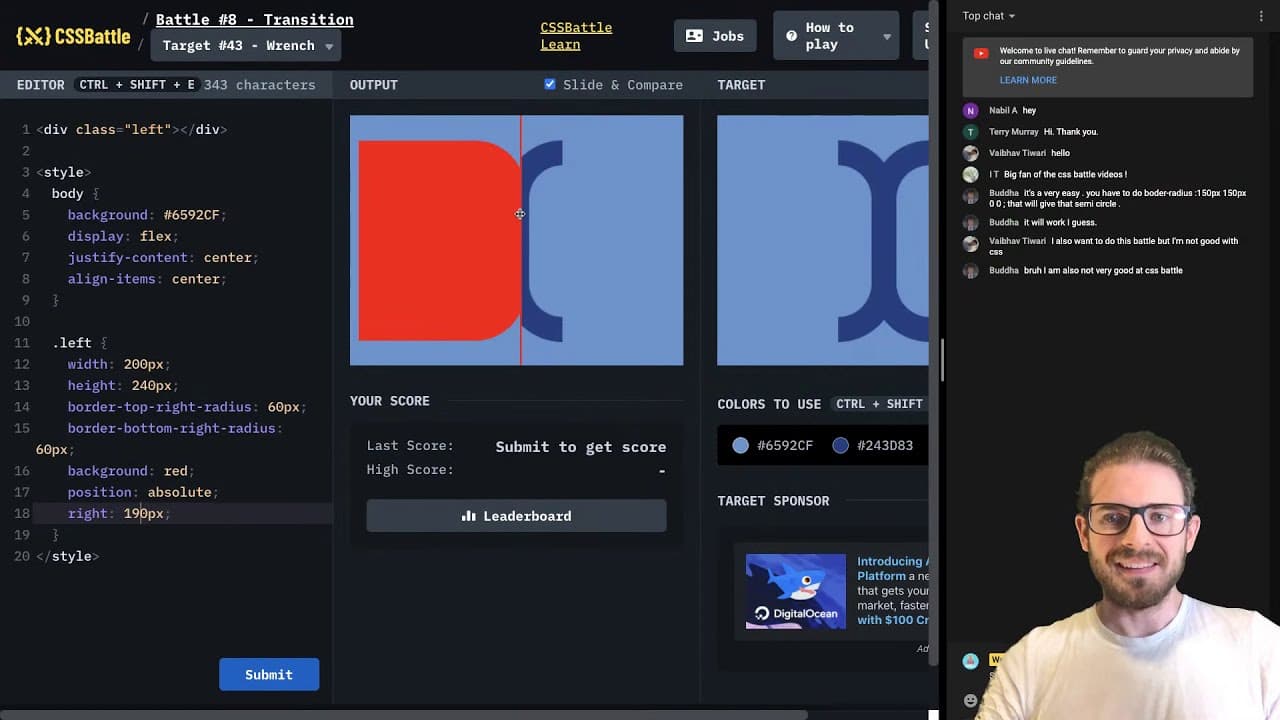
CSS battles are live coding challenges where participants create designs using CSS, enhancing their skills through experimentation with properties like flex, rotate, and border-radius. The interactive format fosters community engagement, allowing viewers to suggest techniques and learn collaboratively, while also highlighting the creative problem-solving required to overcome design obstacles.
Transcript
all right let's just go ahead and do some css battles um there's a couple of new ones here i'm gonna start with something easy and see how long i can go before i uh get bored which ones haven't i done before i haven't done this one let's check this one out all right so i'm trying to keep my chat open over here but let me zoom out because you'll see... Read More
Key Insights
- 👨💻 Engaging in CSS battles cultivates a fun learning environment for coders to refine their skills.
- 🤗 Interactive coding streams foster community support, opening doors for knowledge sharing and real-time collaboration.
- 🫒 Live challenges often reveal the complexity and nuances of CSS design that may not be evident in static tutorials.
- ❓ Flexbox and transform properties are commonly used for arranging and manipulating elements effectively.
- 🍱 Understanding box-shadow effects can greatly enhance the perception of depth in CSS designs.
- 👻 Techniques like clip paths allow for innovative designs but require practice to master.
- 👨💻 Developer communities are instrumental in providing immediate assistance and encouragement during challenging coding tasks.
Install to Summarize YouTube Videos and Get Transcripts
Explore YouTube Video Summarizer or Get YouTube Transcript Extractor
Questions & Answers
Q: What are CSS battles, and how do they work?
CSS battles are coding challenges where participants recreate visual designs using only CSS. Competitors typically have a limited time to code their design to match a reference image, promoting creativity and efficient coding practices. This casual competition can also serve as a fun way to enhance CSS skills and learn new techniques.
Q: What tools or resources are used for CSS battles?
During live CSS battles, developers utilize various online platforms that provide challenges, such as CSSBattle.dev or similar coding sites. These platforms often include visual benchmarks for users to match, encouraging the use of specific CSS properties and clever coding strategies. Participants commonly refer to online CSS documentation or coding forums for assistance.
Q: How important is community interaction during the battles?
Community interaction plays a crucial role as viewers can offer suggestions, tips, or encouragement to the host, enhancing the collaborative experience. Feedback and ideas shared in real time can lead to new methods and insights, making the coding process more dynamic and enjoyable.
Q: What CSS techniques were emphasized during the stream?
The stream highlighted the use of various CSS techniques such as flexbox for layout, the transform property for rotations, and border-radius for creating curves and shapes. Additionally, techniques like box-shadow and clipping paths were discussed, showcasing the versatility and creative potential of CSS in design.
Q: What challenges did the host encounter while coding?
The host faced several challenges, including aligning elements properly, achieving precise shapes, and figuring out the syntax for complex CSS properties. They encountered moments of confusion and frustration, especially when trying to implement advanced techniques such as clip paths and inset shadows.
Q: Why is trial and error a significant part of coding?
Trial and error is essential in coding because it allows developers to experiment with different approaches and learn from mistakes. This process fosters better problem-solving skills and reinforces understanding of programming concepts, ultimately contributing to a developer's growth and expertise.
Summary & Key Takeaways
-
The host engages in live CSS battles, experimenting with different challenges involving shapes, colors, and positioning using CSS properties like flex, rotate, and border-radius.
-
Throughout the stream, the host interacts with viewers, discussing techniques and seeking input on CSS methods, while also showcasing their problem-solving approach.
-
The live sessions reveal the trial-and-error nature of coding, emphasizing learning and adapting solutions to achieve design objectives, even when facing frustrating challenges.
Read in Other Languages (beta)
Share This Summary 📚
Summarize YouTube Videos and Get Video Transcripts with 1-Click
Try YouTube Summary with ChatGPT & Claude or YouTube Transcript Generator
Explore More Summaries from Web Dev Cody 📚





Summarize YouTube Videos and Get Video Transcripts with 1-Click
Try YouTube Summary with ChatGPT & Claude or YouTube Transcript Generator