Claude Code Full Course (4 Hours): How to Build & Sell in 2026
TL;DR
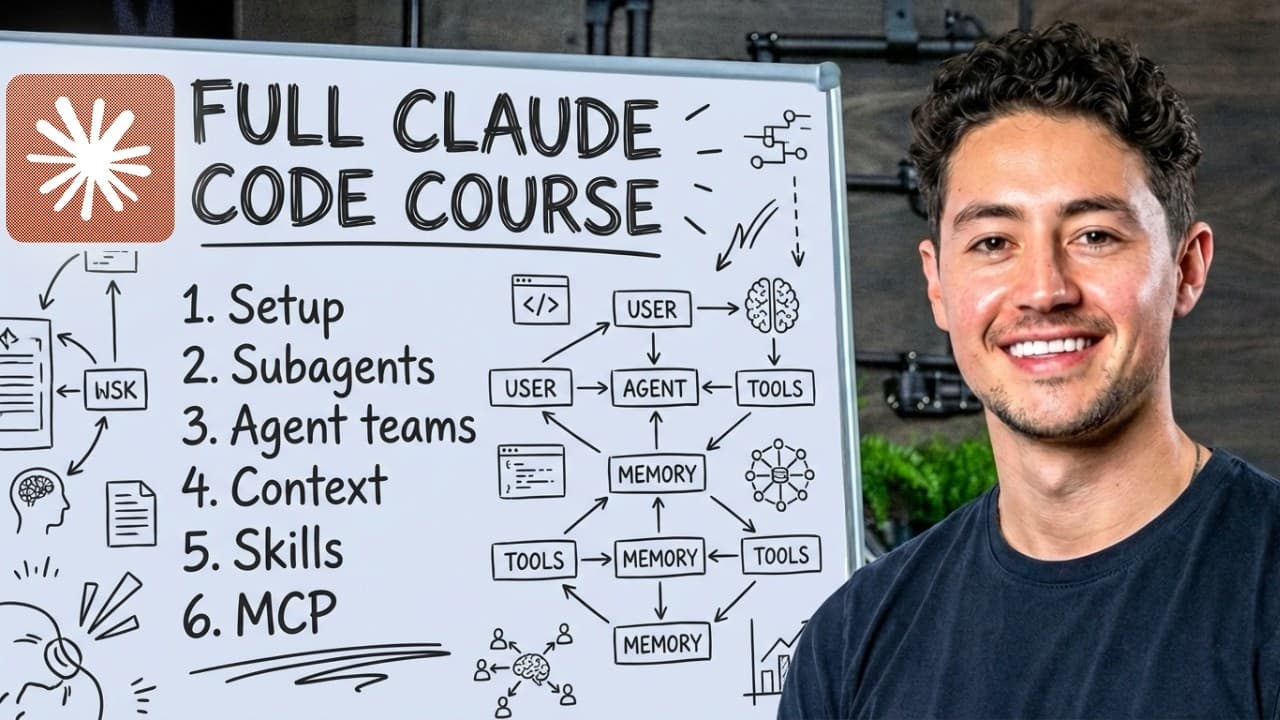
Claude Code can automate business work and help beginners build practical applications without requiring a technical background. This 4-hour course covers setup, three commonly used IDEs, the CLAUDE.md project brain, plan mode, sub-agents, context management, hooks, skills, Model Context Protocol, and building a simple web app hosted online. Read on for direct answers about the course’s core tools and workflow.
Transcript
Hey, this is the definitive course on Claude Code for beginners. I use Claude Code every day to manage a business that does over $4 million a year in profit. I also teach over 2,000 people how to use Claude Code, both for personal and then corporate or professional tasks. So this is more or less what I do all day. Once you understand what I'm about... Read More
Key Insights
- Claude Code is essential for automating business tasks, enabling efficient project management and execution.
- Integrated Development Environments (IDEs) are crucial for organizing files, editing code, and integrating AI functionalities.
- Antigravity and Visual Studio Code are popular IDEs that support Claude Code, with Antigravity offering additional features.
- The CLAUDE.md file acts as the project brain, centralizing important configurations and settings.
- Sub-agents allow parallel processing, speeding up tasks like email classification by distributing workload.
- Context management helps optimize token usage, preventing context rot and ensuring efficient prompt handling.
- Model Context Protocol (MCP) and skills expand Claude Code's capabilities, allowing custom functionalities and integrations.
- Deploying applications to the cloud can be streamlined using services like Modal, enhancing accessibility and scalability.
Install to Summarize YouTube Videos and Get Transcripts
Explore YouTube Video Summarizer or Get YouTube Transcript Extractor
Questions & Answers
Q: How do beginners set up Claude Code for business automation?
Create a Claude account and subscription, then open Claude Code through a terminal or its graphical user interface. The course begins with downloading and setup before introducing IDEs and the CLAUDE.md project brain.
Q: What does the Claude Code full course teach?
The 4-hour course progresses from setup and IDE basics to practical building, plan mode, sub-agents, context management, slash commands, hooks, skills, and Model Context Protocol. It also guides learners through building a simple web app hosted live on the internet.
Q: Do you need a technical background to take this Claude Code course?
No technical background is required. The instructor says the course starts slowly and builds concepts naturally and gradually, with a focus that extends beyond software engineering.
Q: What is an integrated development environment (IDE)?
An IDE combines three things: a file-folder organizer, a text editor, and an AI chat widget. The course walks through three commonly used IDEs so beginners can understand how they support Claude Code projects.
Q: What is the CLAUDE.md file used for?
The CLAUDE.md file serves as the project brain. It centralizes important project information and is introduced after the course’s setup and IDE sections.
Q: What Claude Code modes does the course cover?
The course covers plan mode and dangerously skip permissions mode, including how to use them safely. It then applies plan mode to more complex project builds.
Q: Why does context management matter in Claude Code?
Context management helps users avoid context rot and structure prompts in a high-ROI way. The course teaches how to manage context efficiently before walking through Claude Code’s slash commands.
Q: What are hooks, skills, sub-agents, and Model Context Protocol in Claude Code?
Hooks are custom scripts that can run automatically before or after Claude Code tool calls, while skills turn Claude Code into specialized agents. The course also covers the sub-agents folder and explains how to set up Model Context Protocol effectively.
Summary & Key Takeaways
-
This course covers the fundamentals of Claude Code, a tool for automating business processes and building applications. It explains how to set up Claude Code, configure IDEs, and utilize the CLAUDE.md file for project management. Additionally, it delves into advanced features like sub-agents and context management to enhance productivity.
-
The course emphasizes the importance of using integrated development environments like Antigravity and Visual Studio Code to leverage Claude Code's capabilities. It also highlights the role of sub-agents in parallel processing and the significance of context management in optimizing token usage.
-
Advanced functionalities such as Model Context Protocol and custom skills are explored, showcasing how they can expand Claude Code's capabilities. The course concludes with guidance on deploying applications to the cloud using services like Modal, enabling efficient project scaling and accessibility.
Read in Other Languages (beta)
Share This Summary 📚
Summarize YouTube Videos and Get Video Transcripts with 1-Click
Try YouTube Summary with ChatGPT & Claude or YouTube Transcript Generator
Explore More Summaries from Nick Saraev 📚




Summarize YouTube Videos and Get Video Transcripts with 1-Click
Try YouTube Summary with ChatGPT & Claude or YouTube Transcript Generator