How to Fix Premiere Pro Color Grading Issues
TL;DR
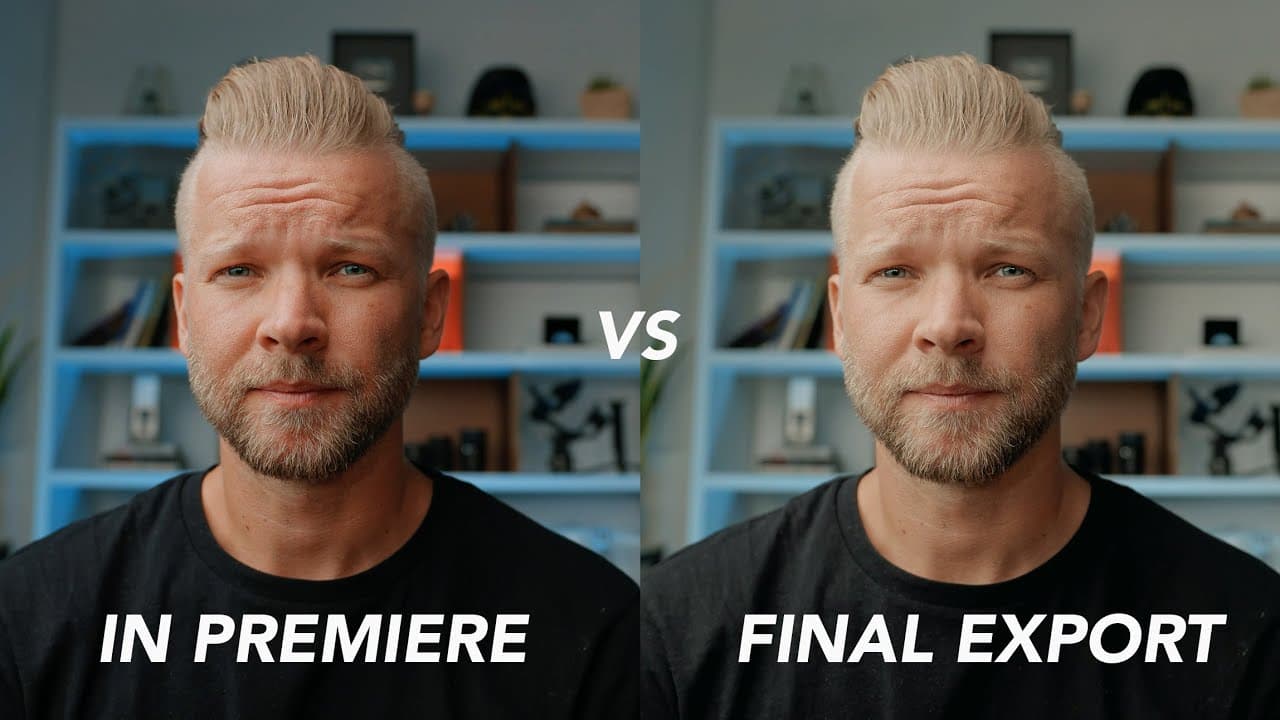
To fix color grading issues in Premiere Pro, enable 'Display Color Management' and apply a specific LUT during export. This ensures that the exported footage matches the color grading seen in the editing window, addressing the discrepancies often experienced by users.
Transcript
it doesn't look the same at all this just happened in the last video the comparison between the r5 and the sony a7s iii the footage look great inside premiere then i go to export in and it looks nothing like i color graded it drives me nuts first off i just want to say i've missed you guys i feel like there's been cameras and reviews and stuff just... Read More
Key Insights
- 🪡 Premiere defaults for broadcast may not align with online content creators' export needs.
- 🈴 Adjusting preferences and applying specific LUT can resolve color grading discrepancies in Premiere.
- ❓ Consistent and accurate color grading enhances the visual quality and coherence of the final export.
- ❓ The creator's experience highlights the importance of attention to detail in color grading processes.
- 🔨 External tools and adjustments can optimize color representation in the editing and exporting workflow.
- 📺 Color consistency is crucial for maintaining the integrity of the creative vision across platforms.
- 🧘 Creative solutions, like LUT application, can streamline color grading processes in editing software.
Install to Summarize YouTube Videos and Get Transcripts
Explore YouTube Video Summarizer or Get YouTube Transcript Extractor
Questions & Answers
Q: What issue did the creator face with color grading in Premiere?
The creator noticed discrepancies between the color grading in Premiere and the exported footage, leading to frustration and a desire to find a solution.
Q: How did the creator fix the color grading issue in Premiere?
By adjusting the settings in Premiere preferences and applying a specific LUT (Qt Gamma Compensation Cube), the creator ensured the export matched the intended color grading.
Q: Why did the creator decide to share this color grading solution?
The creator believed that others, like him, who are picky about color grading, would benefit from knowing how to ensure consistent color representation between editing and exporting in Premiere.
Q: What impact did fixing the color grading issue have on the creator's workflow?
Fixing the color grading issue provided the creator with a sense of relief and improved the overall quality of the exported footage, aligning it with their creative vision.
Summary & Key Takeaways
-
Comparison between R5 and Sony A7S III footage in Premiere resulting in color grading issues.
-
Solution involves adjusting Premiere settings and applying specific LUT for accurate color export.
-
Ultimate goal is to ensure the export matches the intended color grading within Premiere.
Read in Other Languages (beta)
Share This Summary 📚
Summarize YouTube Videos and Get Video Transcripts with 1-Click
Try YouTube Summary with ChatGPT & Claude or YouTube Transcript Generator
Explore More Summaries from Matti Haapoja 📚


Summarize YouTube Videos and Get Video Transcripts with 1-Click
Try YouTube Summary with ChatGPT & Claude or YouTube Transcript Generator