How to Optimize Zoom Settings for Student Engagement
TL;DR
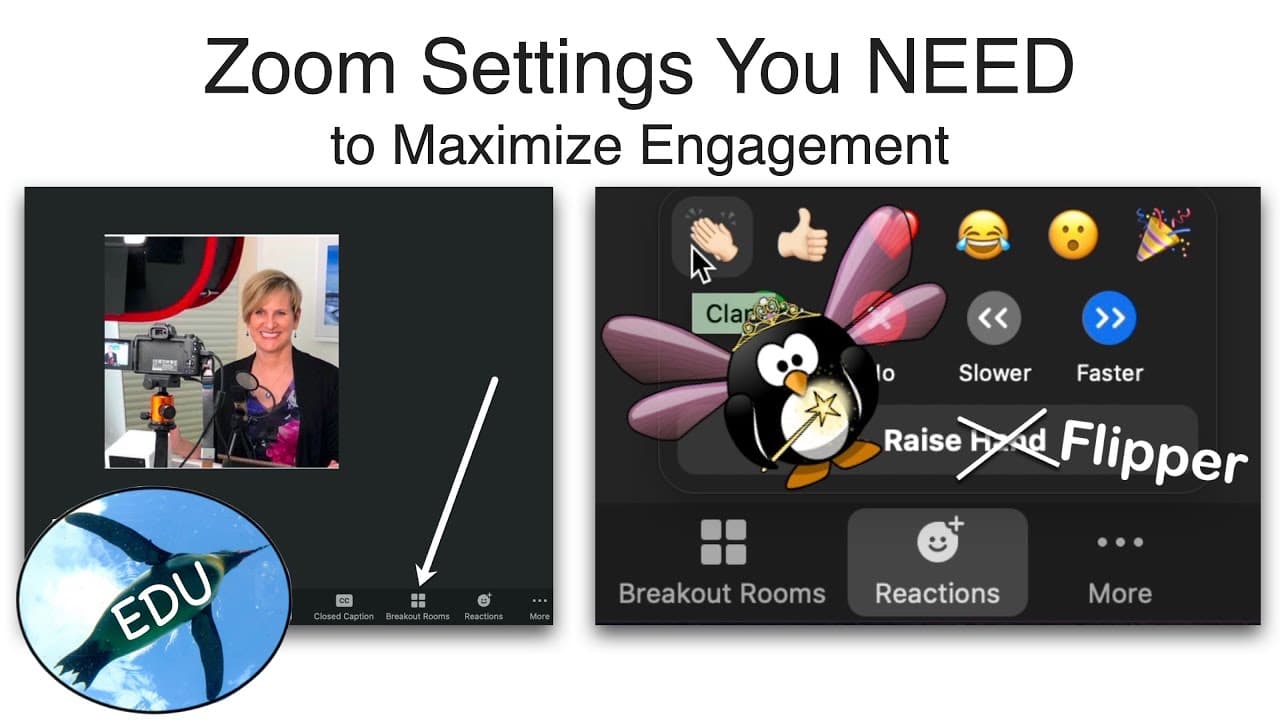
To maximize student engagement in Zoom classes, enable chat for seamless communication, use meeting polls for interactivity, and activate screen sharing for collaborative presentations. Additionally, incorporate annotation, whiteboard features, and breakout rooms to enhance collaboration and participation among students.
Transcript
Hello and welcome to the Penguin Prof channel! I have a really quick bite for you today. I want to talk about Zoom settings that you will want to consider if you want to maximize engagement in your synchronous classes. So you have to go to your Zoom account from a web browser and click settings. Next click in meeting basic, and here are som... Read More
Key Insights
- 👊 Enabling chat feature supports seamless communication between students and instructors during synchronous classes.
- 💨 Meeting polls provide an interactive way to engage students, gather feedback, and test understanding.
- 🎁 Screen sharing is a valuable tool for instructors to present content and visuals, while annotation encourages collaboration and active participation.
- 👻 Utilizing the whiteboard feature allows students to save and share their work, enhancing collaboration and group discussions.
- 🧑🎓 Nonverbal feedback and meeting reactions enable students to engage, answer questions, and share reactions without interrupting the flow of the class.
Install to Summarize YouTube Videos and Get Transcripts
Explore YouTube Video Summarizer or Get YouTube Transcript Extractor
Questions & Answers
Q: How can enabling chat enhance engagement in synchronous classes?
Enabling chat allows students and instructors to communicate during class without interruptions. Clear guidelines on monitoring the chat or assigning someone to do so should be established.
Q: How can meeting polls be utilized for increased engagement?
Meeting polls provide an interactive and engaging way to involve students in class. Instructors can set up polls before or during meetings to gather feedback, test understanding, or spark discussions.
Q: What are the benefits of screen sharing in Zoom meetings?
Screen sharing enables instructors to share their screen with students, allowing them to present content, demonstrate examples, or show visuals. Instructors can choose whether students are also allowed to share their screens.
Q: How can annotation and whiteboard features enhance collaboration in Zoom?
Annotation enables instructors and participants to draw and annotate over shared screen content, encouraging interaction and collaboration. Saving shared screens with annotations is particularly useful for design projects or interactive discussions.
Summary & Key Takeaways
-
Enabling chat allows seamless communication between students and the instructor, with the option to monitor or assign someone to monitor the chat.
-
Utilizing meeting polls offers an interactive way to engage students and gather feedback during class.
-
Screen sharing, annotation, whiteboard, and breakout rooms are essential tools for collaboration and active participation in Zoom meetings.
Read in Other Languages (beta)
Share This Summary 📚
Summarize YouTube Videos and Get Video Transcripts with 1-Click
Try YouTube Summary with ChatGPT & Claude or YouTube Transcript Generator
Explore More Summaries from ThePenguinProf 📚



Summarize YouTube Videos and Get Video Transcripts with 1-Click
Try YouTube Summary with ChatGPT & Claude or YouTube Transcript Generator