Why Is Accessibility Critical in Web Applications?
TL;DR
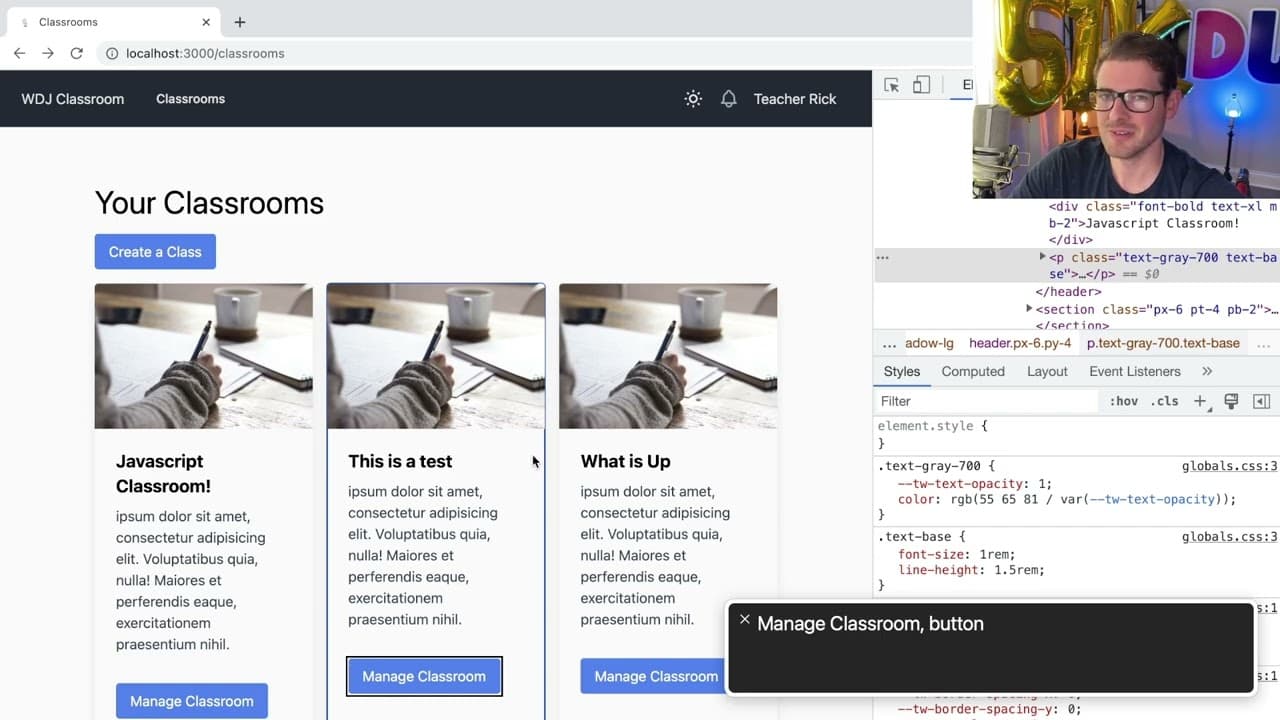
Accessibility in web applications is essential for users with visual impairments, ensuring they can effectively navigate and interact with digital interfaces. Developers can enhance usability by using voiceover tools to test their applications, implementing ARIA labels for clarity, and maintaining focus outlines on elements. These practices not only comply with accessibility standards but also improve overall user experience.
Transcript
all right how's it going everyone so I want to give a quick overview of why it's important to design your applications for accessibility right so there's a there's a minority population who are browsing the internet who have no vision or they have impaired Vision so for them to actually visually look at your UI and find buttons their experience is ... Read More
Key Insights
- 🤯 Applications must be designed with accessibility in mind to cater to users with visual impairments, enhancing their overall experience.
- 👤 Voiceover tools serve as valuable testing instruments for developers, providing insights into user navigation and usability.
- 🦻 Properly structuring UI elements with ARIA labels significantly aids screen reader functionality, offering users necessary context and information.
- 👤 Developers should retain visual focus outlines for interactive elements, which are crucial for users who may have limited vision.
- 👤 The use of clear and descriptive headings enables efficient navigation for users who rely on screen readers to access content.
- 👤 Regularly updating and enhancing knowledge on accessibility practices is vital for developers to continuously improve user inclusivity.
- 😀 Implementing keyboard navigation can benefit both users with disabilities and developers by promoting efficient, mouse-free app interactions.
Install to Summarize YouTube Videos and Get Transcripts
Explore YouTube Video Summarizer or Get YouTube Transcript Extractor
Questions & Answers
Q: Why is accessibility design important for applications?
Accessibility design is essential because it provides an equitable experience for users with disabilities, particularly those with visual impairments. As internet usage increases, ensuring that apps are usable by everyone, regardless of their abilities, is not only ethical but also often legally mandated. Failure to provide accessible content may lead to exclusion, impacting users’ ability to engage with services.
Q: How can developers test their applications for accessibility?
Developers can test their applications by activating voiceover features on their devices, which emulate the experience of visually impaired users. They can also try navigating the interface with their eyes closed or through displaying specific overlays, allowing them to identify shortcomings and adjust features to enhance usability for all users.
Q: What role do ARIA labels play in accessibility?
ARIA labels are critical for providing additional context to UI elements, ensuring that screen readers can communicate what each element does. By correctly implementing these labels, developers help visually impaired users understand functions, labels, and navigation paths within the application, contributing to a more inclusive user experience.
Q: What are some common mistakes developers make regarding accessibility?
A prevalent mistake is not using clear and descriptive labels for buttons and controls, which can confuse users relying on screen readers. Additionally, developers often forget to maintain visual outlines when elements are selected, hindering navigation for users with partial visibility. These oversights can significantly diminish the usability of an application for some users.
Q: How can developers create a more navigable UI for visually impaired users?
Developers can structure user interfaces to include clear headings and logical tab orders, ensuring users can quickly jump around the application. Implementing shortcuts and helping users understand their context through descriptive labels on cards or buttons can significantly enhance the navigability and usability of an app.
Q: What are the legal implications of neglecting accessibility in applications?
Neglecting accessibility can expose developers and companies to legal risks, including lawsuits, particularly for public sectors or companies receiving government contracts. Countries have specific laws requiring applications to be accessible to users with disabilities, ensuring everyone can participate in digital environments.
Summary & Key Takeaways
-
Accessibility in application design is crucial for users with visual impairments. Effective features can significantly enhance their experience navigating digital interfaces.
-
Turning on voiceover tools can help developers understand how accessible their applications are, allowing them to identify areas that need improvement or additional context.
-
Proper structure of UI elements, such as using ARIA labels and identifying headers, improves navigation for users with screen readers, enhancing overall usability.
Read in Other Languages (beta)
Share This Summary 📚
Summarize YouTube Videos and Get Video Transcripts with 1-Click
Try YouTube Summary with ChatGPT & Claude or YouTube Transcript Generator
Explore More Summaries from Web Dev Cody 📚





Summarize YouTube Videos and Get Video Transcripts with 1-Click
Try YouTube Summary with ChatGPT & Claude or YouTube Transcript Generator