How to Create a Student Grade Converter in JavaScript
TL;DR
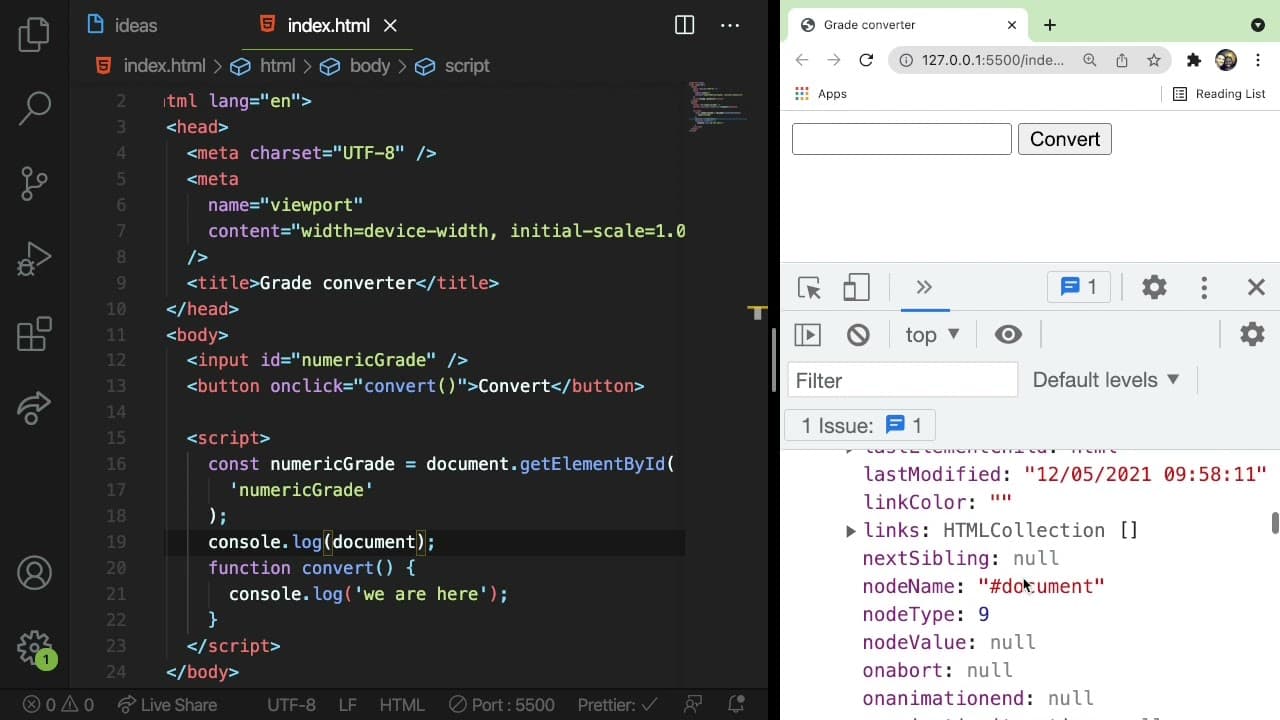
To create a student grade converter in JavaScript, build an input interface for users to enter numeric grades and employ if-else statements to convert these grades into letter grades (A, B, C, D, F). Use DOM manipulation to display the result on the web page, enabling an interactive coding experience for beginners.
Transcript
all right everyone welcome back to another beginner's javascript practice video i have a bunch of other videos in this series so if you want to kind of practice your javascript knowledge i definitely recommend that you check out all the videos in the series but what i'm going to be showing you in this video is how to create a grade converter so a u... Read More
Key Insights
- 🏛️ Building projects like a grade converter helps beginners understand practical applications of JavaScript fundamentals.
- 👤 Utilizing the DOM allows developers to create interactive user experiences by manipulating webpage elements based on user inputs.
- #️⃣ The tutorial emphasizes the importance of understanding data types in JavaScript, particularly the distinction between strings and numbers.
- 👨💻 Using console logging is a valuable debugging tool to verify that code is functioning as intended during development.
- 🎮 The video encourages beginner programmers to challenge themselves with additional modifications to enhance their skills further.
- 💐 Understanding the flow of control with if-else statements is essential for effective decision-making in programming.
- 🫵 Encouraging viewers to pause and try coding independently promotes active learning and reinforces understanding.
Install to Summarize YouTube Videos and Get Transcripts
Explore YouTube Video Summarizer or Get YouTube Transcript Extractor
Questions & Answers
Q: What are the main JavaScript concepts covered in this video?
The video covers several fundamental JavaScript concepts, including boolean logic, if-else statements for conditional operations, and DOM manipulation techniques. These skills are crucial for developing interactive web applications and are introduced in context through the grade converter project, promoting hands-on learning for beginners.
Q: How does the grade converter determine the letter grade?
The converter uses a series of if-else statements to evaluate the numeric grade entered by the user. The input value is first converted to an integer using parseInt, which allows for accurate numerical comparisons. Depending on the value, it assigns a letter grade from A to F based on predefined ranges, like 90-100 for A, 80-89 for B, and so on.
Q: Why is it important to convert the input value to a number?
Input values from text fields in JavaScript are initially treated as strings. Direct comparisons of string values could lead to errors in logic, especially with numeric conditions (e.g., "50" is greater than "100" when compared as strings). Converting the input value to a number ensures that the comparisons in the if-else statements function correctly and produce accurate results.
Q: How can you modify the grade converter to use a dynamic grading scale?
To make the grade converter more versatile, you can store the grade thresholds in an array or an object, instead of hardcoding values. By iterating through this array, you can dynamically assess which letter grade corresponds to a given numeric grade, allowing for greater flexibility if grading standards change or vary by institution.
Summary & Key Takeaways
-
This video walks beginners through creating a simple grade converter, where users input a numeric grade and receive the corresponding letter grade.
-
Viewers are encouraged to code along, utilizing JavaScript concepts like boolean logic, if statements, and DOM manipulation for practical learning.
-
The tutorial culminates in displaying the converted letter grade on the web page, encouraging further experimentation and coding challenges.
Read in Other Languages (beta)
Share This Summary 📚
Summarize YouTube Videos and Get Video Transcripts with 1-Click
Try YouTube Summary with ChatGPT & Claude or YouTube Transcript Generator
Explore More Summaries from Web Dev Cody 📚





Summarize YouTube Videos and Get Video Transcripts with 1-Click
Try YouTube Summary with ChatGPT & Claude or YouTube Transcript Generator