How to Implement S3 Image Uploads in Next.js with tRPC
TL;DR
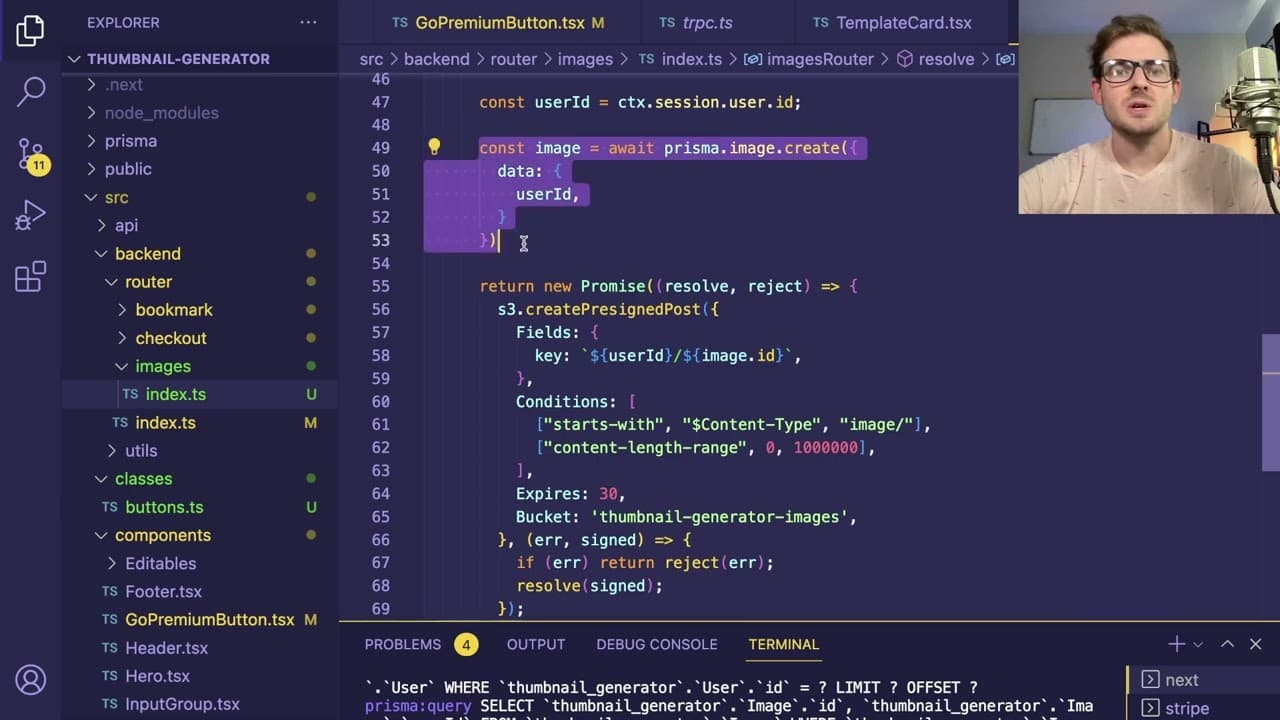
To implement S3 image uploads in a Next.js app using tRPC, set up a file input for users to select images and use pre-signed URLs for secure uploads to a private S3 bucket. This allows authenticated users to upload images, enhance their YouTube thumbnails, and ensures that uploaded data is protected with proper access controls.
Transcript
how's it going everyone so i want to give you a little overview of what i've been adding to this little side project i'm working on basically i wanted the ability for users to upload images because when you're making youtube thumbnails you know typically you have like some preset images that you might want to do like you know a lot of youtubers hav... Read More
Key Insights
- 🤑 Enabling user image uploads allows for rich, personalized YouTube thumbnails, fostering creativity and engagement.
- 😑 Using pre-signed URLs for uploads ensures secure transactions and protects user data against unauthorized access.
- 👤 Implementing a grid layout encourages better organization and presentation of uploaded images in the user interface.
- ❓ Each uploaded image is associated with a unique identifier in the database, facilitating easy retrieval and management.
- ❓ Image uploads are integrated with an established backend, ensuring smooth communication and processing tasks with minimal latency.
- 👤 The choice of a private S3 bucket safeguards uploaded images from public access, maintaining user privacy.
- 😵 CORS configurations are vital for enabling secure cross-origin requests, particularly in production environments.
Install to Summarize YouTube Videos and Get Transcripts
Explore YouTube Video Summarizer or Get YouTube Transcript Extractor
Questions & Answers
Q: What is the purpose of allowing users to upload images for YouTube thumbnails?
The primary purpose of enabling users to upload images for YouTube thumbnails is to enhance the personalization of their channels. By allowing the upload of commonly used images, such as facial expressions or graphic elements, users can create more engaging and tailored thumbnails that improve click-through rates and attract viewers more effectively.
Q: How do users securely upload their images to S3 using this project?
Users securely upload their images to S3 by utilizing pre-signed URLs generated by the backend. When a user selects an image to upload, a secure URL is created that allows them to post the image to a specific location in the S3 bucket. This URL has a limited lifespan, ensuring that only the intended upload can occur within that timeframe and that user data remains protected.
Q: What technologies were integrated to facilitate the image upload feature?
The image upload feature integrates several technologies, including Amazon S3 for storage, trpc for backend communication, and a user-friendly frontend interface. Additionally, the project employs a file input and state management to track user selections and uploads seamlessly while ensuring secure data handling throughout the process.
Q: What are some security features implemented for image uploads?
Security features for image uploads include the use of pre-signed URLs, which limit the time frame during which an upload can occur, as well as ensuring these URLs are specific to the authenticated user. Additionally, the application restricts access to the S3 bucket through permission settings and CORS configurations, enhancing overall data security by being mindful of potential vulnerabilities.
Summary & Key Takeaways
-
The content discusses a new feature in a project that allows authenticated users to upload images, particularly for creating YouTube thumbnails, enhancing customization options for users sharing content.
-
It details the technical aspects of the implementation, including using S3 for storage and generating secure pre-signed URLs for uploading and retrieving images, ensuring user data is protected.
-
The presenter explains the user interface updates, the necessity for styling features, and the backend processes involved in managing images effectively within the application.
Read in Other Languages (beta)
Share This Summary 📚
Summarize YouTube Videos and Get Video Transcripts with 1-Click
Try YouTube Summary with ChatGPT & Claude or YouTube Transcript Generator
Explore More Summaries from Web Dev Cody 📚





Summarize YouTube Videos and Get Video Transcripts with 1-Click
Try YouTube Summary with ChatGPT & Claude or YouTube Transcript Generator