How to Build a Discord-like App with Django
TL;DR
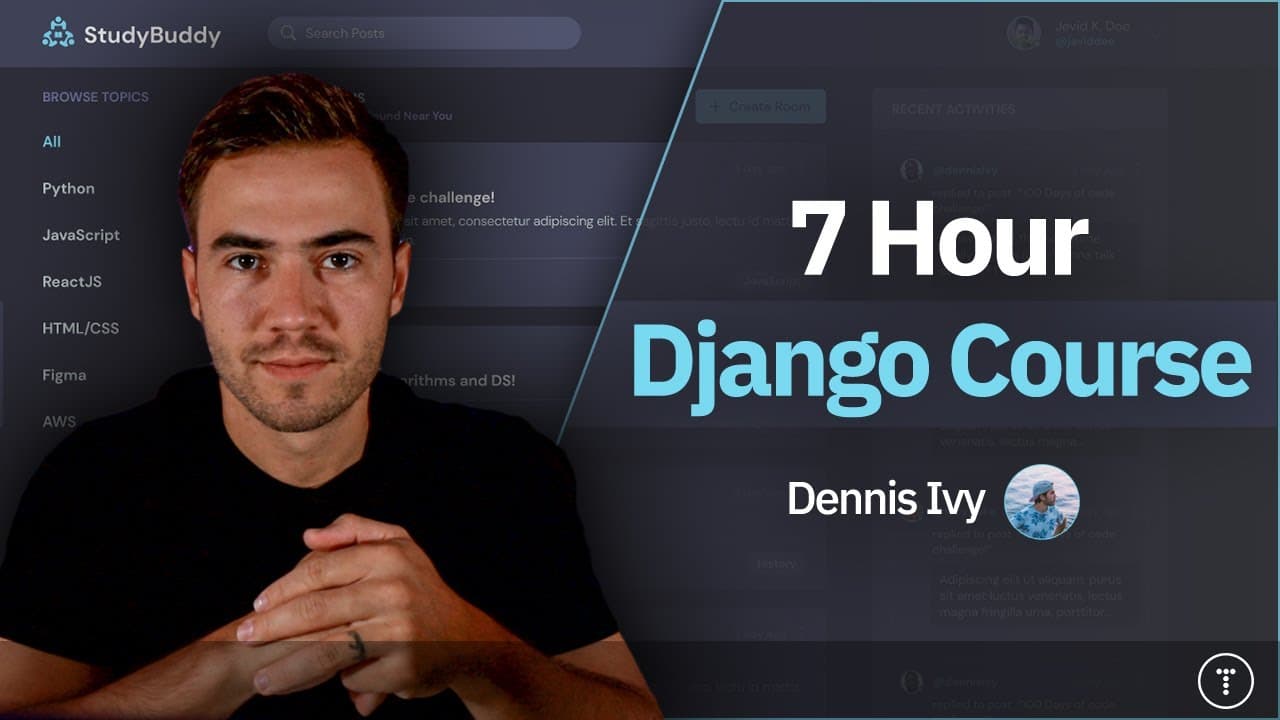
Learn to build a Discord-like web application using Python's Django framework. This comprehensive course covers everything from setting up the environment, creating database models, and rendering templates, to implementing CRUD operations, user authentication, and search functionality. By the end, you'll have a fully functional web app with features like chat rooms, activity feeds, and user profiles.
Transcript
hey what's going on everybody and welcome to this course where we are going to be learning how to build out awesome websites with D jeno from the ground up so we're going to start as absolute beginners where I'll first introduce you to what D Jango is and how it works and then we'll move on to building out a basic website where we'll spin up a serv... Read More
Key Insights
- Django is a Python-based web framework that follows the MVT design pattern, making it easy to build web applications quickly.
- Templates in Django allow for dynamic content rendering, using a combination of template tags and context variables.
- Django's ORM allows developers to interact with the database using Python code, making database queries simple and intuitive.
- CRUD operations (Create, Read, Update, Delete) are fundamental to web applications and are implemented using Django's views and forms.
- User authentication and authorization are built into Django, providing a robust system for managing user sessions and permissions.
- Django's admin panel is a powerful tool for managing database content and is customizable to fit specific needs.
- The Django REST Framework extends Django's capabilities to build RESTful APIs, facilitating integration with front-end frameworks.
- Customizing the user model in Django allows for more flexibility in handling user data and authentication processes.
Install to Summarize YouTube Videos and Get Transcripts
Explore YouTube Video Summarizer or Get YouTube Transcript Extractor
Questions & Answers
Q: How to set up a Django development environment?
To set up a Django development environment, first ensure Python is installed on your machine. Use pip to install Django globally or within a virtual environment. Create a new project using 'django-admin startproject [projectname]'. Set up virtual environments using 'virtualenv' to isolate dependencies, and activate it before working on your project.
Q: What is the Django MVT design pattern?
The Django MVT (Model-View-Template) design pattern is a framework architecture that separates the data layer (Model), the business logic (View), and the presentation layer (Template). Models define database structure, Views handle logic and data processing, and Templates render the final output to the user.
Q: How does Django's ORM facilitate database interactions?
Django's ORM (Object-Relational Mapping) allows developers to interact with the database using Python code instead of SQL. It provides methods to query, filter, and manipulate data through model classes, making database operations more intuitive and reducing the need for raw SQL queries.
Q: What are CRUD operations in Django?
CRUD operations in Django refer to Create, Read, Update, and Delete functionalities. These are implemented using Django's views and forms, allowing users to interact with the database by adding, viewing, editing, and removing data entries. CRUD operations form the backbone of dynamic web applications.
Q: How is user authentication handled in Django?
Django has a built-in user authentication system that manages user sessions, permissions, and authentication processes. It provides models and views for user registration, login, logout, and password management. Developers can customize the user model to suit specific project needs, enhancing flexibility.
Q: What is the Django admin panel?
The Django admin panel is a built-in interface for managing database content. It provides a user-friendly way to add, edit, and delete entries in the database. Developers can customize the admin panel to display specific models and fields, making it a powerful tool for content management.
Q: How does Django REST Framework extend Django's capabilities?
The Django REST Framework extends Django's capabilities by allowing developers to build RESTful APIs. It provides tools for serialization, authentication, and viewsets, facilitating integration with front-end frameworks and enabling the creation of scalable, API-driven applications.
Q: Why customize the user model in Django?
Customizing the user model in Django allows for more flexibility in handling user data and authentication processes. By extending or replacing the default user model, developers can add additional fields, modify authentication logic, and tailor the user experience to meet specific application requirements.
Summary & Key Takeaways
-
This course teaches you how to build a Discord-like application using Python's Django framework. It covers setting up the environment, creating models, and rendering templates. You'll learn to implement CRUD operations, user authentication, and search functionality, resulting in a fully functional web app.
-
Django's ORM simplifies database interactions, allowing for easy querying and manipulation of data using Python code. The course also explores Django's admin panel for managing database content and extends Django's capabilities with the Django REST Framework.
-
Key features of the application include chat rooms, activity feeds, and user profiles. The course emphasizes the importance of CRUD operations and user authentication, providing a comprehensive guide to building scalable web applications with Django.
Read in Other Languages (beta)
Share This Summary 📚
Summarize YouTube Videos and Get Video Transcripts with 1-Click
Try YouTube Summary with ChatGPT & Claude or YouTube Transcript Generator
Explore More Summaries from Traversy Media 📚
Summarize YouTube Videos and Get Video Transcripts with 1-Click
Try YouTube Summary with ChatGPT & Claude or YouTube Transcript Generator