How to Create AI-Edited Videos with Claude and Gemini
TL;DR
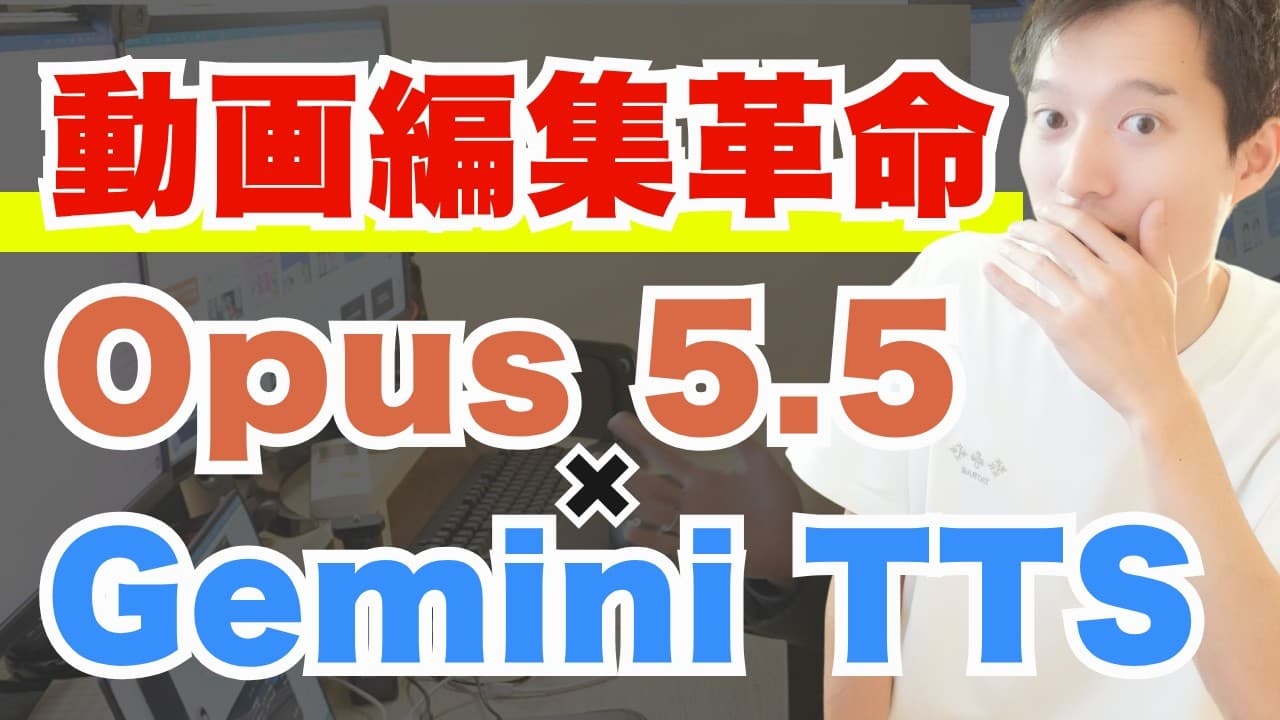
Combining Claude 3.5 Sonnet and Gemini 1.5 Flash TTS allows for the creation of professional-grade videos entirely edited by AI. By using specific prompts and refining them, users can achieve high-quality video production, including animations and transitions, without manual editing. This process illustrates the potential of AI in video editing, offering a glimpse into the future of content creation.
Transcript
Whoa, crazy. This video is fully edited with AI. Video creative made with Claude 3.5 Sonnet. Hi there. It's Gato. This channel covers the latest AI news and use cases. Please make sure to subscribe to the channel. Today, I'm shooting this pretty spontaneously, but I wanted to combine Claude 3.5 Sonnet with the Gemini 1.5 Flash TTS model I ... Read More
Key Insights
- Claude 3.5 Sonnet and Gemini 1.5 Flash TTS can create professional-grade videos entirely edited by AI.
- By using specific prompts, users can instruct AI to perform complex video editing tasks such as animations and transitions.
- AI video editing involves providing APIs and prompts to guide the creation process, making it highly reproducible.
- AI can create various types of videos, including announcement, promotional, and educational videos, with high energy and engagement.
- AI-generated videos can be created with minimal manual input, using voice commands and prompts.
- The evolution of AI in video editing is expected to significantly boost the quality of YouTube content.
- AI can handle the entire editing process, including adding animations, captions, and scene transitions.
- The potential of AI in creative fields is vast, offering new opportunities for content creators and businesses.
Install to Summarize YouTube Videos and Get Transcripts
Explore YouTube Video Summarizer or Get YouTube Transcript Extractor
Questions & Answers
Q: How to create AI-edited videos using Claude and Gemini?
To create AI-edited videos using Claude and Gemini, combine Claude 3.5 Sonnet with Gemini 1.5 Flash TTS. Use specific prompts to guide the AI in performing tasks such as animations and transitions. This process requires minimal manual input and can be controlled via voice commands or prompts, allowing for high-quality video production.
Q: What are the capabilities of AI in video editing?
AI in video editing can handle tasks such as adding animations, captions, and scene transitions. It allows for the creation of various types of videos, including promotional, educational, and announcement videos, with high energy and engagement. AI can manage the entire editing process, making it a powerful tool for content creators.
Q: Why is AI video editing considered revolutionary?
AI video editing is revolutionary because it enables the creation of professional-grade videos with minimal manual input. It automates complex tasks such as animations and transitions, allowing content creators to produce high-quality videos efficiently. This technology is expected to significantly enhance the quality of YouTube content and open new opportunities in creative fields.
Q: What tools are needed to create AI-edited videos?
To create AI-edited videos, you need Claude 3.5 Sonnet and Gemini 1.5 Flash TTS. Additionally, tools like Blender and Node.js may be required for specific tasks. The process involves providing APIs and using refined prompts to guide the AI in video editing tasks, ensuring high-quality output.
Q: How does AI manage the video editing process?
AI manages the video editing process by using specific prompts to perform tasks such as animations, captions, and scene transitions. The AI can handle the entire process with minimal manual input, allowing for efficient and high-quality video production. This automation is achieved through the integration of tools like Claude 3.5 Sonnet and Gemini 1.5 Flash TTS.
Q: What are the benefits of using AI for video creation?
Using AI for video creation offers several benefits, including the ability to produce professional-grade content with minimal manual input. AI can automate tasks such as animations and transitions, making the process more efficient. This technology enhances the quality of videos and opens new possibilities for content creators and businesses in the creative field.
Q: How does AI video editing impact content creators?
AI video editing impacts content creators by providing tools to produce high-quality videos efficiently. It automates complex editing tasks, allowing creators to focus on content rather than technical details. This technology is expected to enhance YouTube content quality and offer new opportunities in creative fields, making it a valuable asset for content creators.
Q: What is the future of AI in video editing?
The future of AI in video editing is promising, with the potential to significantly enhance the quality of content on platforms like YouTube. AI can manage the entire editing process, offering new opportunities for content creators and businesses. As technology evolves, AI is expected to become an integral part of video production, revolutionizing the creative industry.
Summary & Key Takeaways
-
Combining Claude 3.5 Sonnet with Gemini 1.5 Flash TTS enables AI to fully edit videos, creating professional-grade content with minimal manual input. This involves using specific prompts to guide the AI in tasks such as animations and transitions.
-
AI video editing is achieved by providing APIs and refining prompts for high reproducibility. This technology allows for the creation of various video types, including announcements and educational content, with high energy and engagement.
-
The advancement of AI in video editing is set to enhance YouTube content quality significantly. AI can manage the entire editing process, offering new possibilities for content creators and businesses in the creative field.
Read in Other Languages (beta)
Share This Summary 📚
Summarize YouTube Videos and Get Video Transcripts with 1-Click
Try YouTube Summary with ChatGPT & Claude or YouTube Transcript Generator
Explore More Summaries from KEITO【AI&WEB ch】 📚
Summarize YouTube Videos and Get Video Transcripts with 1-Click
Try YouTube Summary with ChatGPT & Claude or YouTube Transcript Generator