How to Use the Slice Method in JavaScript
TL;DR
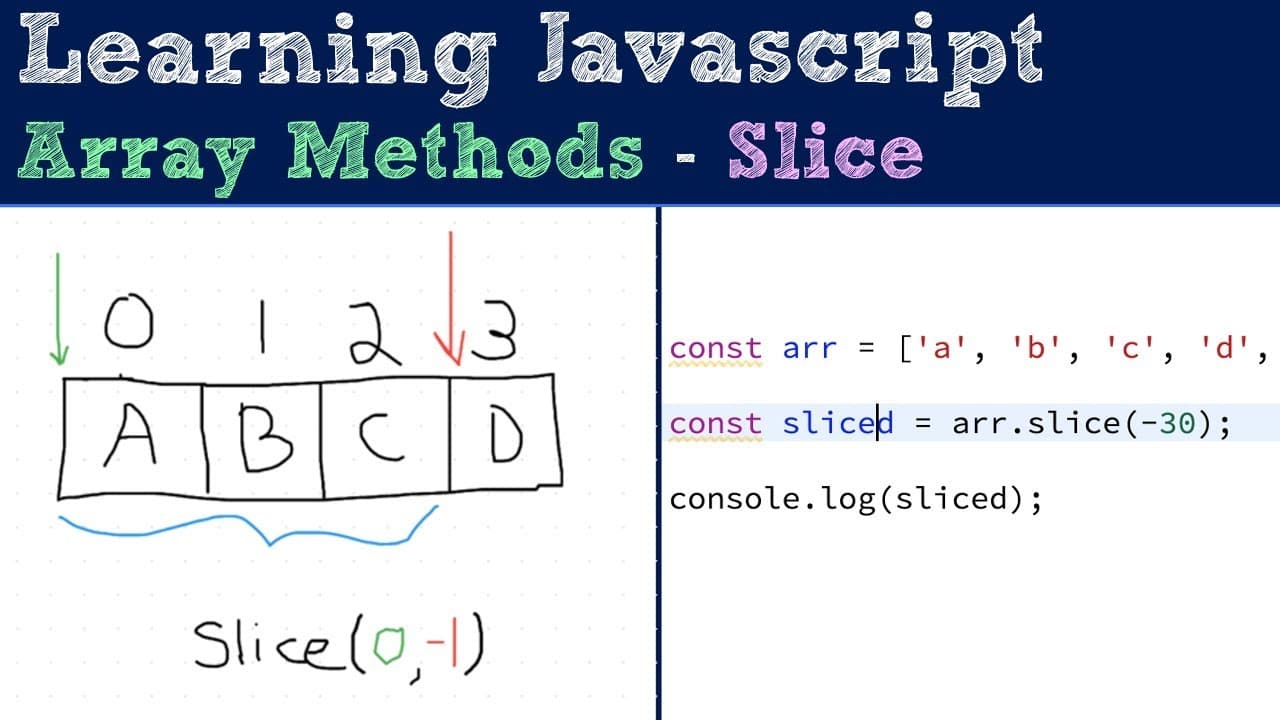
The slice method in JavaScript extracts a subarray without modifying the original array, returning a new shallow copy. It accepts two optional parameters: the starting index and the ending index, which can be positive or negative. This flexibility allows for easy extraction from arrays regardless of their length.
Transcript
a so in this video I'm gonna be talking about how and when you can use the slice method which is on the array prototype so basically the slice method is a helper function which takes an existing array and creates a shallow copy from a sub array that's inside of that array and returns it and so I have a couple of bullet points here to kind of help u... Read More
Key Insights
- 〽️ The slice method is part of the javascript array prototype, providing essential array manipulation capabilities without altering the original array.
- 🤮 Both arguments for the slice method are optional; omitting them results in a copy of the entire array.
- 🥘 The method returns a shallow copy, meaning any objects within the array are still referenced and will be impacted if modified outside of the slice context.
- 🫰 Using negative indices broadens the utility of the method, simplifying coding efforts when the length of the array is dynamic.
- 🍵 The slice method can handle out-of-bounds values without throwing errors, making it robust for various programming scenarios.
- 👨💻 Consistent behavior in extracting subarrays encourages cleaner, more manageable code, especially when coupled with other array manipulation methods.
- 👶 The return type of the slice method is always a new array, providing predictability and reliability in coding practices.
Install to Summarize YouTube Videos and Get Transcripts
Explore YouTube Video Summarizer or Get YouTube Transcript Extractor
Questions & Answers
Q: What is the primary purpose of the slice method in JavaScript?
The slice method is designed to extract a portion of an array, known as a subarray, by returning a shallow copy of the specified elements, preserving the original array unchanged. This functionality allows developers to work with subsets of data without modifying the data source, enhancing data manipulation strategies in their applications.
Q: How do the arguments for the slice method influence its output?
The slice method accepts two optional arguments: the begin index and the end index. The output subarray includes elements from the begin index up to, but not including, the end index. If only the begin index is provided, it will extract elements from that index till the end of the array. Understanding this indexing mechanism is critical for effectively using the method.
Q: Can you explain the use of negative indices in the slice method?
Negative indices in the slice method allow developers to count backwards from the end of the array. For example, an index of -1 refers to the last element, -2 to the second last, and so forth. This feature provides flexibility for extracting elements without needing to know the total length of the array ahead of time.
Q: What happens if you provide out-of-bounds indices to the slice method?
When out-of-bounds indices are provided, the slice method handles them gracefully. If the start index exceeds the array length, it returns an empty array. However, if negative indices are used that are beyond the negative length, it still returns a portion of the array since it effectively wraps around, demonstrating the method's robust handling of various input scenarios.
Summary & Key Takeaways
-
The slice method in JavaScript extracts a subarray from an existing array and returns a new shallow copy without modifying the original array.
-
It accepts two optional arguments: the starting index and the ending index, both of which can be positive or negative values, impacting the elements returned.
-
Negative indices count backward from the end of the array, offering flexible extraction options while the method's behavior remains consistent regardless of array length.
Read in Other Languages (beta)
Share This Summary 📚
Summarize YouTube Videos and Get Video Transcripts with 1-Click
Try YouTube Summary with ChatGPT & Claude or YouTube Transcript Generator
Explore More Summaries from Web Dev Cody 📚





Summarize YouTube Videos and Get Video Transcripts with 1-Click
Try YouTube Summary with ChatGPT & Claude or YouTube Transcript Generator