Products
Features
YouTube Video Summarizer
Summarize YouTube videos
Web & PDF Highlighter
Highlight web pages & PDFs
Chat with PDF
Ask any PDF questions with AI
Ask AI Clone
Chat with your highlights & memories
Audio Transcriber
Transcribe audio files to text
Glasp Reader
Read and highlight articles
Kindle Highlight Export
Export your Kindle highlights
Idea Hatch
Hatch ideas from your highlights
Integrations
Obsidian Plugin
Notion Integration
Pocket Integration
Instapaper Integration
Medium Integration
Readwise Integration
Snipd Integration
Hypothesis Integration
Apps & Extensions
Chrome Extension
Safari Extension
Edge Add-ons
Firefox Add-ons
iOS App
Android App
Discover
Discover
Ideas
Discover new ideas and insights
Articles
Curated articles and insights
Books
Book recommendations by great minds
Posts
Essays and notes from readers
Quotes
Inspiring quotes collection
Videos
Curated videos and summaries
Explore Glasp
Glasp Newsletter
Weekly insights and updates
Glasp Talk
Interview series with great minds
Glasp Blog
Latest news and articles
Glasp Use Cases
Learn how others use Glasp
Build & Support
Glasp API
Access Glasp's API for developers
MCP Connector
Connect Glasp to Claude & ChatGPT
Community
Glasp Reddit Community
Students
Student discount and benefits
FAQs
Frequently Asked Questions
AboutPricing
DashboardLog inSign up

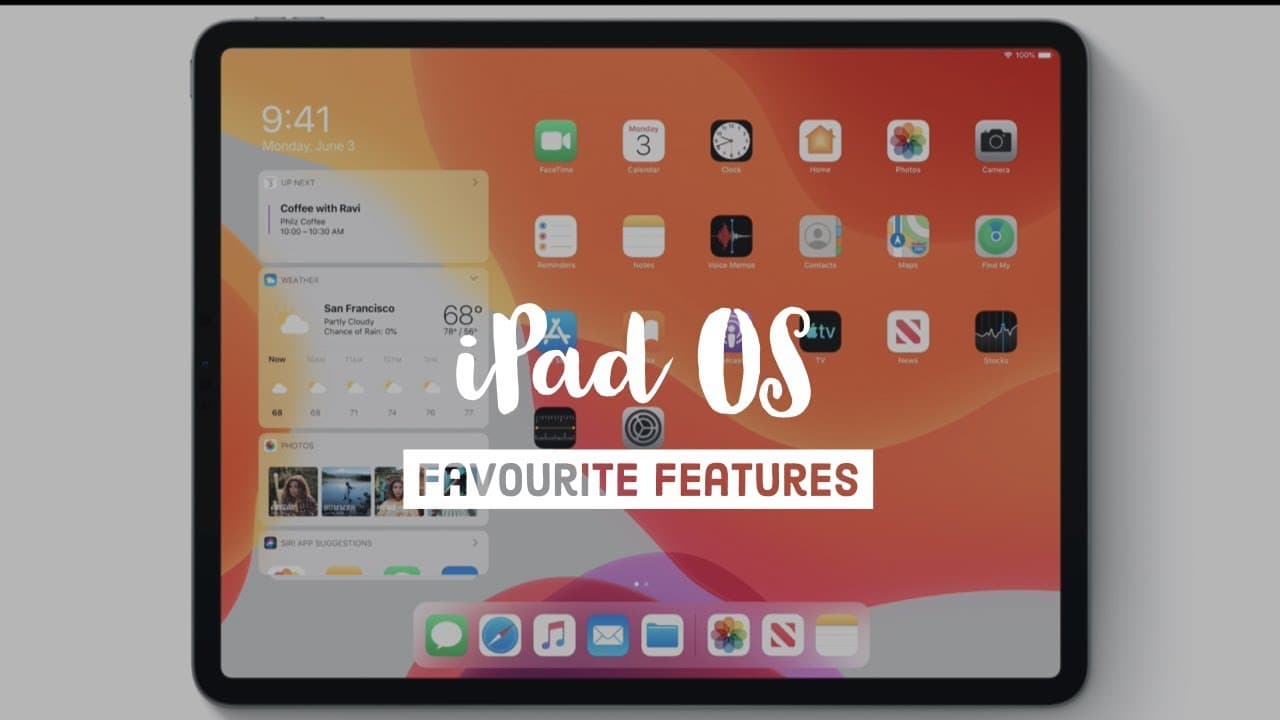
My 7 Favourite iPad OS Features - Apple WWDC 2019
138.4K views
•
June 5, 2019
by
Ali Abdaal
YouTube video player
My 7 Favourite iPad OS Features - Apple WWDC 2019

TL;DR

New iPad OS features enhance productivity with split-screen, external drive support, text editing improvements, keyboard shortcuts, desktop web browsing, Sidecar feature, and shared AirPods.

Transcript

welcome to WWDC hey guys welcome back to the channel if you're new here my name is Ali I'm a junior doctor working in Cambridge and in this video I'm gonna break down some of the most exciting features that are coming to the new iPad OS the Apple unveiled at this year's WWDC we're calling it and I'd like to give you a first look and it seems like a... Read More

Key Insights

  • 👶 The new iPad OS brings split-screen features for multitasking convenience.
  • 👻 External drive support allows easier file access and enhances editing capabilities.
  • 🎹 Text editing improvements and keyboard shortcuts enhance productivity on the iPad.
  • 🕸️ Desktop web browsing in Safari enables better website editing functionality.
  • 👻 The Sidecar feature allows using the iPad as a second display for Mac.
  • 👂 Shared AirPods feature in iPad OS enables multiple users to listen to the same content simultaneously.
  • 💻 iPad OS aims to make the device a potential laptop replacement for various tasks.

Install to Summarize YouTube Videos and Get Transcripts

Explore YouTube Video Summarizer or Get YouTube Transcript Extractor

Questions & Answers

Q: What are some key features of the new iPad OS?

The new iPad OS introduces split-screen features, external drive support, text editing improvements, keyboard shortcuts, desktop web browsing, a Sidecar feature, and shared AirPods for enhanced productivity and convenience.

Q: How does the split-screen feature benefit users?

The split-screen feature in iPad OS allows users to multitask efficiently by having two apps open simultaneously, promoting productivity and convenience in various tasks.

Q: What significance does external drive support hold for iPad users?

External drive support in iPad OS enables users to easily access files stored in thumb drives, external disk drives, and SD cards, expanding the device's capabilities for tasks like editing photos and videos.

Q: How do keyboard shortcuts contribute to productivity on the iPad?

Keyboard shortcuts in iPad OS enhance efficiency by providing quicker access to functions and actions, aligning the iPad's performance closer to a MacBook in terms of action economy and speed.

Summary & Key Takeaways

  • iPad OS introduces split-screen features for multitasking convenience.

  • External drives support allows easier access to files and enhances editing capabilities.

  • Text editing improvements, keyboard shortcuts, and desktop web browsing enhance productivity.


Read in Other Languages (beta)

English

Share This Summary 📚

Summarize YouTube Videos and Get Video Transcripts with 1-Click

Download browser extensions on:

Try YouTube Summary with ChatGPT & Claude or YouTube Transcript Generator

Explore More Summaries from Ali Abdaal 📚
Medical School Meme Review thumbnail
Medical School Meme Review
Ali Abdaal
What Side Hustles Can Students Start in 2024? thumbnail
What Side Hustles Can Students Start in 2024?
Ali Abdaal
5 Financial Mistakes I've Made In The Last 10 Years thumbnail
5 Financial Mistakes I've Made In The Last 10 Years
Ali Abdaal
University Freshers - 5 Top Tips (2018) thumbnail
University Freshers - 5 Top Tips (2018)
Ali Abdaal
Animating the prototype | Medical Students Making an App - Episode 5 thumbnail
Animating the prototype | Medical Students Making an App - Episode 5
Ali Abdaal
Stop using your computer mouse thumbnail
Stop using your computer mouse
Ali Abdaal

Summarize YouTube Videos and Get Video Transcripts with 1-Click

Download browser extensions on:

Try YouTube Summary with ChatGPT & Claude or YouTube Transcript Generator

Apps & Extensions

  • Chrome Extension
  • Safari Extension
  • Edge Add-ons
  • Firefox Add-ons
  • iOS App
  • Android App

Key Features

  • YouTube Video Summarizer
  • Web & PDF Summarizer
  • Web & PDF Highlighter
  • Chat with PDF
  • Ask AI Clone
  • Audio Transcriber
  • Glasp Reader
  • Kindle Highlight Export
  • Idea Hatch

Integrations

  • Obsidian Plugin
  • Notion Integration
  • Pocket Integration
  • Instapaper Integration
  • Medium Integration
  • Readwise Integration
  • Snipd Integration
  • Hypothesis Integration

More Features

  • APIs
  • MCP Connector
  • Blog & Post
  • Embed Links
  • Image Highlight
  • Personality Test
  • Quote Shots

Company

  • About us
  • Blog
  • Community
  • FAQs
  • Job Board
  • Newsletter
  • Pricing
Terms

•

Privacy

•

Guidelines

© 2026 Glasp Inc. All rights reserved.