How to Control Kubernetes Pod Scheduling
TL;DR
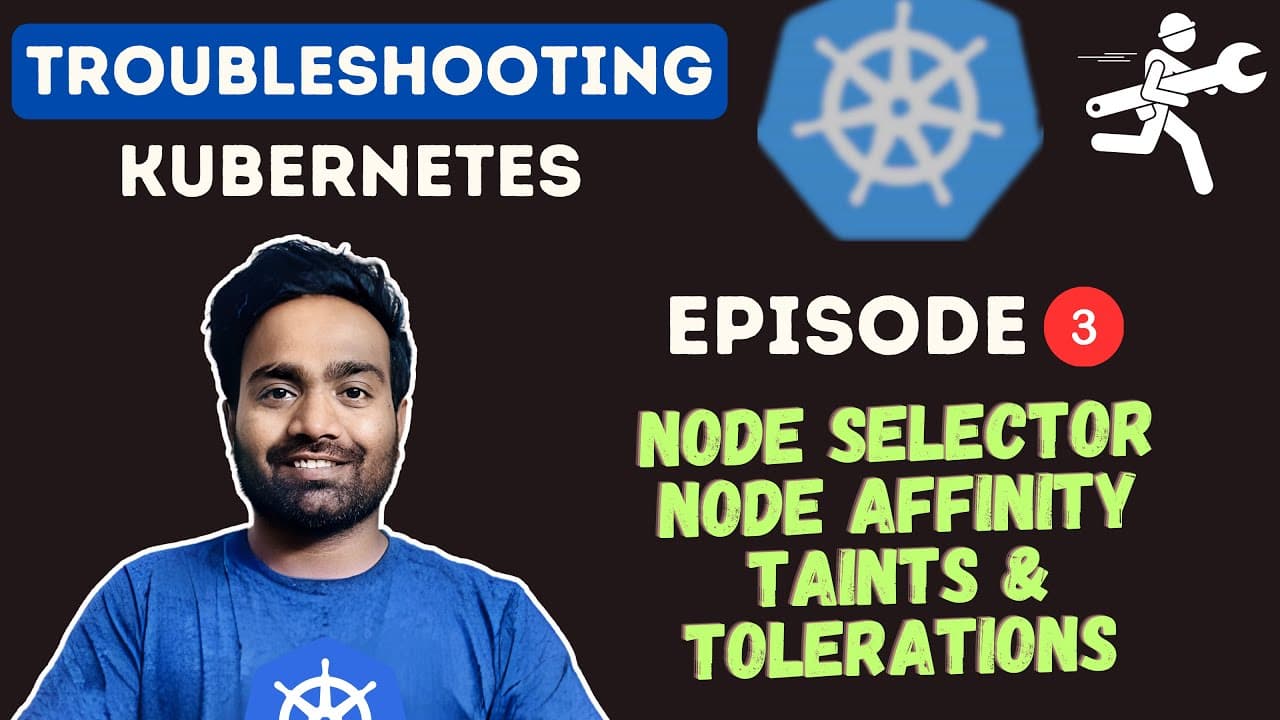
Use node selectors and node affinity to place pods on nodes with suitable labels, and use taints with matching tolerations to control which pods nodes accept. When pods remain pending, inspect them with kubectl describe and read FailedScheduling events, because incorrect placement rules or untolerated taints can leave every node unavailable and potentially cause customer downtime.
Transcript
hello everyone my name is Abhishek and welcome back to my Channel today is episode three of kuet is troubleshooting Zero to Hero series and in this video we will learn four Concepts node selector node affinity tains and tolerations these concepts are very important because they are used by devops engineers in their day-to-day life while working wit... Read More
Key Insights
- Node selectors are Kubernetes pod fields that constrain scheduling to nodes carrying a specified label key-value pair. If no available node matches the requested label, the scheduler cannot place the pod, and the pod can remain in a pending state.
- Node affinity is a more expressive placement mechanism based on node labels. It supports rules described as required or preferred, allowing a pod definition to express mandatory node conditions as well as placement preferences that apply when matching nodes are available.
- Taints are node-level controls that repel pods from particular nodes. A node carrying a taint refuses pods unless their definitions include a matching toleration, which helps reserve nodes or prevent workloads from being scheduled during operations such as backups or upgrades.
- Tolerations are pod settings that correspond to node taints and allow otherwise rejected pods to be considered for scheduling. An untolerated taint appears in scheduler diagnostics as one reason a node is unavailable to a pending pod.
- FailedScheduling events are the primary evidence for diagnosing pods that remain pending because of placement constraints. The demonstrated kubectl describe pod output reports that zero of four nodes are available, identifies an untolerated taint, and says preemption is not helpful.
- Kind runs Kubernetes clusters inside Docker containers, making local clusters lightweight enough for multi-node scheduling exercises. With Docker running, engineers can create control-plane and worker nodes through a configuration file and practice node selectors, affinity, taints, and tolerations on a laptop.
- Kubernetes contexts determine which cluster kubectl currently controls. After deleting a kind cluster, kubectl may still point to the deleted context, so kubectl config view and kubectl config use-context can be used to inspect configurations and switch to an existing cluster.
- Incorrect scheduling constraints can create operational downtime because pods may become unschedulable across the entire cluster. Engineers should verify node labels, selectors, affinity rules, taints, and tolerations before relying on these controls for workload placement or temporary node restrictions.
Install to Summarize YouTube Videos and Get Transcripts
Explore YouTube Video Summarizer or Get YouTube Transcript Extractor
Questions & Answers
Q: How do node selectors control Kubernetes pod scheduling?
A node selector constrains a pod to nodes whose labels match the key-value pair declared in the pod specification. In the demonstration, an NGINX deployment requests a node identified as an ARM worker. Its replicas remain pending because none of the available nodes satisfies all scheduling requirements. The selector must therefore match labels that actually exist on an eligible node.
Q: What is the difference between node selectors and node affinity?
Node selectors provide a simple label-matching constraint by placing a key-value requirement in the pod definition. Node affinity is described as a more expressive way to define placement rules relative to node labels. It can specify required and preferred node selectors, distinguishing conditions that must be satisfied from preferences applied when suitable nodes are available.
Q: How do Kubernetes taints and tolerations work together?
A taint is applied to a node to repel pods, while a toleration is included in a pod definition to match that taint. Without the matching toleration, the node refuses the pod for scheduling. This pairing can prevent selected workloads from reaching particular nodes or make nodes unavailable to pods during activities such as backups and upgrades.
Q: Why does a Kubernetes pod remain in Pending status?
A pod can remain pending when the scheduler cannot find any node that satisfies its placement requirements. In the demonstrated four-node cluster, the deployment specifies a node selector, while the scheduler also reports an untolerated taint. The resulting event says zero of four nodes are available and that preemption is not helpful for scheduling the pod.
Q: How do you troubleshoot a FailedScheduling event in Kubernetes?
Start by listing the pods and confirming which ones remain pending. Select one affected pod and run kubectl describe pod with its name. Read the warning events, especially the FailedScheduling message, because it states how many nodes were unavailable and why. Then inspect the pod specification for node selectors and compare those constraints with taints requiring tolerations.
Q: How can you create a local multi-node Kubernetes cluster with kind?
Install kind on a machine where Docker is running, then provide a configuration file listing the desired control-plane and worker roles. Run kind create cluster with a cluster name and the configuration file. Because kind runs Kubernetes nodes inside Docker containers, the presenter describes these clusters as lightweight and suitable for practicing scheduling behavior on a laptop.
Q: How do you switch kubectl between Kubernetes clusters?
Use kubectl config view to inspect the Kubernetes clusters and contexts known to the kubeconfig. Then run kubectl config use-context followed by the required context name. This is useful after deleting a kind cluster because kubectl may still point to the deleted cluster, and it also supports work across development, staging, production, or other organizational clusters.
Q: When should a Kubernetes node be made unschedulable?
A node may need to avoid certain pods or reject all pods during operational work such as backups or upgrades. The scheduling controls discussed support that behavior by using taints to repel pods and tolerations to permit approved exceptions. These configurations must be implemented carefully because mistakes can leave workloads unschedulable and create downtime for customers.
Summary & Key Takeaways
-
Kubernetes scheduling controls determine which nodes receive particular pods and which nodes reject them. Node selectors and node affinity use node labels to guide placement, while taints repel pods unless matching tolerations are configured. Incorrect rules can leave pods pending and unschedulable, creating a risk of customer-facing downtime during cluster operations.
-
A lightweight multi-node environment can be created locally with kind when Docker is running. A configuration file defines control-plane and worker nodes, allowing engineers to build clusters with several nodes for scheduling practice. The presenter favors this approach because comparable EKS, AKS, or GKE environments can cost considerably more to operate.
-
The demonstration applies an NGINX deployment containing a nodeSelector requirement for a node labeled as an ARM worker. Its three replicas remain pending because no available node satisfies every scheduling condition. Running kubectl describe pod exposes a FailedScheduling warning, including an untolerated taint and the fact that preemption would not help placement.
Read in Other Languages (beta)
Share This Summary 📚
Summarize YouTube Videos and Get Video Transcripts with 1-Click
Try YouTube Summary with ChatGPT & Claude or YouTube Transcript Generator
Explore More Summaries from Abhishek.Veeramalla 📚



Summarize YouTube Videos and Get Video Transcripts with 1-Click
Try YouTube Summary with ChatGPT & Claude or YouTube Transcript Generator