How Does the Pop Method Work in JavaScript Arrays?
TL;DR
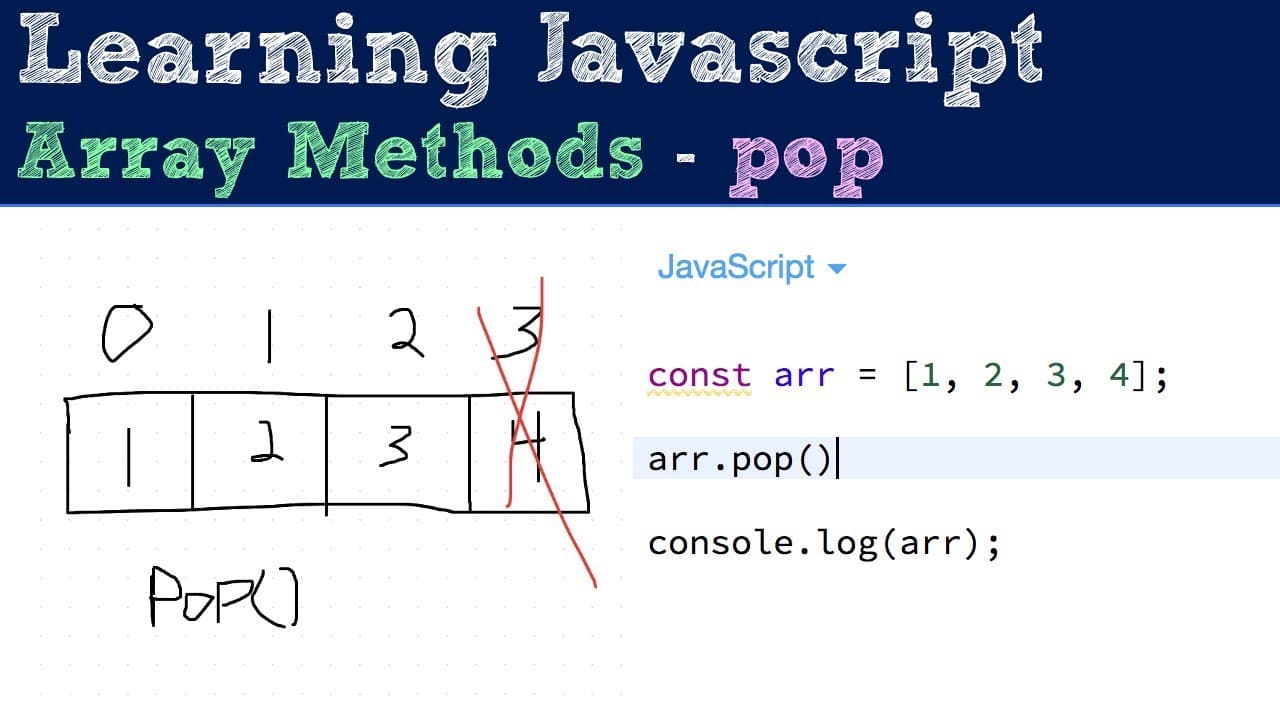
The pop method in JavaScript removes the last element from an array, returns that element, and modifies the original array. If the array is empty, pop returns undefined. This method is essential for managing data structures like stacks, often used in conjunction with the push method.
Transcript
but this video should be pretty short we're gonna cover the pop method on the array prototype basically this method is going to remove the last element from the array it will return the element that I did remove so in case you need it for some reason after you call pop you can cache that if you need to and then finally just note that this will modi... Read More
Key Insights
- 💨 The pop method is part of the array prototype in JavaScript, providing a straightforward way to manipulate arrays.
- 🦛 Unlike some methods that do not change the original array, pop modifies the array in place, which is crucial for many programming tasks.
- 🥺 Handling of undefined values is an essential aspect of using pop, especially in error-checking scenarios where an empty array might lead to unintended errors.
- 🦛 The behavior of the pop method makes it a common choice for developers when implementing stack-like functionalities in applications.
- 🦛 The pop method can be nested within loops to remove multiple elements efficiently from an array until it becomes empty.
- 👻 Using pop in conjunction with push allows for robust data management, enabling developers to easily add and remove items as needed.
- 👨💻 Understanding the impact of pop on the original array helps in writing clean and efficient code for array manipulation tasks.
Install to Summarize YouTube Videos and Get Transcripts
Explore YouTube Video Summarizer or Get YouTube Transcript Extractor
Questions & Answers
Q: How does the pop method affect the length of an array?
The pop method reduces the length of an array by one each time it is called. It removes the last element from the array, thus modifying the original array directly. For example, if an array has four elements, calling pop once will leave the array with three elements, effectively shrinking it.
Q: What value is returned when calling pop on an empty array?
When the pop method is called on an empty array, it returns undefined. This is important to note because it indicates that there are no elements left to remove. For instance, if an array originally had elements and all were removed using pop, attempting to pop again will yield undefined.
Q: Can the pop method be useful in implementing data structures like stacks?
Yes, the pop method is especially useful in data structures such as stacks, which operate on a last-in, first-out (LIFO) principle. By removing the last element added (the top of the stack), pop allows for efficient data management, making it a fundamental part of how stacks function in programming.
Q: What happens to the original array after multiple calls to the pop method?
After multiple calls to the pop method, the original array will continue to shrink, eventually reaching an empty state. For example, if you start with an array containing four elements and call pop repeatedly, you will eventually pop all elements until the array is empty, at which point further calls to pop will return undefined.
Summary & Key Takeaways
-
The pop method is a key function in JavaScript arrays that removes the last element and returns it, modifying the original array.
-
When called on an array, the pop method decreases the array's length by one and returns the value of the removed element; if the array is empty, it returns undefined.
-
The pop method is particularly useful in data structures like stacks or heaps, often working alongside the push method for effective data manipulation.
Read in Other Languages (beta)
Share This Summary 📚
Summarize YouTube Videos and Get Video Transcripts with 1-Click
Try YouTube Summary with ChatGPT & Claude or YouTube Transcript Generator
Explore More Summaries from Web Dev Cody 📚





Summarize YouTube Videos and Get Video Transcripts with 1-Click
Try YouTube Summary with ChatGPT & Claude or YouTube Transcript Generator