How to Create Stunning Art with MidJourney
TL;DR
MidJourney empowers users to craft unique images by utilizing prompts and customizing settings. By joining the beta and using Discord, you can explore a variety of artistic styles, from realistic to abstract, while following tips and inspiration from other creators to enhance your results.
Transcript
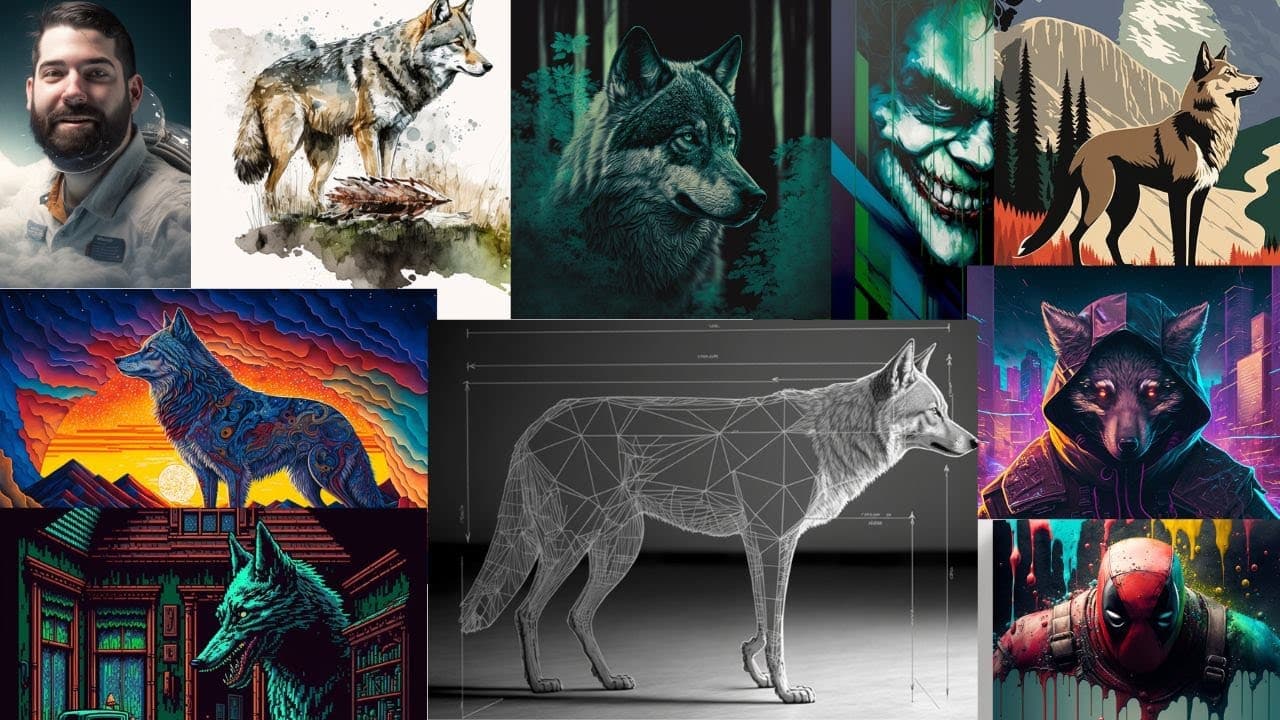
hey do you want to learn how to use mid journey to create really cool images like this or like these or like this or this or maybe some video game inspired images like these or these or these ones maybe you're looking to do infographic type images like these or cool watercolor images like this or maybe posters like this you can create images like t... Read More
Key Insights
- 🫀 Mid Journey is a versatile tool that allows users to create unique art styles and images across various categories.
- 👤 Joining the beta program and having a Discord account are necessary steps to access and use Mid Journey.
- ↩️ Tweaking the settings within Mid Journey, such as selecting version 4 and turning on remix mode, enhances the quality and creativity of generated images.
- 💡 Following other creators, such as Guy Parsons, Chris Castanova, and Olivio Sarriques, provides inspiration and ideas for creative prompts.
- 🫀 Users can upload their own images and blend them with different art styles to create personalized and unique compositions.
Install to Summarize YouTube Videos and Get Transcripts
Explore YouTube Video Summarizer or Get YouTube Transcript Extractor
Questions & Answers
Q: How does Mid Journey work?
Mid Journey is an AI-powered tool that generates art prompts based on user inputs. Users can type prompts to imagine specific scenes or styles, and the tool will generate corresponding images.
Q: Can I use my own images with Mid Journey?
Yes, you can upload your own images to Mid Journey and incorporate them into the generated prompts. This allows you to blend your images with different art styles and create unique compositions.
Q: How can I achieve different art styles with Mid Journey?
By experimenting with prompts and settings, you can create a variety of art styles with Mid Journey. For example, you can imagine a retro wave portrait, a watercolor sketch, or a stained glass concept, among many others.
Q: Are negative prompts effective in Mid Journey?
Negative prompts in Mid Journey may not always work as expected, as the tool is still improving its capabilities in this area. However, you can still achieve desired results by experimenting with different prompts and settings.
Key Insights:
- Mid Journey is a versatile tool that allows users to create unique art styles and images across various categories.
- Joining the beta program and having a Discord account are necessary steps to access and use Mid Journey.
- Tweaking the settings within Mid Journey, such as selecting version 4 and turning on remix mode, enhances the quality and creativity of generated images.
- Following other creators, such as Guy Parsons, Chris Castanova, and Olivio Sarriques, provides inspiration and ideas for creative prompts.
- Users can upload their own images and blend them with different art styles to create personalized and unique compositions.
- Exploring additional resources like the Mid Journey subreddit, Chat GPT for prompt generation, and Future Tools for curated AI tools can further enhance the creative possibilities with Mid Journey.
Summary & Key Takeaways
-
Mid Journey is a tool that allows users to generate unique art prompts and create stunning images in various styles.
-
To start using Mid Journey, users need to join the beta program and have a Discord account.
-
By tweaking the settings in Mid Journey and using different prompts, users can create a wide range of images, from realistic portraits to abstract and stylized art.
Read in Other Languages (beta)
Share This Summary 📚
Summarize YouTube Videos and Get Video Transcripts with 1-Click
Try YouTube Summary with ChatGPT & Claude or YouTube Transcript Generator
Explore More Summaries from Matt Wolfe 📚
Summarize YouTube Videos and Get Video Transcripts with 1-Click
Try YouTube Summary with ChatGPT & Claude or YouTube Transcript Generator