#1 Playwright Test Automation Tool: What Is It and How Does It Test Web Apps?
TL;DR
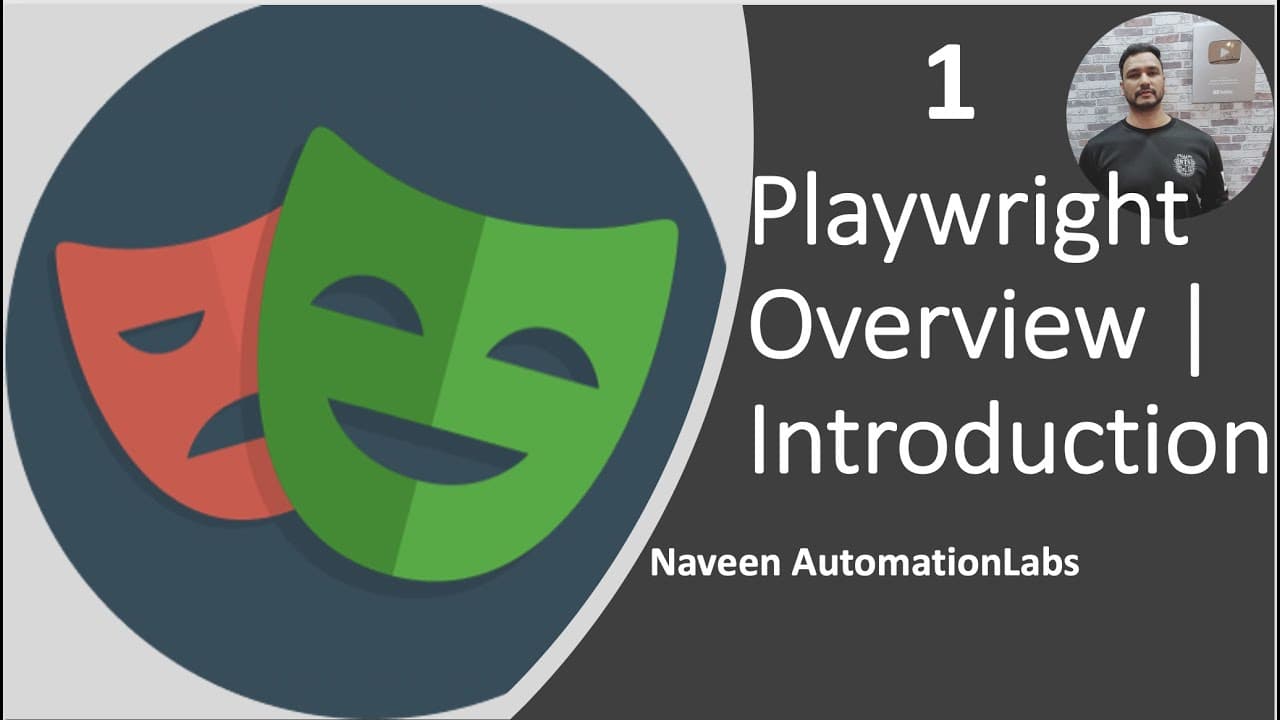
Playwright is a Microsoft-managed framework for reliable end-to-end testing and automation of modern web applications. Its single API supports Chromium, Firefox, and WebKit across Windows, Linux, and macOS, while automatic waiting and retrying assertions help reduce flaky tests. It also handles multiple users, tabs, origins, mobile web emulation, screenshots, videos, and execution traces. Read on to understand its core testing and debugging features.
Transcript
hey guys this is naveen here welcome back to naveen automation labs so today onwards we are going to talk about a new automation tool in the market that is playwright this tool is amazingly good and a lot of companies they started working on playwright and it's having some amazing features as compared to the typical automation tools are available i... Read More
Key Insights
- Playwright is an open-source framework managed by Microsoft for web testing and browser automation. The project has an active community, frequent releases, ongoing bug fixes, official documentation, and language-specific API references that help developers begin building end-to-end tests.
- A single Playwright API supports Chromium, Firefox, and WebKit rendering engines. This coverage enables testing of Chromium-based browsers, Firefox, and Safari-related WebKit behavior across Windows, Linux, and macOS, both locally and within continuous integration environments.
- Playwright supports TypeScript, JavaScript, Python, .NET, and Java. Its libraries are presented as straightforward to use, and Java projects can begin by adding the Playwright dependency to a Maven pom.xml file and following the official Java API documentation.
- Automatic waiting is Playwright's primary synchronization mechanism. Before performing an action, Playwright waits for the target element to become actionable, such as clickable, selectable, or enabled, which removes the need for manual sleeps, explicit waits, implicit waits, or custom polling intervals.
- Web-first assertions automatically retry checks until the necessary condition is met. Combined with automatic actionability checks, this behavior reduces artificial timeouts, which the presentation identifies as a primary cause of flaky automated tests on dynamic web applications.
- Browser contexts provide isolation by giving each test the equivalent of a brand-new browser profile. Creating a context takes only a handful of milliseconds according to the presentation, allowing tests to remain independent while avoiding the overhead associated with repeatedly launching complete browser sessions.
- Playwright supports complex scenarios involving multiple tabs, windows, origins, and users within one test. Separate contexts can represent administrators and customers simultaneously, allowing tests to verify interactions between user roles without repeatedly logging each role in and out.
- Playwright's tooling includes action recording and code generation, an inspector, and execution traces. A trace can contain a screencast, live DOM snapshots, videos, screenshots, an action explorer, and test source information, providing detailed evidence for investigating test failures.
Install to Summarize YouTube Videos and Get Transcripts
Explore YouTube Video Summarizer or Get YouTube Transcript Extractor
Questions & Answers
Q: What is Playwright used for in test automation?
Playwright is a framework for web testing and automation that enables reliable end-to-end testing of modern web applications. A single API can automate Chromium, Firefox, and WebKit while supporting scenarios involving multiple tabs, origins, and users.
Q: Which browsers and operating systems does Playwright support?
Playwright supports the Chromium, Firefox, and WebKit rendering engines. The presentation associates Chromium with Chrome, Microsoft Edge, and Opera, WebKit with Safari, and Firefox with Mozilla Firefox. Tests can run on Windows, Linux, and macOS in headed or headless mode, locally or in continuous integration.
Q: How does Playwright reduce flaky automated tests?
Playwright automatically waits for an element to become actionable before interacting with it, such as waiting until it is clickable, selectable, or enabled. Its web-first assertions retry checks until the necessary conditions are met. This reduces the need for artificial timeouts, manual sleeps, implicit waits, explicit waits, and custom polling.
Q: What is a browser context in Playwright?
A browser context is an isolated environment that functions like a new browser profile for a test. According to the presentation, creating one takes only a handful of milliseconds, so tests can remain independent without repeatedly launching complete browser sessions.
Q: How can Playwright test multiple users in one scenario?
Playwright can use different contexts for different users within a single test. For example, an administrator can remain signed in within one context while a customer uses another, avoiding repeated login and logout steps. The same scenario can also span multiple tabs and origins.
Q: Can Playwright reuse authentication state across tests?
Yes. Playwright can save a browser context's authentication state after login and reuse it in later tests. This lets authenticated tests bypass repetitive login operations while maintaining isolation between test cases.
Q: What debugging and failure-analysis tools does Playwright provide?
Playwright supports configurable retries, screenshots, videos, an inspector, and execution traces. A trace can include a screencast, live DOM snapshots, an action explorer, and test source information. These records help testers investigate failed or flaky executions.
Q: Which programming languages can be used with Playwright?
Playwright supports TypeScript, JavaScript, Python, .NET, and Java. The presentation describes its libraries as simple and straightforward, with language-specific documentation and API references available. For Java, developers can add the Playwright dependency to a Maven pom.xml file and begin using the Java API.
Summary & Key Takeaways
-
Playwright is a Microsoft-managed, open-source framework for testing and automating modern web applications. Its common API supports Chromium, Firefox, and WebKit across Windows, Linux, and macOS. Tests can run locally or in continuous integration environments, using headed or headless execution and several supported programming languages.
-
Automatic waiting helps Playwright interact with elements only after they become actionable, while web-first assertions retry checks until their required conditions are satisfied. These synchronization features reduce dependence on artificial timeouts. Traces, videos, screenshots, DOM snapshots, and configurable retries provide additional evidence for investigating failures and flaky behavior.
-
Playwright creates an isolated browser context for each test, with each context functioning like a new browser profile while requiring little startup overhead. Contexts support multiple users, tabs, windows, frames, origins, and saved authentication state. Code generation, an inspector, and clear language-specific documentation further simplify test creation and debugging.
Read in Other Languages (beta)
Share This Summary 📚
Summarize YouTube Videos and Get Video Transcripts with 1-Click
Try YouTube Summary with ChatGPT & Claude or YouTube Transcript Generator
Explore More Summaries from Naveen AutomationLabs 📚
Summarize YouTube Videos and Get Video Transcripts with 1-Click
Try YouTube Summary with ChatGPT & Claude or YouTube Transcript Generator