How to Optimize Refresh Rates for E-Paper Displays?
TL;DR
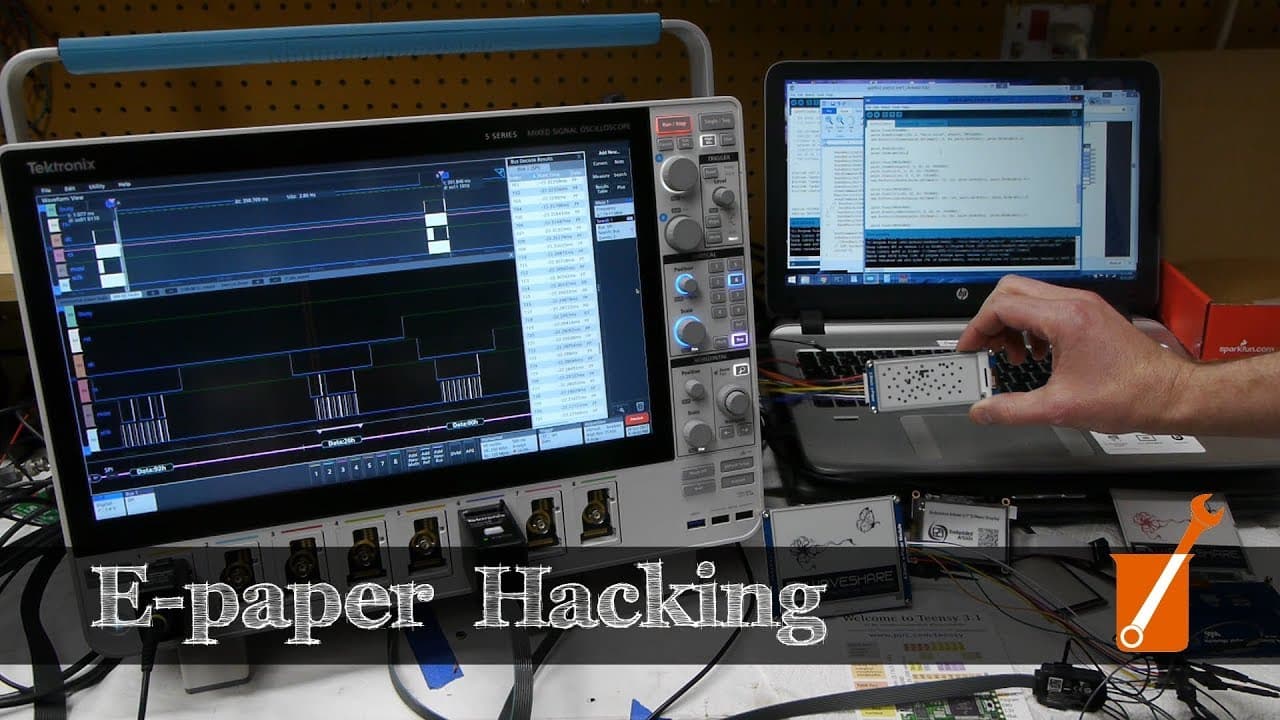
To optimize refresh rates for e-paper displays, custom firmware is essential that allows for partial updates rather than complete refreshes. By carefully controlling the waveform sequences in the firmware, you can achieve faster updates while minimizing the risk of burn-in, thus enhancing overall performance of the display.
Transcript
today on Applied Science I'm going to talk about these e-ink or ePaper displays these things too are made popular in the Kindle and other ear readers and now they're available in the hobbyist market you can play with putting them in all kinds of different projects of course one of their signature features is that they retain the image even when it'... Read More
Key Insights
- 😘 E-Ink displays have gained popularity in the hobbyist market due to their low power consumption and paper-like appearance.
- 💨 Refreshing the entire display requires a multi-second routine, but customized firmware can enable faster updates with partial changes.
- 🔥 The drive sequence in the firmware, determined by lookup tables, is crucial for optimal display performance and preventing burn-in.
- 👨🦳 Red, white, and black E-Ink displays feature true three-color pixels, making them visually distinct from traditional displays.
- ✊ E-Ink displays rely on electric fields to manipulate charged particles suspended in fluid, creating the image with no power consumption.
- 🈂️ The internal structure of E-Ink displays consists of chambers containing positively and negatively charged particles.
- 😀 Probing the internal wiring of E-Ink displays requires removing the insulating layer and using specialized probes.
- ❓ The waveform applied to the pixels determines the image displayed, and it can be customized to achieve specific effects and optimize performance.
Install to Summarize YouTube Videos and Get Transcripts
Explore YouTube Video Summarizer or Get YouTube Transcript Extractor
Questions & Answers
Q: How do E-Ink displays retain their images without using any power?
E-Ink displays use positively and negatively charged particles suspended in fluid. By applying electric fields, the particles migrate to the top or bottom of the chambers, creating the image. Once set, the image stays without consuming any power.
Q: Can E-Ink displays be customized to show any image?
Yes, the controller behind the display is highly programmable, allowing users to load specific values into the registers to manipulate the display. However, care must be taken to avoid damaging the display or causing short-term burn-in.
Q: What is the secret behind the unique red, white, and black E-Ink displays?
Unlike traditional color filters, these displays feature true three-color pixels. By manipulating differently-sized charged particles, the display can select between red, black, or white for each pixel, resulting in high contrast and a distinct appearance.
Q: How is the firmware of E-Ink displays customized to achieve faster updates?
The firmware controls the waveform applied to the pixels. By modifying the waveform sequence and reducing unnecessary transitions, the firmware can optimize the update speed. However, experimentation is required to find the correct drive sequence for each display.
Summary & Key Takeaways
-
E-Ink displays are becoming popular in both e-readers and hobbyist projects due to their zero-power image retention and paper-like appearance.
-
The displays require a multi-second refresh routine to update the entire screen, and early models required a complete clear before updating.
-
Customized firmware allows for faster updates with partial screen changes, but the optimal drive sequence is crucial to prevent burn-in.
Read in Other Languages (beta)
Share This Summary 📚
Summarize YouTube Videos and Get Video Transcripts with 1-Click
Try YouTube Summary with ChatGPT & Claude or YouTube Transcript Generator
Explore More Summaries from Applied Science 📚

Summarize YouTube Videos and Get Video Transcripts with 1-Click
Try YouTube Summary with ChatGPT & Claude or YouTube Transcript Generator