How to Build n8n Workflows Automatically With n8n-MCP
TL;DR
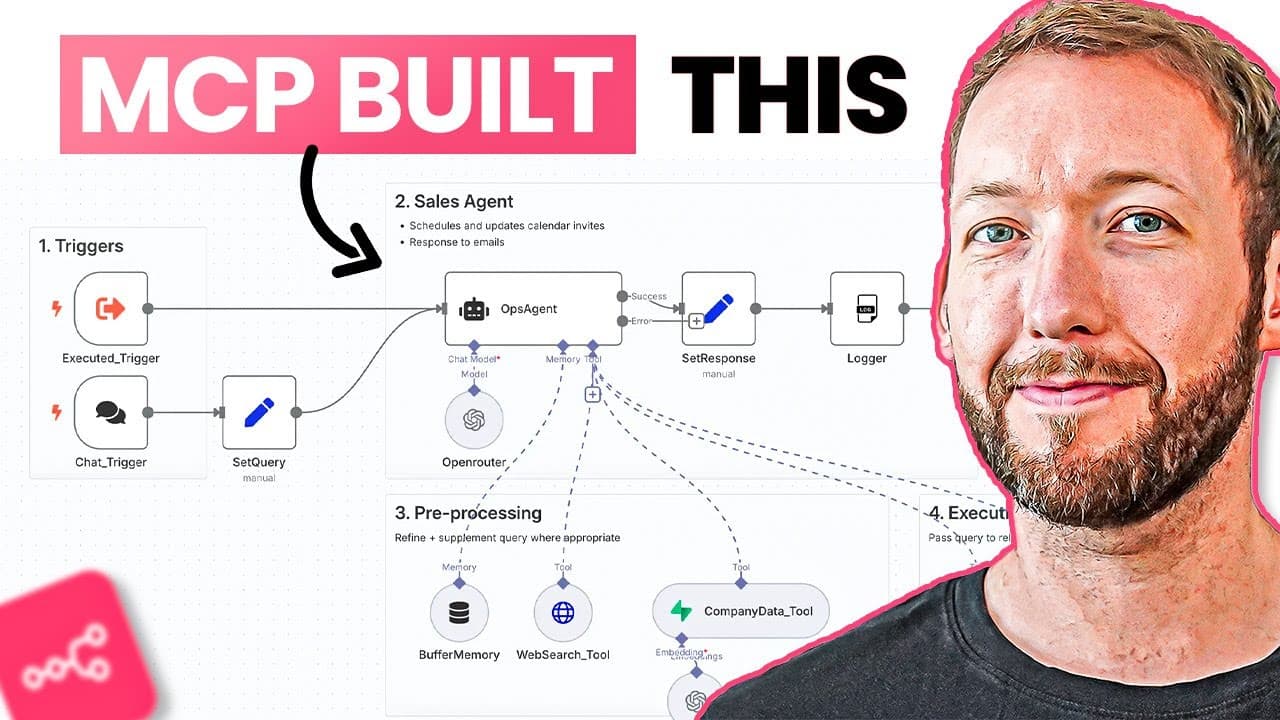
The n8n-MCP tool builds and validates AI workflows directly inside n8n instead of forcing manual node connection and copy-pasting, getting you to a roughly 80% finished workflow fast. It has reached 1.5K GitHub stars, exposes 39 tools, and validates every node, connection, and operation before creating a workflow. It won't fully replace manual building yet.
Transcript
Let me show you something that's about to change how you build AI workflows forever. I've already covered the N MCP node on this channel where there's some massive new updates that I had to test immediately. It now builds workflows directly inside NAM for you. No more copy and pasting. Plus, it validates everything that it makes automatically. So, ... Read More
Key Insights
- n8n-MCP builds workflows directly inside n8n and validates everything it makes automatically, eliminating the copy-paste step that older workflow builders required and reducing debugging time.
- The tool gets users to a roughly 80% finished workflow ridiculously fast, but it will not completely replace manual workflow building just yet according to the creator's testing.
- The MCP was created by RML (czlonkowski) to solve the problem that AI lacks enough context about n8n's actual documentation, node properties, and node operations when building workflows.
- Built-in validation is the standout feature: it validates all connections, all operations, and all nodes, and validates the whole workflow before building it, unlike previous builders that validated nothing.
- Setup requires two things: Docker desktop to package the container, and the Claude desktop app, since the desktop app is needed to run the MCP configuration.
- The full configuration lets the MCP manage and import flows into n8n directly, while the basic configuration only produces copy-paste workflows without interacting with your n8n environment.
- The MCP exposes 39 tools including list nodes, list AI tools, search node properties, and list tasks, and each tool must pass an approval process (allow once or allow always).
- For best results, run the tool on Claude Opus 4 with extended thinking enabled, which lets it properly think through and iterate on each step of workflow construction.
Install to Summarize YouTube Videos and Get Transcripts
Explore YouTube Video Summarizer or Get YouTube Transcript Extractor
Questions & Answers
Q: What is the n8n-MCP and what does it do?
The n8n-MCP is a tool that builds AI workflows directly inside n8n for you, eliminating the need to copy and paste. It automatically validates everything it makes, including all connections, operations, and nodes, before building the workflow. It was created by RML to solve the problem that AI lacks enough context about n8n's documentation, node properties, and node operations. It has reached 1.5K stars on GitHub.
Q: How much of a workflow can n8n-MCP actually build for you?
The tool gets you to a roughly 80% finished workflow ridiculously fast, according to the presenter's testing. It won't completely replace manual workflow building just yet, but it dramatically reduces the time normally spent connecting nodes, debugging errors, and tweaking prompts. The presenter describes it as by far the most impressive workflow builder tested so far, largely because of its built-in validation.
Q: What do you need to install to set up n8n-MCP?
You need two things: Docker desktop and the Claude desktop app. Docker packages the MCP up effectively and runs the container on your laptop so Claude can pull from it. The Claude desktop app is required to run the configuration. After installing both, you run a docker pull command in your terminal to pull the latest Docker container of the n8n-MCP, then edit Claude's config file.
Q: What is the difference between the full and basic configuration?
The full configuration lets the n8n-MCP actually manage and import your flows into n8n directly, meaning it can create workflows in your environment. The basic configuration only gives you copy-paste workflows and won't interact with your n8n environment. The presenter chooses the full configuration so the tool can deploy workflows straight into the connected n8n instance.
Q: How do you connect n8n-MCP to your n8n environment?
After copying the full configuration into Claude's config file, you change two values: the n8n API URL and the n8n API key. You get the API key from your n8n environment under settings, then n8n API, where you create a key (the presenter names it a demo key with a short expiry for safety). You paste the key and the URL, remove the trailing slash from the URL, save, then restart Claude Desktop.
Q: Why is n8n-MCP's validation feature considered superior to other workflow builders?
The tool validates all connections, all operations, and all nodes, and validates the whole workflow before actually building it. The presenter emphasizes this was the biggest problem with previous workflow builders: they didn't validate anything, which meant workflows often broke. n8n-MCP even validates every single node and the operations put into each node, putting it far above other workflow builders that have been tested.
Q: What settings should you use in Claude for the best results?
You should run the tool on Claude Opus 4 and make sure extended thinking is turned on. The presenter states it performs much better with extended thinking and Claude Opus 4, because the model is able to properly think through each step and iterate back and forth with itself, listing nodes, searching nodes, and validating each individual step during workflow construction.
Q: What example agents does the presenter build with n8n-MCP?
The presenter builds three complex agents from scratch: a deep research agent (autonomous research assistant), a lead enrichment process, and a Reddit social intelligence agent. The research assistant takes an initial question, asks two to three clarifying questions, performs parallel web searches using Tavily and Perplexity APIs, scores source credibility, identifies conflicts and consensus, and generates a comprehensive research report with source attributions.
Summary & Key Takeaways
-
The n8n-MCP node received major updates that let it build workflows directly inside n8n and validate them automatically, removing the copy-paste workflow. It has reached 1.5K GitHub stars and gets users to about an 80% finished workflow quickly, though it won't fully replace manual building yet.
-
Setup needs Docker desktop and the Claude desktop app. You pull the Docker container via a terminal command, edit Claude's config file to add the n8n-MCP server, and insert your n8n API URL and API key. The full configuration allows direct workflow creation in your n8n environment.
-
The presenter tests it by building an autonomous research assistant, a lead enrichment agent, and a Reddit social intelligence agent. The research agent asks clarifying questions, performs searches via Tavily and Perplexity APIs, scores source credibility, identifies conflicts, and outputs a structured report deployed inside n8n.
Read in Other Languages (beta)
Share This Summary 📚
Summarize YouTube Videos and Get Video Transcripts with 1-Click
Try YouTube Summary with ChatGPT & Claude or YouTube Transcript Generator
Explore More Summaries from Simon Scrapes 📚




Summarize YouTube Videos and Get Video Transcripts with 1-Click
Try YouTube Summary with ChatGPT & Claude or YouTube Transcript Generator