How to Optimize Rendering Speed in a React Table
TL;DR
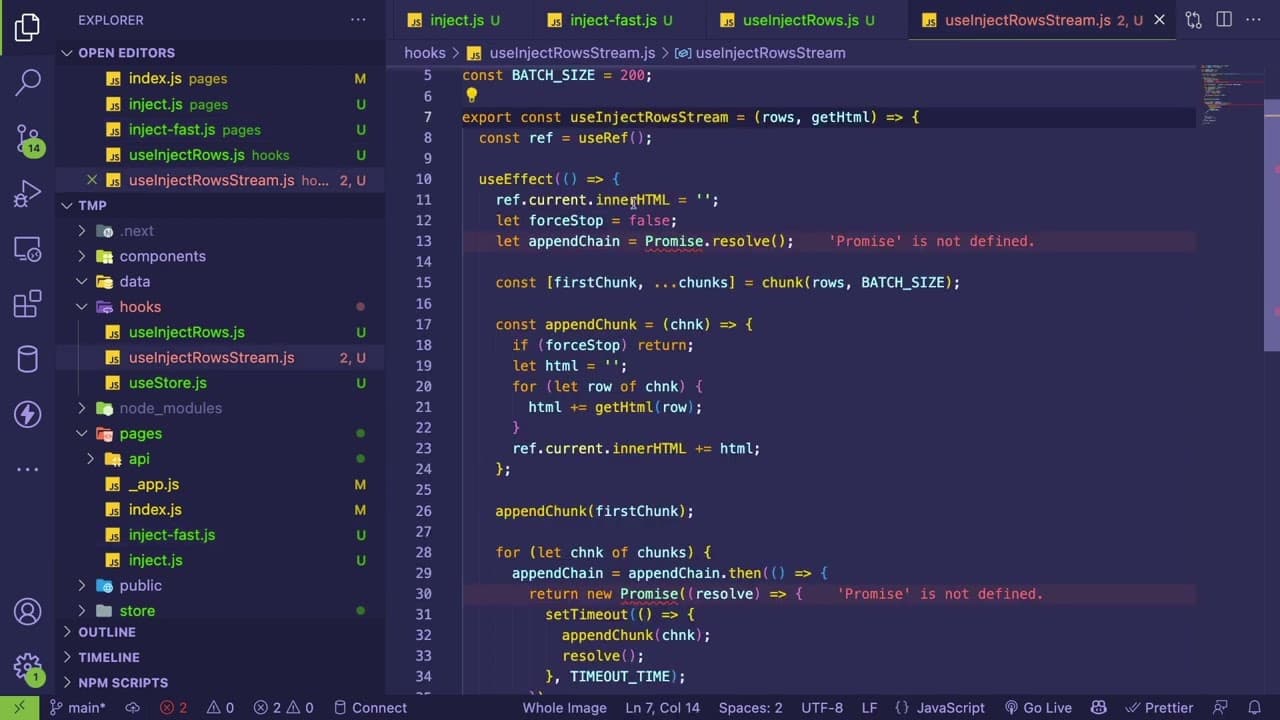
To optimize rendering speed in a React table with 3,000 items, consider using custom hooks and batch processing to manage updates efficiently. Avoid traditional pagination and virtualization, and instead redesign the user experience to improve accessibility, such as by incorporating type filters. Experiment with different chunk sizes and timeout durations for better responsiveness when handling large datasets.
Transcript
hey everyone how's it going um i wanted to share with you something i've been trying to like debug at work for the past day um maybe you'll learn something from this i'm still trying to kind of experiment and learn it myself but basically at work we have a table with about 3000 items in it and react can render that um decently fast but react plus t... Read More
Key Insights
- 🌥️ React's virtual DOM and state management can introduce performance bottlenecks when rendering larger datasets.
- 🐎 Custom hooks can streamline data handling and speed up rendering in React applications.
- 👤 Batch processing of data updates can improve user experience by providing quick initial feedback while loading data.
- 🥺 User interactions, such as sorting, must be optimized to prevent long waits and lead to a more responsive application.
- 👤 Redesigning user experience approaches, such as implementing type filters instead of traditional pagination, could enhance the responsiveness of applications.
- 😀 The author acknowledges the potential psychological impact of loading indicators on user perception of app performance.
- 🤩 Experimenting with different batch sizes and timeout durations is key to finding the optimal settings for a responsive user interface.
Install to Summarize YouTube Videos and Get Transcripts
Explore YouTube Video Summarizer or Get YouTube Transcript Extractor
Questions & Answers
Q: Why is rendering a large dataset in React slower compared to vanilla JavaScript?
React's rendering process involves additional overhead such as state management, reconciliation, and DOM manipulation, which can lead to slower performance when dealing with large datasets. Vanilla JavaScript operates directly on the DOM without this overhead, making it quicker for direct manipulations.
Q: What are some performance optimization techniques suggested for React applications?
Suggested techniques include utilizing custom hooks for data handling, employing batch processing to handle updates efficiently, and altering the way data is appended to the DOM to minimize blockages. These strategies can lead to improved responsiveness and speed in user interactions.
Q: How does the author plan to implement user feedback during data loading?
The author plans to incorporate a spinner or loading indicator to inform users while the data is being processed. This would enhance the user experience by providing immediate visual feedback that data is loading, reducing the perceived wait time for interactions.
Q: What challenges did the author face when implementing these optimizations?
The main challenges included ensuring the proper management of asynchronous data updates, preventing duplicate entries in the DOM, adjusting batch sizes for optimal performance, and ultimately addressing the inherent slowness of React in comparison to vanilla JavaScript.
Summary & Key Takeaways
-
The content discusses performance issues encountered while rendering a table with 3,000 items in a React application, focusing on slow interactions due to third-party state management libraries.
-
Various approaches for optimizing the rendering speed are explored, including using custom hooks, batch processing, and experimenting with JavaScript techniques to enhance speed.
-
The author emphasizes the need for a redesign of the user experience, especially regarding data access methods, as traditional pagination and virtualization were not suitable for their use case.
Read in Other Languages (beta)
Share This Summary 📚
Summarize YouTube Videos and Get Video Transcripts with 1-Click
Try YouTube Summary with ChatGPT & Claude or YouTube Transcript Generator
Explore More Summaries from Web Dev Cody 📚





Summarize YouTube Videos and Get Video Transcripts with 1-Click
Try YouTube Summary with ChatGPT & Claude or YouTube Transcript Generator