What Are the Essential Next.js Features to Know?
TL;DR
Essential Next.js features include file-based routing for easy page creation, built-in data fetching methods for managing user data, and efficient form handling with hooks like 'useFormState' and 'useFormStatus'. Understanding these concepts is crucial for developing robust web applications using Next.js.
Transcript
I'm gon to try to teach you as much as I can in five minutes about nextjs first step is don't read the docs let's just go over here to a terminal and say npx create next app latest and we'll call it my app just go ahead and spam the enter key and make an application go ahead and wait a couple minutes for npm to finish installing all of its packages... Read More
Key Insights
- 🕸️ Next.js simplifies the setup of web applications with straightforward commands and file structure.
- 💯 File-based routing is a core feature of Next.js, making it easier to manage application routes.
- 👻 Data fetching is seamlessly integrated, allowing efficient interaction with external data sources in server components.
- 💁 Handling forms in Next.js requires an understanding of client and server components and how they interact.
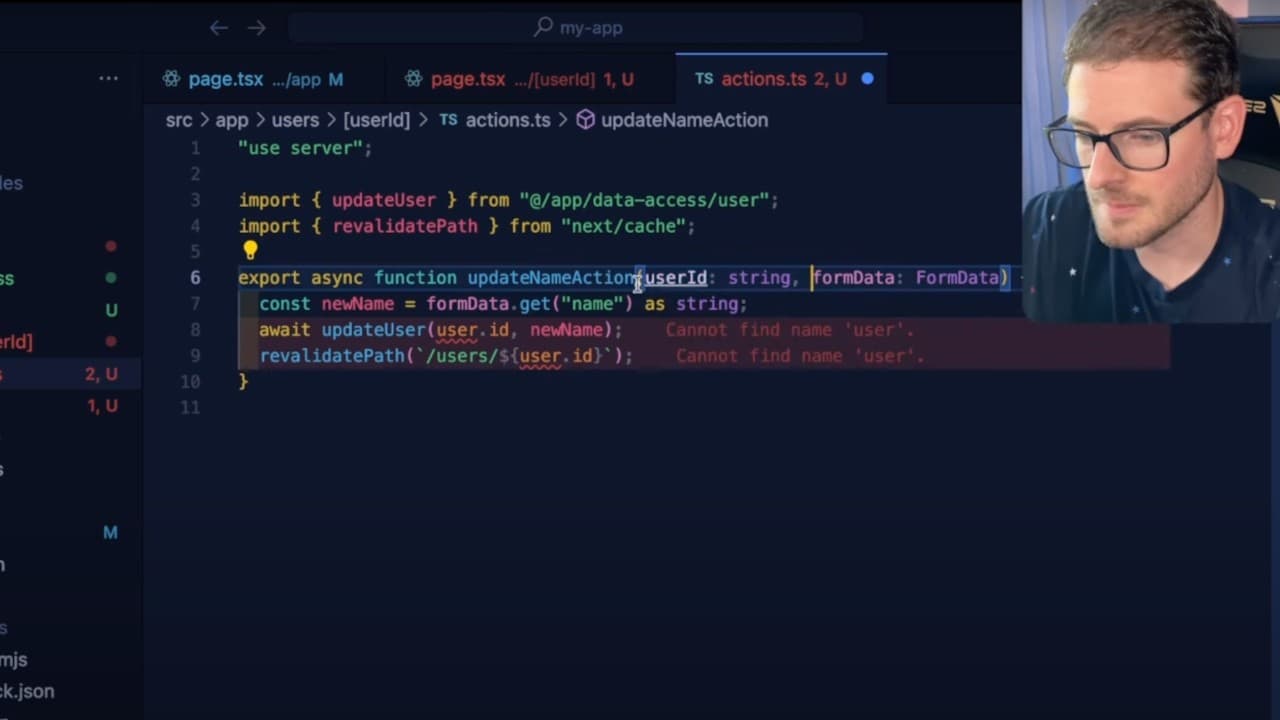
- 👤 Hooks like 'useFormState' and 'useFormStatus' facilitate better user experience during data submission processes.
- 🤩 Revalidation of paths and data is a key practice for ensuring users always view the most up-to-date information.
- 👷 Using TypeScript with Next.js enhances type safety and development efficiency when constructing components and functions.
Install to Summarize YouTube Videos and Get Transcripts
Explore YouTube Video Summarizer or Get YouTube Transcript Extractor
Questions & Answers
Q: What is the first step in setting up a Next.js application?
The first step is to use the terminal to run the command 'npx create-next-app@latest my-app', which initializes a new Next.js application. After executing the command, simply wait for npm to finish installing the necessary packages before proceeding to modify the app as desired.
Q: How does Next.js handle routing within an application?
Next.js uses a file-based routing system. This means that the structure of the files within the 'pages' directory directly correlates to the routes of the application. By creating a file named 'users.tsx' in the pages directory, a new route '/users' will automatically be available in the application.
Q: Can you explain how data fetching works in Next.js?
In Next.js, data fetching is done using async functions which can retrieve data when a page loads. By utilizing the 'getUser' and 'updateUser' functions, developers can pull data from an external source or database and display it through React components, enhancing interactivity within applications.
Q: How can one enhance form submission handling in a Next.js app?
To improve form submission handling, developers can implement the 'useFormState' and 'useFormStatus' hooks, which allow better management of loading states and error handling within the form. This way, the form can display indicators like “saving” during data processing, enhancing user experience.
Q: What is the role of revalidation in Next.js applications?
Revalidation in Next.js is essential for keeping data current. After submitting form data or making changes, developers can call 'revalidatePath' to refresh the page and reflect any updates. This feature ensures that users see the most recent data without needing to manually refresh the page.
Q: How do you pass path parameters in Next.js?
Path parameters can be handled in Next.js by creating a directory structure that includes a dynamic segment. For example, placing a file named '[userId].tsx' inside the 'users' directory allows you to access specific user data via the URL like '/users/50', where '50' represents the user ID.
Q: What are some best practices for using client components versus server components in Next.js?
Best practices include using client components for interactive elements like forms that require hooks, while server components should be used for rendering static content or when data fetching is needed on the server side. This separation optimizes performance and manageability within the application.
Summary & Key Takeaways
-
The video offers a brisk tutorial on initiating a Next.js app using a terminal command and demonstrates basic routing with file-based page creation.
-
Key data fetching techniques in Next.js are explained, including how to retrieve and manage user data with asynchronous calls, while emphasizing the importance of path parameters.
-
Advanced concepts are presented, such as form handling, revalidation of paths after data updates, and displaying loading states effectively during form submissions.
Read in Other Languages (beta)
Share This Summary 📚
Summarize YouTube Videos and Get Video Transcripts with 1-Click
Try YouTube Summary with ChatGPT & Claude or YouTube Transcript Generator
Explore More Summaries from Web Dev Cody 📚





Summarize YouTube Videos and Get Video Transcripts with 1-Click
Try YouTube Summary with ChatGPT & Claude or YouTube Transcript Generator