How to Automate Your Home Using Phone Chargers and Light Sensors
TL;DR
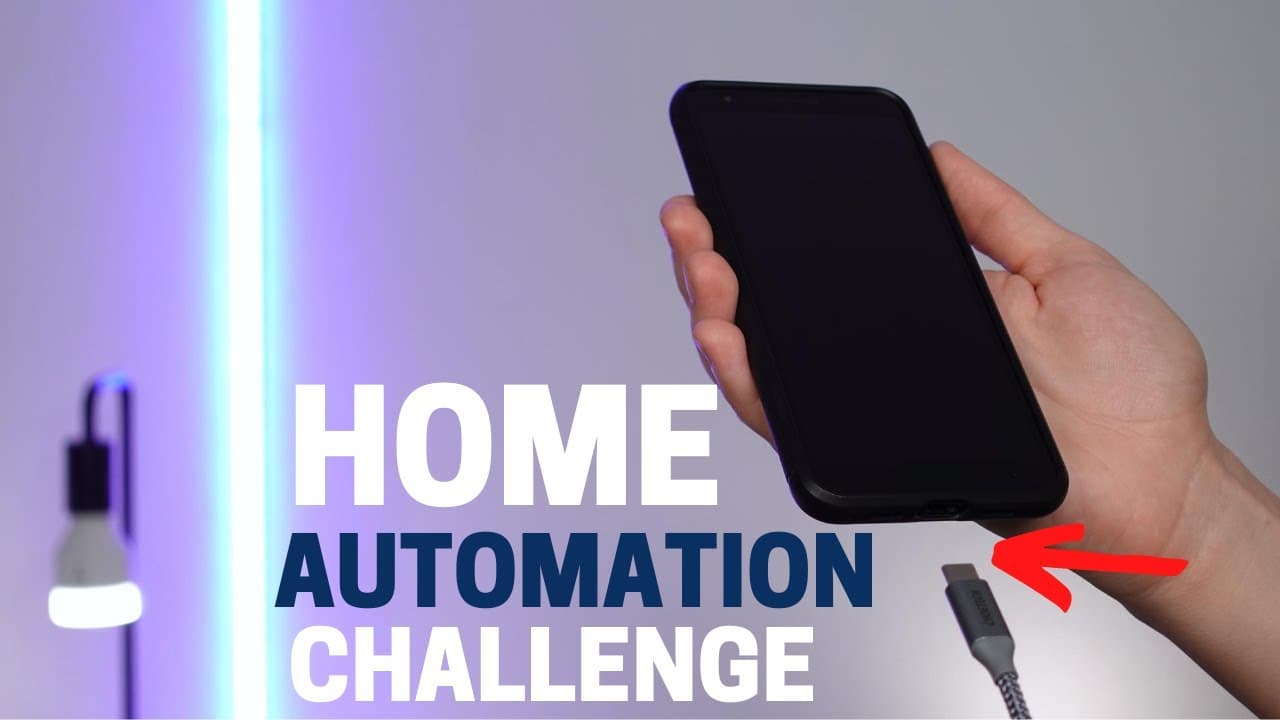
You can automate your home by using phone charger triggers to start routines when unplugging your device. For light automation based on weather, consider using IFTTT, motion sensors, or ambient light sensors for accurate control. These methods create a responsive smart home that adjusts to your daily needs.
Transcript
hey what's up this is reid i'm republishing this video because i originally left out some important ways to implement these automations i wanted to make it right and some of these changes are actually going to make it easier i appreciate all of your guys support and now let's get back to the video today i have some interesting automations for you o... Read More
Key Insights
- 😀 Phone charger triggers can initiate morning routines for Android users using the Android battery service or Tasker app.
- 😀 iOS users can leverage the Shortcuts app in iOS 14 for automations when the phone is unplugged, with potential limitations to address.
- 🙂 Light automation based on weather conditions can be achieved through various methods, from IFTTT to motion and ambient light sensors.
- 👪 Integrating motion sensors with smart home lighting control enables dynamic and energy-efficient automation based on user presence.
- 🔔 Leveraging smart outlets that measure energy usage can provide accurate notifications for device charging completion.
- 🙂 Ambient light sensors integrated with smart home systems offer precise light automation solutions without relying on external weather data.
- 👪 Users can explore different automation options to tailor their smart home setups to individual preferences and needs.
Install to Summarize YouTube Videos and Get Transcripts
Explore YouTube Video Summarizer or Get YouTube Transcript Extractor
Questions & Answers
Q: How can Android users automate their morning routine with phone charger triggers?
Android users can utilize the Android battery service or Tasker app to trigger morning routines when the phone is unplugged, allowing for more flexible automation options tailored to individual preferences.
Q: What is an alternative method for iOS users to automate actions when the phone is unplugged?
iOS users can employ the Shortcuts app in iOS 14 to create automations triggered by phone unplugging, though additional logic may be required to ensure precise timing due to beta limitations.
Q: How can light automation based on weather conditions be achieved without relying on cloud data inaccuracies?
By using ambient light sensors integrated with smart home systems like SmartThings, users can ensure accurate light automation based on room brightness levels without relying on weather data, providing a reliable solution.
Q: What are the benefits of integrating motion sensors with smart home automation for lighting control?
Integrating motion sensors enables dynamic light automation, such as turning lights on only when motion is detected during specific conditions like cloudy weather, enhancing energy efficiency and convenience.
Summary & Key Takeaways
-
Reid addresses smart home automation challenges from viewers, sharing phone charger trigger automation and weather-based light automation ideas.
-
Android users can leverage the Android battery service or Tasker app for phone charger automation, while iOS users can utilize the Shortcuts app in iOS 14 for similar functions.
-
Light automation based on weather conditions can be achieved through various methods like IFTTT, motion sensors, and ambient light sensors for accurate control.
Read in Other Languages (beta)
Share This Summary 📚
Summarize YouTube Videos and Get Video Transcripts with 1-Click
Try YouTube Summary with ChatGPT & Claude or YouTube Transcript Generator
Explore More Summaries from Smart Home Solver 📚



Summarize YouTube Videos and Get Video Transcripts with 1-Click
Try YouTube Summary with ChatGPT & Claude or YouTube Transcript Generator