How to Build and Equip AI Agents in n8n
TL;DR
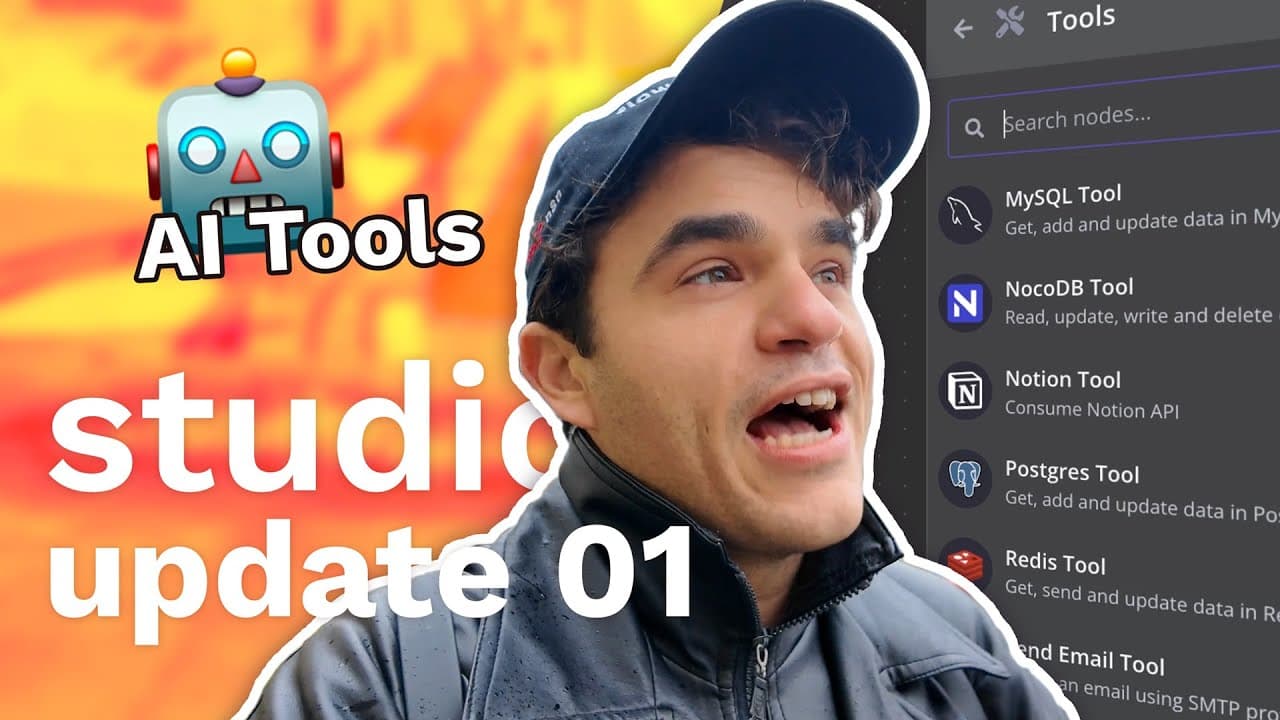
Build an n8n AI agent by connecting a chat trigger, a tool-capable language model, and narrowly defined app tools. App AI Tools, introduced in version 1.62 with more than 22 integrations, reduce setup friction, while explicit actions and AI-populated parameters provide guardrails for predictable tasks such as reading or creating Google Calendar events.
Transcript
hey there I'm Max and welcome to the studio update this is our weekly show to give you updates on our Ai and automation projects to get a sneak peek and what's happening inside NN and to hear stories from our Global community of Builders here's what I've got for you in today's episode I've got an update on my first project I'm working on a tutorial... Read More
Key Insights
- An n8n AI agent can combine a chat trigger, a tool-capable language model, memory, prompts, and connected tools. The chat trigger receives the user's request, while memory can preserve state across conversations and the system message can establish context and output requirements.
- AI tools are nodes on the n8n canvas that let agents perform actions beyond generating text. They can interact with applications and services, query a database, retrieve information from a specific source, or perform mathematical operations required by a workflow.
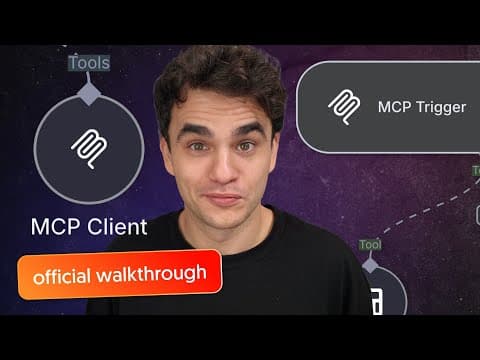
- App AI Tools were introduced in n8n version 1.62 with more than 22 app tools and additional tools planned. They streamline common integrations that previously required either a separate callable workflow or an HTTP Request tool configured to invoke an arbitrary API.
- Tool guardrails are created by defining the exact resource and operation available to an agent. A Google Calendar tool restricted to retrieving multiple events provides predictable access and prevents unrelated actions, such as deleting resources, from being available through that particular tool.
- The fromAI method allows an agent to populate selected node parameters at runtime. Its available arguments include a key, a description, a data type, and a default value, although the demonstration initially uses only keys corresponding to the calendar's after and before filters.
- Minimal tool descriptions can reduce token usage and avoid unnecessarily limiting future model behavior. The recommended approach is to begin with the least additional description required, confirm whether the tool works, and add clarification only after identifying a specific failure case.
- Complex jobs must be divided into the separate actions an agent needs to perform. Booking a calendar event can require one tool to retrieve existing events and determine availability, followed by another tool that creates the event using parameters such as start time and end time.
- MITRE ATT&CK can provide contextual material for Angel's planned vector store and automated AI ticket processing project. The episode describes it as a public knowledge base of adversarial cyber tactics and identifies context quality as an important influence on an AI solution's effectiveness.
Install to Summarize YouTube Videos and Get Transcripts
Explore YouTube Video Summarizer or Get YouTube Transcript Extractor
Questions & Answers
Q: How do you build a basic AI agent in n8n?
A basic n8n agent starts with a chat trigger that receives the user's message and passes it to an AI Agent node. The agent also needs a language model that supports tool interaction, such as the demonstrated GPT-4o setup. Memory can provide statefulness between conversations, while system and user messages supply instructions, context, and the request the agent must handle.
Q: What are App AI Tools in n8n?
App AI Tools are n8n nodes designed to let AI agents interact with popular applications and services. They can expose specific operations, such as retrieving Google Calendar events, while handling more of the configuration automatically. Version 1.62 introduced more than 22 of these tools, with more planned, reducing the setup friction associated with separate workflows or arbitrary API requests.
Q: How can an n8n AI agent retrieve Google Calendar events?
Connect a Google Calendar tool to an AI Agent node, select the required credential and calendar, choose the event resource, and configure the operation to retrieve multiple events. Add before and after filters, then make those fields available for AI population with expressions using the fromAI method. The agent can then translate requests for a day or period into suitable filter values.
Q: What does the fromAI method do in an n8n tool?
The fromAI method marks a parameter that the AI agent may populate while using a tool. Its four described arguments are a key that names the variable, a description of the expected information, a data type, and a default value. In the calendar example, it supplies the before and after date filters needed to search for events within a requested period.
Q: How do guardrails make AI agent tools safer and more predictable?
Guardrails limit an agent by exposing only clearly defined resources, operations, and editable parameters. A calendar tool configured only to retrieve multiple events cannot use that same operation to delete calendar resources. The workflow creator decides which action is allowed and uses fromAI only for values the agent should control, such as search dates, start times, or descriptions.
Q: Why should AI tool descriptions be kept concise?
Concise tool descriptions send fewer tokens to the language model and avoid adding constraints that are not needed for successful operation. Max recommends first testing a tool without extensive descriptions. If it works, the simple configuration can remain. More context should be added when an actual failure reveals that the agent needs clarification about a parameter or required output.
Q: Why does calendar booking require multiple AI tools?
Calendar booking contains more than one distinct action. The agent may first need a retrieval tool to inspect existing events and understand availability. It then needs a separate creation tool to add the new event. The creation action can expose selected parameters for AI control, including the start time, end time, and an event description with any required information.
Q: What projects are featured in the first Studio Update?
The episode features Max's beginner tutorial series about building AI agents in n8n, including a planned installment about tool usage. Angel introduces a MITRE ATT&CK vector store intended for automated AI ticket processing. Max also demonstrates App AI Tools through Google Calendar, and community builder Jim Lee presents a workflow that automates repetitive work involved in invoice processing.
Summary & Key Takeaways
-
Max introduces a tutorial series for beginners building AI agents in n8n. The first part covers chat triggers, memory, system and user messages, prompting practices, and other fundamentals. A planned second part focuses on tools, which let agents interact with applications, services, databases, information sources, and mathematical operations.
-
Angel is developing a MITRE ATT&CK vector store for automated AI ticket processing. The project uses a public knowledge base of adversarial cyber tactics as context. A deeper explanation of the use case is planned for the following episode, while a Notion board will track both Angel's and Max's projects.
-
The App AI Tools demonstration connects an agent to Google Calendar, retrieves events for a requested Wednesday, and shows how to rebuild the tool. The episode also features Jim Lee's invoice-processing workflow, which automates some repetitive work associated with invoices, as an example from the n8n builder community.
Read in Other Languages (beta)
Share This Summary 📚
Summarize YouTube Videos and Get Video Transcripts with 1-Click
Try YouTube Summary with ChatGPT & Claude or YouTube Transcript Generator
Explore More Summaries from n8n 📚
![Automating Gong Sales Call Analysis with n8n and AI [n8n At Scale] thumbnail](/_next/image?url=https%3A%2F%2Fi.ytimg.com%2Fvi%2FAIiJ29hEn80%2Fhqdefault.jpg&w=750&q=75)
Summarize YouTube Videos and Get Video Transcripts with 1-Click
Try YouTube Summary with ChatGPT & Claude or YouTube Transcript Generator