How to Create Your Own Solana Token in the Terminal (2025 Edition)
TL;DR
Create your own Solana token by setting up Docker with Rust and the Solana CLI, generating a controlling key pair, and practicing on DevNet before moving to Mainnet. DevNet is free and supports sending and receiving test tokens, while Mainnet requires SOL; adding liquidity makes the token purchasable. Read on for the terminal workflow, file-preservation setup, and essential private-key precautions.
Transcript
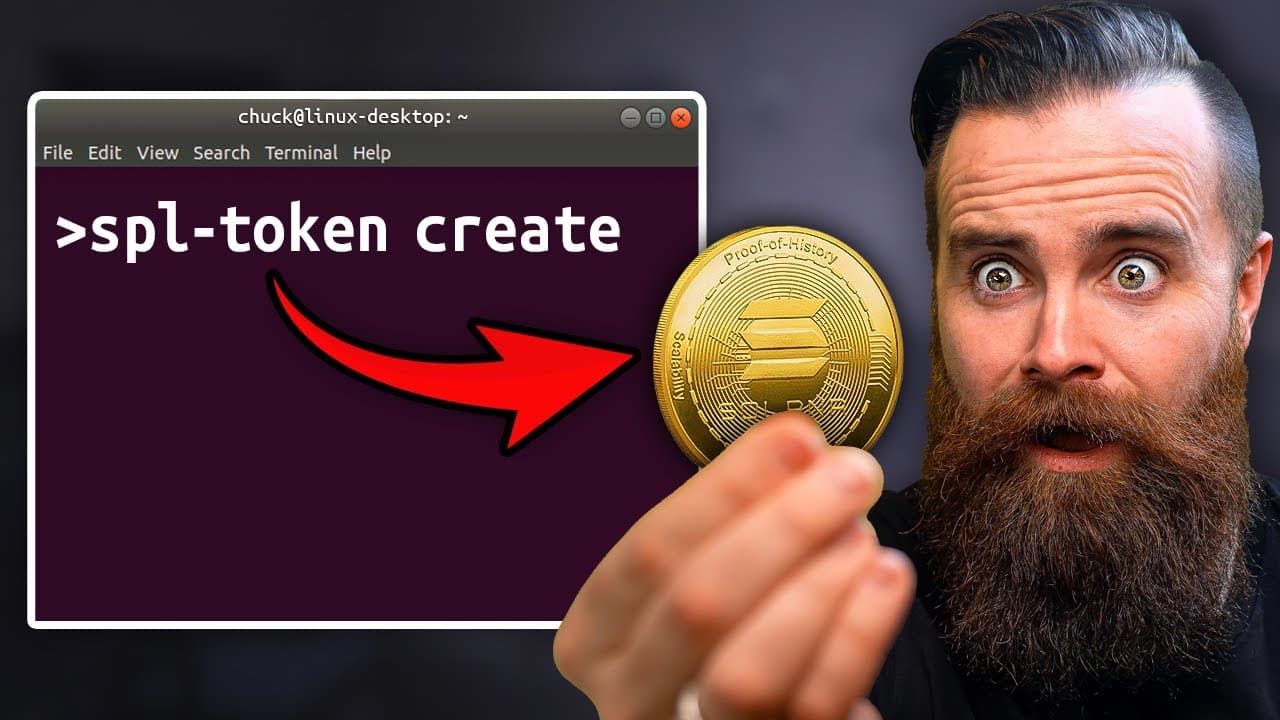
Let's be honest. Allowance is boring. My kids do their chores, they get money, but what is that teaching them? What if when they did their chores instead of money, I gave them cryptocurrency and no, not Bitcoin or Ethereum, cryptocurrency that I made, that I created. So in this video, we're going to make our own cryptocurrency for fun because the t... Read More
Key Insights
- Solana is presented as a blockchain platform with SOL as its native token, while independently created tokens can also operate on the same blockchain and be used like currency.
- DevNet is a free Solana environment for practicing token creation, transfers, and wallet operations before spending SOL on the production Mainnet network.
- DevNet tokens can be sent and received like production tokens, but they cannot be bought or sold, which makes DevNet suitable for experimentation rather than a real market.
- Docker provides a consistent terminal environment containing Rust and the Solana CLI, and the demonstrated setup works across Mac, Linux, and Windows through WSL 2.
- A Dockerfile describes the required image, which is built with a tag and then launched interactively so Solana commands can run inside the resulting container.
- A mapped Docker volume preserves wallet and project files in the host directory, even though the temporary container is configured to delete itself after the user exits.
- A Solana account, wallet, or key pair is represented by a JSON file containing a private key, and possession of that file allows someone to load the wallet.
- Adding liquidity is the step that allows anyone to purchase the token, while the demonstrated family project uses blockchain automation to send tokens when completed chores are recorded.
Install to Summarize YouTube Videos and Get Transcripts
Explore YouTube Video Summarizer or Get YouTube Transcript Extractor
Questions & Answers
Q: How do you create a Solana token in the terminal?
Install Docker, create a project directory and Dockerfile, and build an environment containing Rust and the Solana CLI. Launch the image as an interactive container, generate the Solana key pair that controls the token, and practice on DevNet before repeating the process on Mainnet.
Q: Why should you create a Solana token on DevNet first?
DevNet lets you practice creating and managing a token without spending money. You can send and receive its tokens, but you cannot buy or sell them. The DevNet and Mainnet processes are described as nearly identical except for one minor difference.
Q: What is the difference between Solana and SOL?
Solana is the blockchain platform, while SOL is its native token. SOL is not the only token available on Solana because anyone can create another token on the blockchain and use it like currency.
Q: Why use Docker to create a Solana token?
Docker provides a prepared terminal environment with tools such as Rust and the Solana CLI. It is optional, but the demonstrated setup makes installing and running the required tools easier.
Q: Can you create a Solana token on Windows, Mac, or Linux?
Yes, the terminal workflow is presented as usable on Mac, Windows, and Linux. On Windows, the demonstrated setup runs Ubuntu through WSL 2 and uses Docker for the Solana toolchain.
Q: How does Docker preserve the generated Solana files?
The Docker run command maps the current project directory into the container as a volume. Files generated during the session remain in the host directory even when the temporary container removes itself after exit.
Q: How should the Solana wallet private key be protected?
The generated wallet is represented by a JSON file containing its private key. Anyone who gets that information can import the key and load the wallet, so the file must be stored securely. This key pair acts as the account controlling the token.
Q: How can a custom Solana token become purchasable?
Adding liquidity allows other people to purchase the token. That belongs to the Mainnet option, which requires SOL, whereas DevNet is free and supports sending and receiving tokens but not buying or selling them.
Summary & Key Takeaways
-
The project begins on Solana DevNet, where users can practice creating, sending, and receiving tokens without spending money. DevNet behaves much like the production network but does not support buying and selling. Starting there provides practical experience before repeating nearly the same process on Solana Mainnet, which requires SOL.
-
The terminal environment is prepared with Docker, a custom Dockerfile, Rust, and the Solana CLI. The image runs as an interactive, temporary container while mapping the current directory as a volume. This arrangement preserves generated files outside the container even after the temporary container is removed when the session ends.
-
A generated Solana key pair serves as the controlling account for the token. Its JSON file contains the private key, which can be imported into a compatible wallet and must be stored securely. The larger project applies tokens to chore allowances and explores adding liquidity so other people can purchase them.
Read in Other Languages (beta)
Share This Summary 📚
Summarize YouTube Videos and Get Video Transcripts with 1-Click
Try YouTube Summary with ChatGPT & Claude or YouTube Transcript Generator
Explore More Summaries from NetworkChuck 📚
Summarize YouTube Videos and Get Video Transcripts with 1-Click
Try YouTube Summary with ChatGPT & Claude or YouTube Transcript Generator