How to Set Up ChatGPT Work for Consistent Tasks
TL;DR
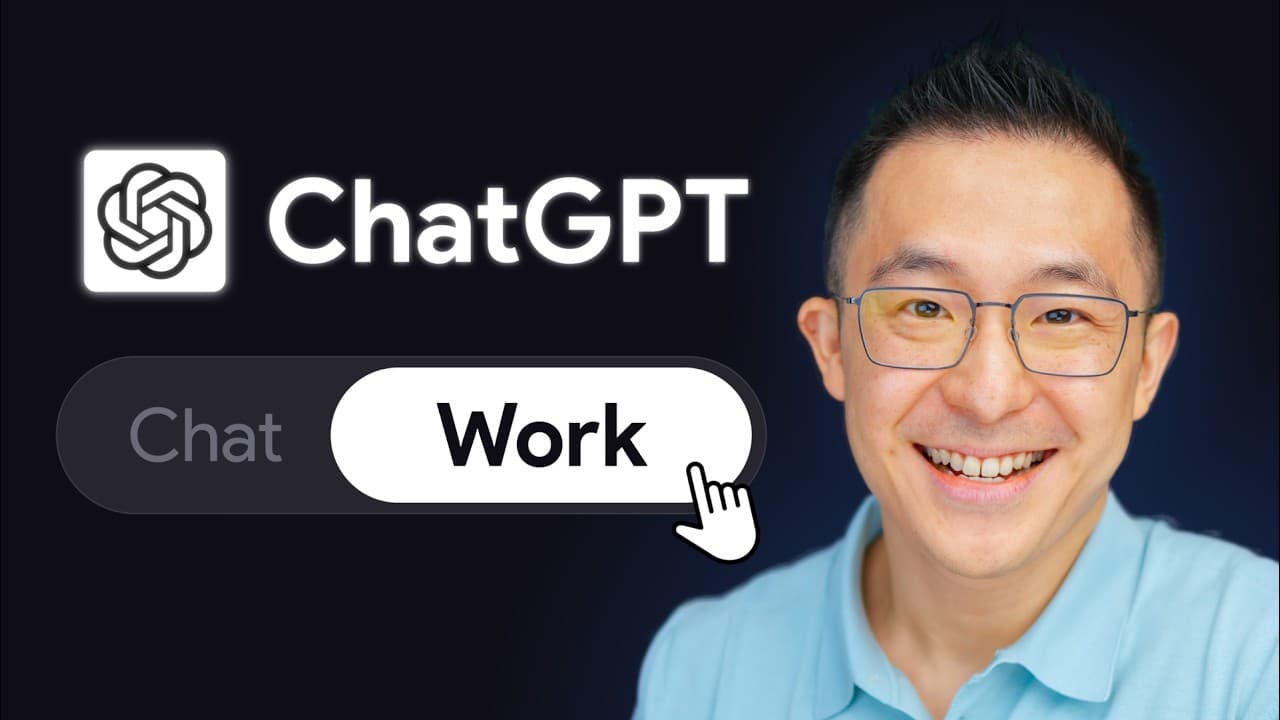
Mount a project folder containing an AGENTS.md file so ChatGPT Work reads your preferences before every task and produces consistent results. Store global instructions in that rulebook, move app-specific conventions into linked files, and connect plugins such as Google Calendar, Gmail, Notion, or Slack so the system can apply your preferred formats across fresh sessions.
Transcript
You're in the right place if you use ChatGPT every day, know that ChatGPT work is a major upgrade, but you're still using it like a normal chatbot because no one, not even OpenAI, can explain what you're supposed to do differently. Now, ChatGPT goes from just answering questions to doing work for you by connecting to all of your tools. Okay, Domini... Read More
Key Insights
- ChatGPT Work remembers saved rules across fresh sessions when those rules are stored in the mounted project’s AGENTS.md file. A birthday event can therefore inherit a cake emoji and a gift reminder even when neither preference appears in the new request.
- The desktop version of ChatGPT Work is the recommended option in the tutorial for nontechnical users. The web version lives inside the web interface and has some unique advantages, but the presenter describes it as less capable than the desktop version.
- AGENTS.md is a plain-English master rulebook that ChatGPT Work reads before performing tasks in a mounted folder. Its proposed structure includes a purpose section, global rules, voice principles, maintenance instructions, and a routing map for directing the system to supporting files.
- The filename AGENTS.md must be used exactly as instructed in the tutorial. The downloaded Markdown template is placed inside a desktop folder, and that folder is then selected through the desktop app’s project chooser while the Work toggle is active.
- Persistent conventions make repeated tasks more consistent. When a rule says image files should receive short but descriptive names, ChatGPT Work can apply that convention to a folder of photos in a later chat without receiving the naming instruction again.
- Plugins provide access to tools, while AGENTS.md defines how ChatGPT Work should use those tools. Saved Google Calendar rules can specify 45-minute meetings and descriptions that begin with the bottom line, followed by three short bullets containing relevant context.
- A lean AGENTS.md reduces unnecessary context because ChatGPT Work loads it before every task. Tool-specific instructions can be moved into tool-conventions.md, with AGENTS.md retaining a pointer so rules for occasionally used apps are loaded through an organized structure.
- The side panel supports three functions described in the tutorial: previewing and editing files, browsing the web, and using a side chat to keep material out of the main conversation. Highlighted file sections can also be edited through direct natural-language instructions.
Install to Summarize YouTube Videos and Get Transcripts
Explore YouTube Video Summarizer or Get YouTube Transcript Extractor
Questions & Answers
Q: How do you set up ChatGPT Work to remember rules?
Create a desktop folder, place a plain-English rulebook named exactly AGENTS.md inside it, and select that folder through the desktop app’s project chooser while the Work toggle is active. ChatGPT Work will then read the file before each task. You can add preferences by asking it to remember a rule, and it can organize the new instruction inside the file for use in later sessions.
Q: What is the main difference between ChatGPT Work and regular ChatGPT?
The central difference presented is that ChatGPT Work can operate with a mounted folder and read persistent instructions from its AGENTS.md file before each task. Regular question-and-answer use does not provide that same project-based rule system. Once preferences are stored, ChatGPT Work can carry them into fresh sessions, producing consistent outputs without requiring users to repeat every instruction in every prompt.
Q: Why does the project file need to be named AGENTS.md?
The tutorial says the downloaded Markdown rulebook must be renamed exactly AGENTS.md because ChatGPT Work recognizes that specific filename. Alternatives such as agent or agent one will not be recognized as the intended instruction file. After naming it correctly, place it inside the chosen project folder so the desktop app can automatically read the rules before it performs work in that project.
Q: How can AGENTS.md improve Google Calendar tasks?
AGENTS.md can store default behaviors for Google Calendar events and apply them across separate chats. Examples include making meetings 45 minutes, beginning descriptions with the bottom line, and adding three short bullets of relevant context. It can also preserve birthday conventions, such as adding a cake emoji to the title and placing a reminder to buy a gift in the event description.
Q: Why should plugin rules be moved to tool-conventions.md?
ChatGPT Work loads AGENTS.md before every task, so keeping every app-specific instruction in that file can make it bloated and waste tokens. The tutorial recommends creating tool-conventions.md, moving tool and plugin rules into it, and replacing the moved material in AGENTS.md with a link. This keeps the primary rulebook lean while preserving organized conventions for services that are not needed during every task.
Q: What useful rules can be saved for Gmail, Notion, and Slack?
For Gmail, the tutorial recommends omitting a sign-off from replies when a default signature is already configured. For Notion, it recommends using existing database templates instead of creating pages from scratch. For Slack, thread summaries should be separated into decisions, action items, and open questions. These conventions give ChatGPT Work explicit instructions for using each connected app in the user’s preferred way.
Q: What can the ChatGPT Work side panel do?
The side panel has three functions in the tutorial. It can preview and edit project files, operate as a fully functional browser, and provide a side chat that keeps selected material away from the main conversation. In the editing workflow, a user can highlight a section of a Markdown file and request structural changes, such as adding Gmail, Notion, and Slack sections with headings and placeholder rules.
Q: Why are persistent rules important for repeated tasks?
Persistent rules prevent ChatGPT Work from handling the same kind of task differently each time. The image example shows that the system can already analyze and rename photos, but its naming choices may vary without saved guidance. A rule requiring short, descriptive filenames establishes a reusable convention. The same principle applies to calendar events, email replies, Notion pages, Slack summaries, voice, and other recurring work.
Summary & Key Takeaways
-
ChatGPT Work becomes more useful when a mounted project folder contains an AGENTS.md file written in plain English. The file acts as a persistent rulebook that ChatGPT Work reads before each task, allowing preferences such as calendar formats and image-naming conventions to carry across new sessions without being repeated in every prompt.
-
The setup begins by downloading the provided Google Doc as a Markdown file, naming it exactly AGENTS.md, and placing it inside a desktop folder. After that folder is selected as the project in the desktop app, users can ask ChatGPT Work to remember new rules and organize them within the file automatically.
-
Plugins connect ChatGPT Work to apps such as Google Calendar, Gmail, Notion, and Slack, while saved conventions define how those apps should be used. Tool-specific instructions can be moved into a linked tool-conventions.md file, keeping AGENTS.md concise, reducing unnecessary context, and making an expanding workflow easier to maintain.
Read in Other Languages (beta)
Share This Summary 📚
Summarize YouTube Videos and Get Video Transcripts with 1-Click
Try YouTube Summary with ChatGPT & Claude or YouTube Transcript Generator
Explore More Summaries from Jeff Su 📚


Summarize YouTube Videos and Get Video Transcripts with 1-Click
Try YouTube Summary with ChatGPT & Claude or YouTube Transcript Generator