What Is New in Midjourney V6 and How to Use It?
TL;DR
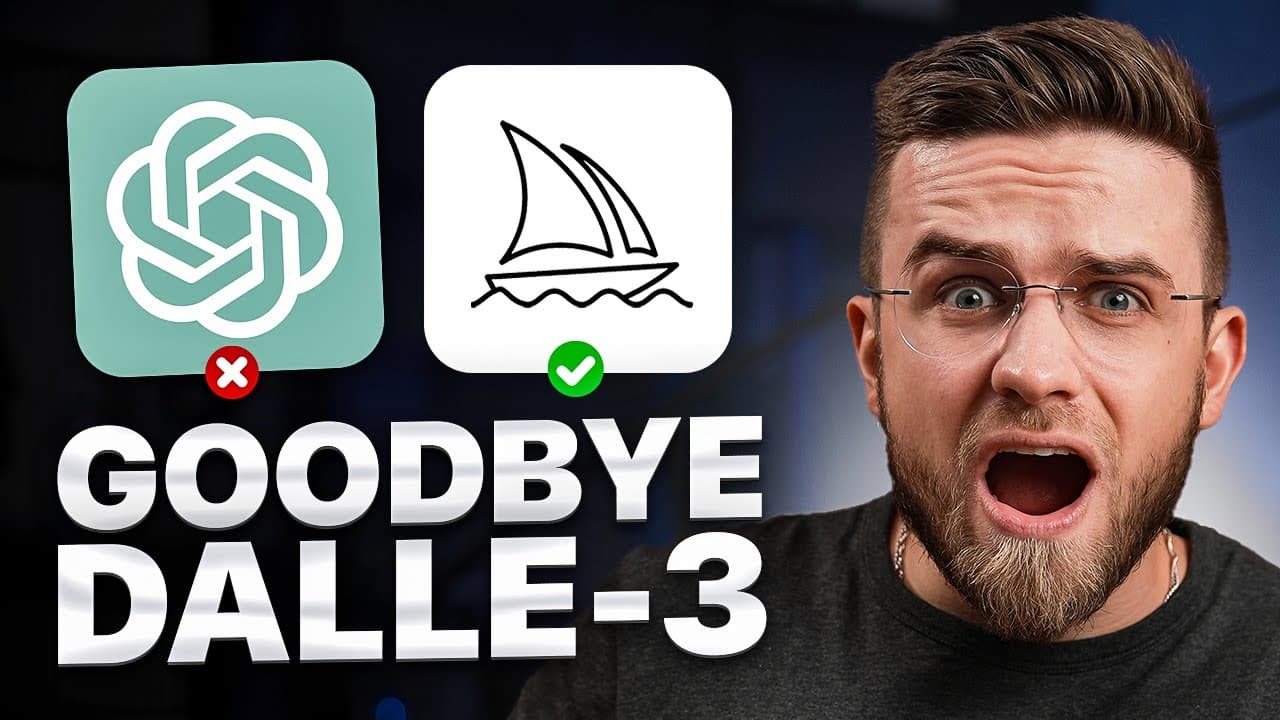
Midjourney V6 became available in Alpha to all users on December 21st, adding legible text generation, longer prompts over 350 words, and more accurate prompt following. Access it by switching to V6 Alpha in settings or typing --v 6. Creative upscaling gives cleaner results, but the model still struggles with negatives and exact instructions.
Transcript
mid Journey just got updated to version 6 and it might be the biggest update yet every part of it got improved and some tricks that you knew won't work anymore so watch this video to find out what mid Journey V6 can really do the Alpha version of the model became available December 21st to all users the list of improvements may not look very long b... Read More
Key Insights
- Midjourney V6 Alpha became available to all users on December 21st, and the developers describe it as a major update where every part of the model was improved and some older prompting tricks no longer work.
- Text generation is the standout new feature. Using the prompt format with text in quotes, like a 'hello world' sticky note, V6 spelled simple text correctly across all four images, though longer or complex text often fails on the first try.
- There are two ways to access V6: adding '--v 6' to a prompt (with a space, or it fails), or typing '/settings' and switching the model from default to V6 Alpha, which the reviewer recommends as the better method.
- V6 accepts prompts over 350 words and follows them more accurately, letting users specify colors, place elements, prompt multiple subjects, and talk to Midjourney conversationally like ChatGPT.
- The developers warn that V6 is much more sensitive to prompts and advise avoiding filler words like 'award-winning', 'photorealistic', '4K', and '8K', since Midjourney renders at roughly the same resolution and only upscaling improves clarity.
- Creative upscaling produces noticeably better results than subtle upscaling, giving up to two times higher resolution according to developers, while subtle upscaling often looks as unclear as the original image.
- V6 struggles with negatives. When asked for a parking lot with no cars, most images still included cars, so the reviewer advises simply omitting unwanted elements rather than describing what to exclude.
- Arguments like chaos, weird, and stylize change output behavior: chaos randomizes style and requires a number, weird makes results strange, and stylize is number-based (0 to 1,000) where lower values follow prompts better and higher values improve aesthetics.
Install to Summarize YouTube Videos and Get Transcripts
Explore YouTube Video Summarizer or Get YouTube Transcript Extractor
Questions & Answers
Q: When did Midjourney V6 become available and to whom?
The Alpha version of the Midjourney V6 model became available on December 21st to all users. According to the developers, it is described as possibly the biggest update yet, with every part of the model improved. The reviewer notes that the list of improvements may not look very long, but it is huge, and some prompting tricks that previously worked will no longer function in this new version.
Q: How do you access Midjourney V6?
There are two ways to access the updated model. The first is adding '--v 6' to your prompt, but you must include a space between the letters and the number 6, or it will not work. The second, recommended method is typing '/settings' and, in the dropdown menu, switching the model from the default one to V6 Alpha. The reviewer sees no reason to use the old model when the new one is available.
Q: How does text generation work in Midjourney V6?
Text generation is the reviewer's favorite new feature. To generate text, you place the text in specific quotes, and using other quote characters will not work. Using a developer-suggested prompt of a 'hello world' marker note with AR 16x9, all four images spelled the text correctly. However, the reviewer notes correctly spelling everything on the first try is not very common for Midjourney, especially with longer or more complex text.
Q: What does the update change about prompt writing?
Developers say prompting with V6 is significantly different from V5 and that you will need to relearn how to prompt. V6 is much more sensitive to your prompt and you should avoid junk words like award-winning, photorealistic, 4K, and 8K. The reviewer considers this a good change, since Midjourney generates all images in roughly the same resolution, and the only way to make images clearer is to upscale them.
Q: What is the difference between subtle and creative upscaling?
When upscaling, Midjourney V6 offers two options: subtle and creative. Creative upscaling produced a much better result, making faces look more like faces and rendering a recognizable blacksmith, though some elements like a dog remained unrecognizable. Subtle upscaling looked just as unclear as the original image, with only slightly improved clarity. According to developers, creative upscaling gives up to two times higher resolution results, so the reviewer recommends it.
Q: How well does Midjourney V6 handle negative prompts?
Midjourney V6 handles negatives poorly. When the reviewer asked for a boy in a parking lot holding car keys but with no cars nearby, only one of four images actually had no cars. When testing the weird argument set to 100, all four images had cars in them, showing the model could not properly understand the request. The reviewer advises simply not mentioning unwanted elements at all rather than describing what to exclude.
Q: What do the chaos, weird, and stylize arguments do?
Chaos is a parameter requiring a number, or Midjourney will not generate; it has no given scale and basically randomizes the output style and artwork. Weird produces strange results and was tested at 100. Stylize is number-based, ranging from 0 to 1,000; developers say lower values may have better prompt understanding while higher values may have better aesthetics. You cannot type a style name after the stylize argument, since it only accepts numbers.
Q: What is the style raw argument used for?
According to the developers, if you want something more photographic, less opinionated, and more literal, you should default to using style raw. When the reviewer applied this parameter, the results were essentially photographs, not perfect but very photorealistic. This contrasts with maxing out the stylize argument without naming a style, which tends to generate images that either look realistic or appear very well drawn, sometimes at the cost of prompt accuracy.
Summary & Key Takeaways
-
Midjourney V6 Alpha launched to all users on December 21st as what the developers call the biggest update yet. Its headline feature is legible text generation, which requires text in specific quotes and worked correctly on a simple 'hello world' sticky note prompt across all four generated images.
-
The model follows prompts more accurately and accepts over 350 words, allowing colors, placement, multiple subjects, and conversational phrasing. Developers advise dropping filler terms like award-winning, 4K, and 8K. In practice, tests like a medieval marketplace and three friends of different ethnicities still had only one of four images fully matching the request.
-
New arguments include aspect ratio, chaos, weird (up to 100), stylize (0 to 1,000), and style raw for photographic results. V6 handles negatives poorly, often including cars when asked to exclude them. Creative upscaling outperforms subtle upscaling, and the reviewer concludes V6 is improved but still needs polishing.
Read in Other Languages (beta)
Share This Summary 📚
Summarize YouTube Videos and Get Video Transcripts with 1-Click
Try YouTube Summary with ChatGPT & Claude or YouTube Transcript Generator
Explore More Summaries from AI Master 📚


Summarize YouTube Videos and Get Video Transcripts with 1-Click
Try YouTube Summary with ChatGPT & Claude or YouTube Transcript Generator