How to compare strings in Python correctly
TL;DR
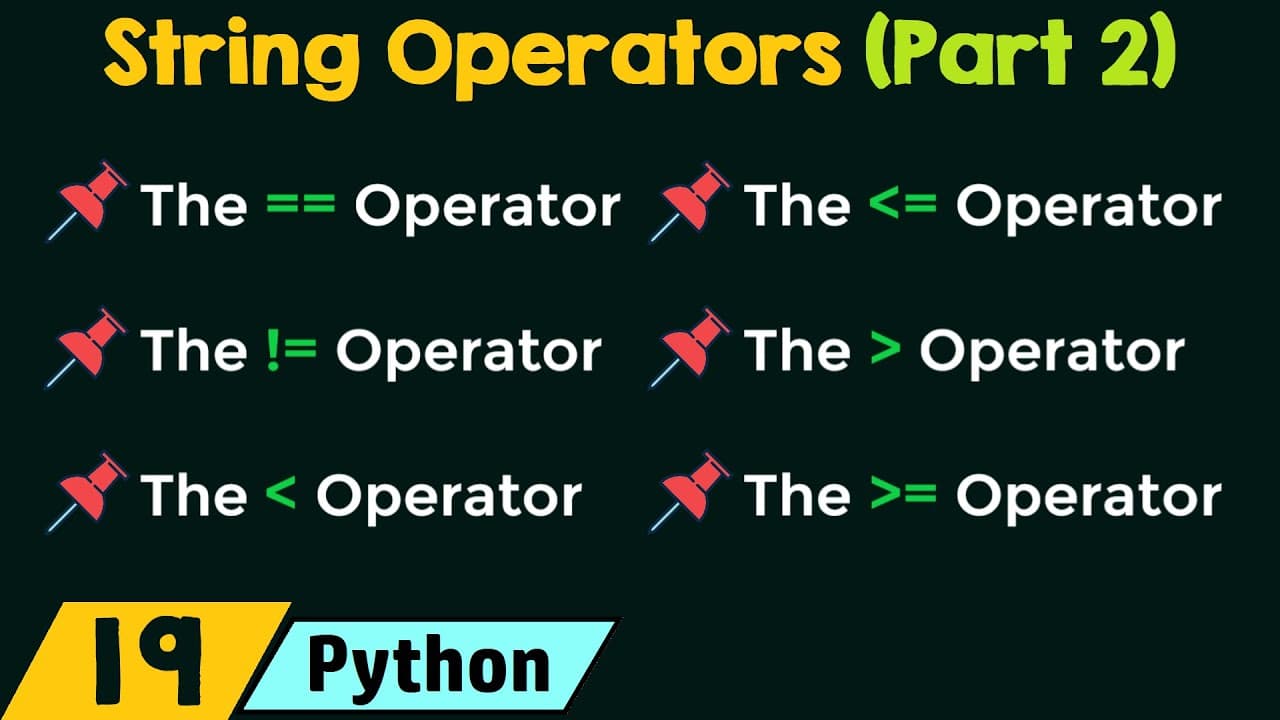
String comparison in Python uses binary operators like ==, !=, <, <=, >, >= to compare two strings lexicographically. Comparisons are case sensitive because ASCII values assign a lower value to uppercase letters, so capital letters come before lowercase ones. The operators yield boolean results based on character codes and order.
Transcript
foreign operators in Python so without any further delay let's get started in this presentation we will discuss only one topic string comparison operators we will try to understand what our string comparison operators in Python and we will discuss the different types of string comparison operators we have in Python so what are string comparison ope... Read More
Key Insights
- Strings are compared using binary operators that take two operands at a time, making them binary operators.
- Comparisons in Python are case sensitive, so capital letters and lowercase letters are treated as different characters.
- ASCII values define the order of characters, with uppercase letters always having smaller codes than lowercase letters.
- A character’s ASCII value drives all comparisons rather than the character glyph itself, enabling consistent ordering.
- Uppercase letters have sequential ASCII values, which allows predictable ordering like A < B and so on.
- The six standard operators for strings are equality ==, inequality !=, less than <, less than or equal <=, greater than >, and greater than or equal >=.
- Equality checks return true when two strings are exactly the same, including case, and false otherwise.
- Less than and greater than comparisons determine lexicographic order based on ASCII codes, influencing the results for mixed-case strings.
Install to Summarize YouTube Videos and Get Transcripts
Explore YouTube Video Summarizer or Get YouTube Transcript Extractor
Questions & Answers
Q: A real search query question about the video (How to, What is, Why does). Question 1
How does Python decide if two strings are equal and what role do characters and case play in that decision? In Python, string equality uses the == operator to check if every corresponding character from both strings matches exactly, including their case. If any character differs, or if lengths differ, the result is false. This behavior is guaranteed by the underlying binary comparison which relies on the characters’ ASCII values rather than their visual appearance. For example, Hello and hello are not equal because the first letters H and h differ in ASCII value, which reflects case sensitivity.
Q: Question 2
What is the effect of using the not equal operator on strings? The != operator yields true when two strings are not identical, and false when they are identical. This is simply the logical negation of the equality check. The result considers the entire string, including case and length, so any mismatch in characters or their order will cause a true result.
Q: Question 3
How does the less than operator determine string order? The < operator compares strings lexicographically using ASCII values. It returns true if the first string is ordered before the second string according to the ASCII codes of their characters. Case sensitivity matters because uppercase letters have smaller ASCII values than lowercase letters, affecting the comparison outcome.
Q: Question 4
When should the less than or equal to operator be used with strings? The <= operator returns true if the first string is either smaller than or exactly equal to the second string. If the first string is neither smaller nor equal, the result is false. This combines ordering with equality in a single check.
Q: Question 5
What happens with the greater than operator in string comparisons? The > operator returns true when the first string appears later in lexicographic order than the second string, based on ASCII values. Because uppercase ASCII values are lower than lowercase, capital letters can be considered smaller in some cases even if the strings share similar characters beyond the first glyph.
Q: Question 6
Explain the greater than or equal to operator in strings. The >= operator checks if the first string is greater than or equal to the second one. It returns true if either the first string is lexicographically greater or both strings are identical. This operator is useful for range checks that include equality.
Q: Question 7
Are there practical examples of string comparisons in Python interactive mode? Yes, in interactive Python you can type expressions like 'apple' == 'apple' or 'Apple' < 'apple' to observe boolean results immediately. These examples demonstrate case sensitivity and the lexicographic ordering governed by ASCII values, reinforcing the concepts discussed.
Q: Question 8
Why is ASCII value understanding important for string comparisons? ASCII values are the underlying numbers used by Python to compare characters, so understanding that uppercase letters have lower values than lowercase letters explains why certain comparisons yield true or false. This knowledge helps predict outcomes when dealing with mixed case strings and different character sequences.
Summary & Key Takeaways
-
This video explains the six string comparison operators in Python, focusing on how two strings are compared using ASCII values rather than the characters themselves. It emphasizes case sensitivity and lexicographic ordering, with practical examples of equality, inequality, and ordering relations.
-
Key ideas include the binary nature of string comparisons, the role of ASCII values in ordering, and why uppercase letters compare differently from lowercase letters across all operators.
-
The talk reinforces that all comparisons are case sensitive and rely on the inherent code points of characters, providing a foundation for writing reliable string comparison logic in Python.
Read in Other Languages (beta)
Share This Summary 📚
Summarize YouTube Videos and Get Video Transcripts with 1-Click
Try YouTube Summary with ChatGPT & Claude or YouTube Transcript Generator
Explore More Summaries from Neso Academy 📚
Summarize YouTube Videos and Get Video Transcripts with 1-Click
Try YouTube Summary with ChatGPT & Claude or YouTube Transcript Generator