Is the Monster Joystick Arcade Controller Kit Worth It?
TL;DR
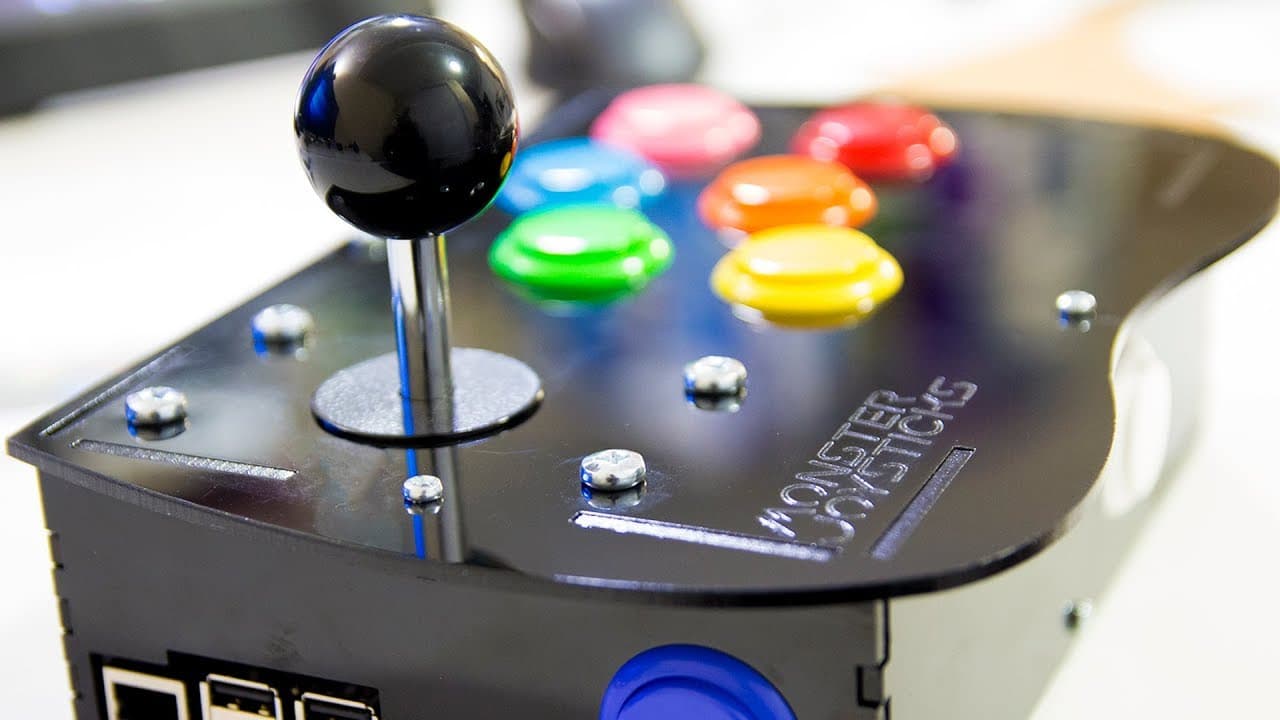
The Monster Joystick arcade controller kit is worth it for its high-quality Sanwa components, ensuring minimal input lag and a responsive gaming experience. The straightforward assembly process takes about half an hour and is designed for users of all skill levels, making it easy to set up with Raspberry Pi and Retropie.
Transcript
Hey guys how's going on? It's Don here from NovaSpiritTech and today we're gonna check out an Arcade controller kit made by Monster Joystick, so let's get started Before we get started I want to mention that I always get contacted by these companies asking to do review on arcade controller kits and such Now I do my due diligence and look up their c... Read More
Key Insights
- 👾 The Monster Joystick kit utilizes popular Sanwa components, ensuring high performance and reliability for arcade gaming enthusiasts.
- 🎮 Silent joysticks provide a quieter experience compared to traditional clicking versions, improving overall gameplay feel.
- 👻 The Raspberry Pi integration allows users to create an arcade system that's both cost-effective and customizable.
- 😄 Installation and setup are designed for ease, allowing gamers of all skill levels to build their own arcade controller systems quickly.
- 👻 The kit's construction includes options for materials, allowing users to choose between wood or high-impact polystyrene for aesthetics and durability.
- 🧡 Compatibility with Retropie and the simplicity of image loading benefits a wide range of gaming setups.
- 🥺 Engaging with communities, such as those led by content creators like ETA Prime, can provide valuable support and information for users facing setup challenges.
Install to Summarize YouTube Videos and Get Transcripts
Explore YouTube Video Summarizer or Get YouTube Transcript Extractor
Questions & Answers
Q: What features make the Monster Joystick arcade controller kit stand out?
The kit's key differentiators include the use of brand-name Sanwa buttons and joysticks, which are favored in gaming for their performance and longevity. Additionally, the silent joystick option enhances the feel of the gaming experience. The compatibility with Raspberry Pi and minimal input lag during gameplay are also significant advantages for arcade enthusiasts.
Q: Can you explain the process of setting up the arcade controller kit?
Setting up the kit starts with assembling the components, which can take about half an hour. Users need to load the Retropie image onto an SD card using Etcher and insert it into the Raspberry Pi. After connecting necessary peripherals, engage the setup process, select the corresponding controller version, and reboot the Pi for automatic detection of the controller.
Q: How does the kit handle input lag during gaming?
The design of the arcade controller kit minimizes input lag by not relying on a USB connection, which is beneficial for fast-paced games. This responsiveness allows for a more authentic and enjoyable arcade experience, particularly in action-packed titles like Marvel vs. Capcom, where split-second reactions are crucial.
Q: What additional materials are necessary to complete the setup?
To complete the setup of the arcade controller kit, users will need their own Raspberry Pi, an SD card, a keyboard for initial setup, and HDMI and power cables to connect the device. The kit's user manual, while brief, provides sufficient guidance for straightforward assembly and installation.
Summary & Key Takeaways
-
The Monster Joystick arcade controller kit features high-quality Sanwa buttons and joysticks, known for their durability and performance, enhancing the gaming experience.
-
This kit includes a hat for Raspberry Pi, minimizing input lag for smooth gameplay, making it ideal for arcade-style games like Marvel vs. Capcom.
-
The amateur-friendly installation process is straightforward, requiring basic components and only about half an hour to complete the setup with Retropie.
Read in Other Languages (beta)
Share This Summary 📚
Summarize YouTube Videos and Get Video Transcripts with 1-Click
Try YouTube Summary with ChatGPT & Claude or YouTube Transcript Generator
Explore More Summaries from Novaspirit Tech 📚






Summarize YouTube Videos and Get Video Transcripts with 1-Click
Try YouTube Summary with ChatGPT & Claude or YouTube Transcript Generator