How to Build an AI Employee with Claude and Obsidian
TL;DR
Create an Obsidian vault, open the same folder as a project in Cursor or VS Code, and give Claude Code a README that defines its role, workspace structure, company context, and reference materials. Claude can then organize local Markdown files, research linked documentation, edit notes, and complete delegated work such as advertisement planning, content research, scripting, and strategy development.
Transcript
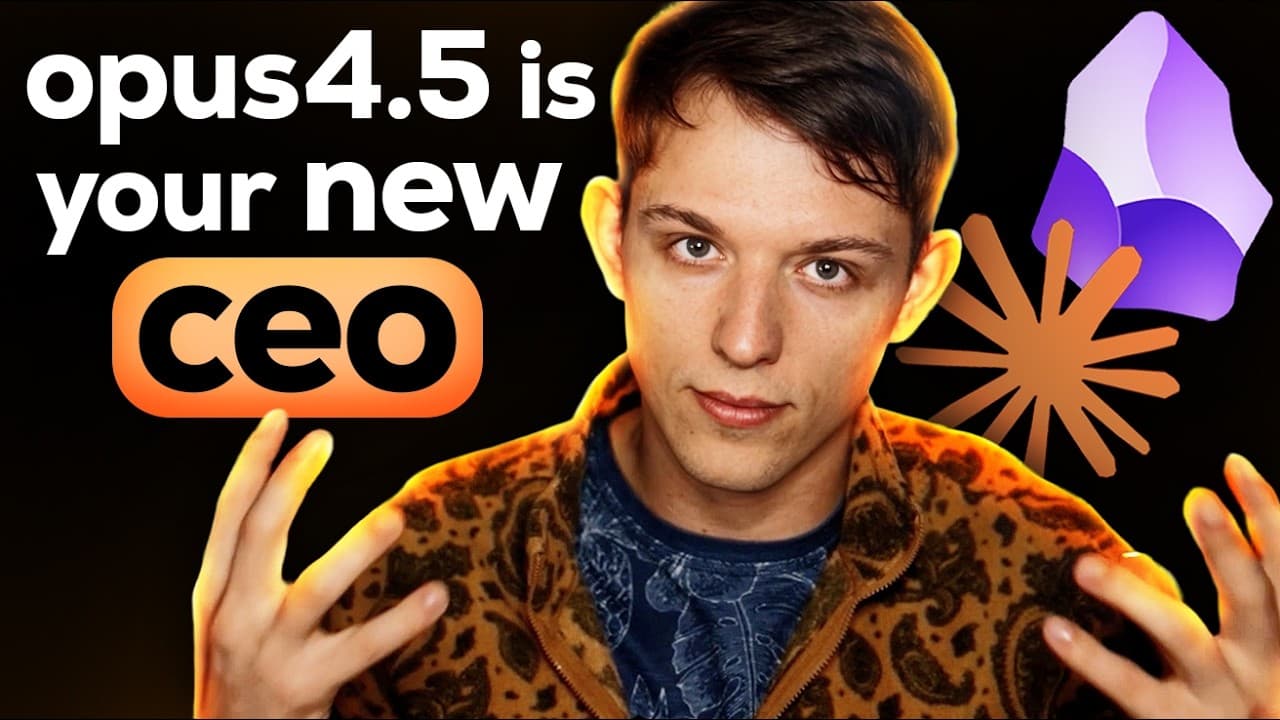
Claude Opus 4.5 inside Claude Code is the most powerful coding agent in the entire world. But it's not just used for coding. It's actually the most powerful generalpurpose agent in the entire world. In this video, I'm going to show you how to turn Claude Code into a general agent that you can use with a note takingaking app called Obsidian. And you... Read More
Key Insights
- An Obsidian vault is the agent's local workspace, containing files that remain viewable and editable through a note-taking interface. Because the vault uses Markdown files, the same folder can also function as the project that Claude Code reads, edits, organizes, and maintains.
- The README is the workspace's primary instruction file, even when the vault eventually contains thousands of pages. It tells Claude what the workspace is for, where information belongs, which resources matter, and how the agent should approach delegated tasks whenever a new interaction begins.
- Claude Code gains workspace context by running inside the folder opened as the active project. In the demonstration, this allows it to identify and delete a test file, create new documents and folders, edit Markdown content, and immediately reflect those changes inside Obsidian.
- Cursor is the presenter's preferred interface for using the Claude Code extension, but VS Code supports the same process and is described as free. The essential requirement is opening the Obsidian vault as the project so the extension can work directly with its files.
- A useful initial folder structure reflects the recurring categories of delegated work. The example creates folders for advertisements, content, research, and strategy documents, giving Claude clear destinations for new material while allowing the organization to expand as the workspace grows.
- Reference examples improve future content generation by giving Claude prior material to consult. The agent cleans a file of competitor advertisement transcripts, adds consistent headings and sentence breaks, renames it appropriately, stores it in a suitable location, and records its purpose in the README.
- Product documentation supplies grounded company context for task execution. Claude receives the Vibe Code documentation link, searches its pages, writes a concise overview of the app into the README, and is instructed to use that resource whenever it creates advertisements for the company.
- Task delegation can combine planning, research, writing, and workspace maintenance in one request. The example asks Claude to research product documentation, update persistent instructions, consult advertisement references, and create five ads spanning UGC, education, side-hustle, and mom-focused concepts.
Install to Summarize YouTube Videos and Get Transcripts
Explore YouTube Video Summarizer or Get YouTube Transcript Extractor
Questions & Answers
Q: How do you build an AI employee with Claude Code and Obsidian?
Create a new Obsidian vault and treat it as the agent's workspace. Open that same folder as a project in Cursor or VS Code, install and open the Claude Code extension, and create a README that defines the agent's purpose and operating context. Claude can then read and edit the vault's Markdown files, organize folders, research linked resources, and complete delegated tasks within the shared workspace.
Q: Why is the README important in a Claude Code workspace?
The README serves as the agent's central instruction and navigation file. It can explain the user's role, the purpose of the workspace, the company being supported, the available folders, relevant documentation, and reusable reference materials. The presenter describes it as the most important file in the notebook because Claude can read it before tasks, even after the vault grows to thousands of pages.
Q: How do Obsidian and Claude Code work together?
Obsidian provides a clean note-taking interface for local Markdown files, while Claude Code operates on those same files through a project opened in Cursor or VS Code. A note created or changed in the editor appears in Obsidian after it is saved. This shared folder lets the user write and review material visually while Claude creates, edits, deletes, renames, and organizes workspace content.
Q: Can VS Code replace Cursor in this AI workspace setup?
Yes. The presenter prefers Cursor because of the Claude Code extension interface, but says the identical process can be completed in VS Code. VS Code is presented as a free option where users can download the same extension. In either application, the important step is opening the Obsidian vault as the active project so Claude has context for the files it must manage.
Q: How should folders be organized for a general AI agent?
The folder structure should reflect the main categories of work delegated to the agent. In the marketing workspace shown, Claude creates four folders: ads, content, research, and strategy documents. These categories give the agent clear places to store outputs and make the vault easier to navigate. The README should describe the organization so Claude can choose appropriate locations for new and existing files.
Q: How can competitor ads be used as references for Claude?
Place competitor advertisement transcripts in a Markdown note, then ask Claude to clean and organize the material. In the example, Claude replaces repeated script labels with clear level-two headings, puts each sentence on a separate line, selects a more appropriate title, and moves the document into a suitable folder. The README is also updated so Claude knows it may consult this material when writing future ads.
Q: How does Claude use product documentation when writing ads?
Give Claude the product documentation link and explicitly tell it how the resource should be used. The example asks Claude to search the Vibe Code documentation, write a concise two-paragraph overview of the app in the README, and remember that the documentation represents the company it supports. Claude can then consult those pages when creating advertisements, giving each writing task relevant product context from the provided resource.
Q: What tasks can be delegated through this Obsidian workspace?
The workspace is designed for delegated work that includes web searching, content research, scripting, planning, strategy documents, file organization, and image generation when appropriate tools are supplied. The marketing demonstration also covers cleaning competitor transcripts, researching company documentation, maintaining the README, and developing advertisements. One example requests five ads across UGC, educational, side-hustle, and mom-focused styles for the Vibe Code app.
Summary & Key Takeaways
-
The setup combines an Obsidian vault for locally stored Markdown files with Claude Code running inside Cursor or VS Code. Opening the vault as the active project gives the agent access to its contents, while Obsidian provides a clean interface for viewing, creating, and manually editing the same files.
-
A central README acts as the agent's persistent instruction and navigation document. It can describe the user's role, the workspace's purpose, relevant company information, external documentation, folder organization, and reusable examples. Claude should consult this file whenever it receives a task so that its work remains organized and context-aware.
-
The demonstration applies the workspace to marketing tasks for the Vibe Code app. Claude cleans competitor advertisement transcripts, selects appropriate folders, updates its own instructions, researches product documentation, and prepares five advertisement concepts for specified audiences and formats. The broader workflow also supports content research, planning, scripting, and image generation with suitable tools.
Read in Other Languages (beta)
Share This Summary 📚
Summarize YouTube Videos and Get Video Transcripts with 1-Click
Try YouTube Summary with ChatGPT & Claude or YouTube Transcript Generator
Explore More Summaries from Riley Brown 📚


Summarize YouTube Videos and Get Video Transcripts with 1-Click
Try YouTube Summary with ChatGPT & Claude or YouTube Transcript Generator