Is the Coredy E300 Wi-Fi Extender Worth It?
TL;DR
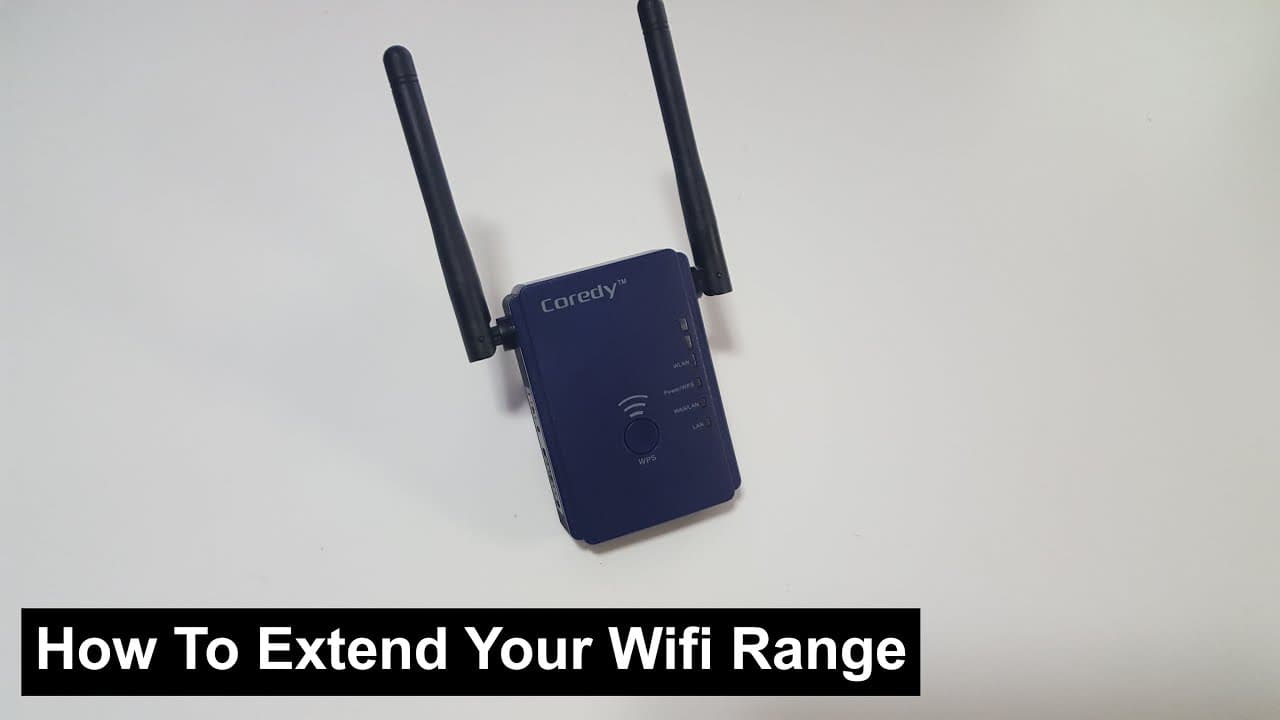
The Coredy E300 Wi-Fi extender improves coverage in areas with poor reception but may slightly reduce speeds compared to direct connections. Placement is crucial; it should be positioned near a strong signal to maximize performance, as repeating a weak signal won't enhance quality. With multiple operational modes, it offers flexibility for various networking needs.
Transcript
hey guys what's going on it's Don here from Nova Spirit Tech well a company named cordi just sent me over a Wi-Fi extender device now what these devices do is basically extends the range of your Wi-Fi throughout the house that you have poor reception and in the nerd cave itself I have terrible Wi-Fi reception if you've been following me for a while... Read More
Key Insights
- 🧑💻 Quality packaging can significantly influence the initial perception of tech products, as noted by Don.
- 🧑🦽 The device comes with various manuals, ensuring users have guidance throughout installation and usage.
- 👤 Users should always check system requirements before purchasing or installing a Wi-Fi extender.
- 🏆 Testing before and after installation is important to measure the effectiveness of the extender.
- 📶 Signal strength and placement are critical factors in determining the performance of Wi-Fi extenders.
- 🤩 Repeating a weak signal does not improve the original quality; therefore, positioning is key.
- 🖐️ The Cordy Wi-Fi extender provides versatility with different modes: Access Point, Repeater, and Router.
Install to Summarize YouTube Videos and Get Transcripts
Explore YouTube Video Summarizer or Get YouTube Transcript Extractor
Questions & Answers
Q: What is the main function of the Cordy Wi-Fi extender?
The Cordy Wi-Fi extender is designed to extend the range of Wi-Fi signals throughout a home where reception is poor. It re-broadcasts the existing signal, allowing for better connectivity in areas that previously had weak Wi-Fi access.
Q: How straightforward is the setup process for the Wi-Fi extender?
The setup process is relatively simple. After connecting to the device's default IP address, users can follow the wizard to select their existing Wi-Fi network and apply settings. The user-friendly interface accommodates various connection modes, making it accessible for most tech levels.
Q: What results did Don observe during the speed tests before and after using the extender?
Initially, Don's Wi-Fi speed was considerably lower. After setting up the extender, he noted a longer ping and slightly reduced download speed; however, his upload speed remained consistent, which indicates improved signal range despite some decrease in overall speed quality.
Q: What are some best placement tips for using a Wi-Fi extender?
The ideal placement for a Wi-Fi extender is near the router for the best signal reception. If the extender is placed far away in a weak signal zone, it will only amplify that weak signal, failing to enhance overall performance. This strategic placement is crucial for optimal results.
Summary & Key Takeaways
-
Don from Nova Spirit Tech unboxes and discusses the Cordy Wi-Fi extender, emphasizing its packaging and included materials like manuals and warranty.
-
He demonstrates the setup process, showing how to connect the extender to improve Wi-Fi signal strength in areas with poor reception.
-
After testing, Don notes that while the extender increases Wi-Fi range, speeds can be slightly lower compared to direct connections, especially if placed in weak signal areas.
Read in Other Languages (beta)
Share This Summary 📚
Summarize YouTube Videos and Get Video Transcripts with 1-Click
Try YouTube Summary with ChatGPT & Claude or YouTube Transcript Generator
Explore More Summaries from Novaspirit Tech 📚






Summarize YouTube Videos and Get Video Transcripts with 1-Click
Try YouTube Summary with ChatGPT & Claude or YouTube Transcript Generator