How to Use Docker for Easy Web Development Setups?
TL;DR
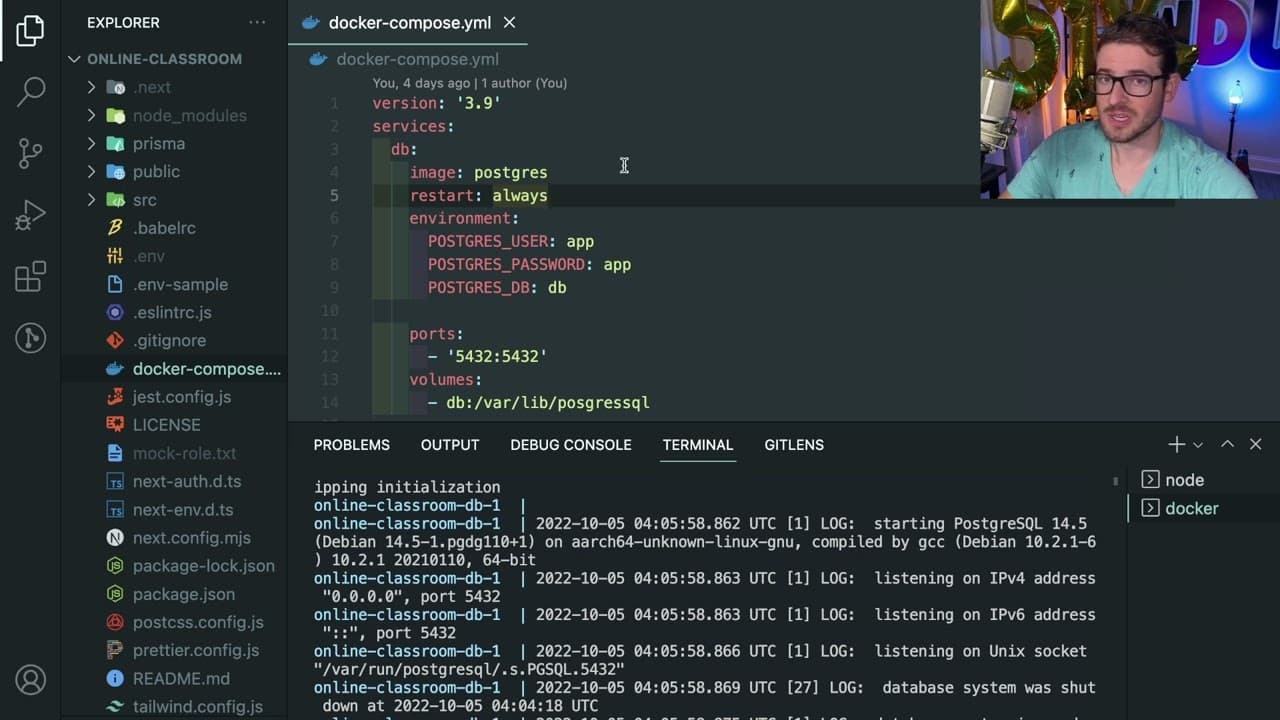
Docker streamlines web development by simplifying the setup of complex environments, such as databases like PostgreSQL. With Docker Compose, developers can quickly launch services and manage dependencies using a simple YAML configuration, enhancing team collaboration and reducing setup time across different machines.
Transcript
so I want to have a little video just kind of explain Docker and why you should be using it on your projects or how you could kind of utilize it to make it easier for other developers to come into a project and be able to hit the ground running without having to like set up a bunch of stuff in their machines um so I have this uh online classroom th... Read More
Key Insights
- 😤 Docker allows for easy replication of development environments, making it easier for teams to collaborate.
- 🐕🦺 Docker Compose enables the definition of complex applications with multiple services using a simple configuration file, reducing setup time.
- 🧑🦽 Utilizing Docker can help avoid common pitfalls associated with manual software installations, such as version conflicts and missing dependencies.
- 😑 Docker images can be shared through platforms like Docker Hub, allowing teams to access pre-configured environments quickly.
- ♻️ The containerization approach used by Docker promotes consistency across different development and production environments.
- ❓ Developers can also utilize Docker for testing and quality assurance, ensuring that they replicate production-like scenarios easily.
- 😄 The ease of running and managing databases via Docker makes it particularly useful for projects involving heavy data manipulation or storage.
Install to Summarize YouTube Videos and Get Transcripts
Explore YouTube Video Summarizer or Get YouTube Transcript Extractor
Questions & Answers
Q: What is Docker and why is it useful for developers?
Docker is a platform that enables developers to automate the deployment of applications within lightweight containers. It is useful because it allows developers to package up applications and their dependencies into a single unit, making it easier to share and run on any environment. This significantly simplifies setup processes, especially when multiple developers need to work on the same project.
Q: How does Docker Compose improve the development process?
Docker Compose streamlines the management of multi-container Docker applications by defining services in a single YAML file. This not only allows developers to define the required services and their configurations but also enables a single command to spin up those services, eliminating the need for individual setup and reducing setup time for new developers joining a project.
Q: What challenges can arise when setting up databases manually compared to using Docker?
Setting up databases manually can lead to several challenges such as compatibility issues with the operating system, permission errors, and the need for different installation steps depending on whether the developer uses Windows, macOS, or Linux. These complexities can delay project onboarding and create inconsistencies across development environments, making Docker an appealing alternative for its uniformity and ease of use.
Q: Can Docker be used for projects beyond just development?
Yes, Docker is versatile and can be utilized for both development and deployment. Developers can create Docker images that contain the application and its dependencies, allowing them to deploy these images across various environments without worrying about compatibility issues. This makes the deployment process much more efficient and reliable.
Summary & Key Takeaways
-
Docker facilitates seamless setup of development environments, particularly databases like PostgreSQL, by reducing configuration complexities associated with different operating systems.
-
Using Docker Compose, developers can quickly spin up services and manage dependencies through a straightforward YAML file, improving collaboration across teams.
-
The content emphasizes the benefits of Docker in enhancing overall developer experience and productivity, enabling rapid project onboarding without the hassle of manual installation steps.
Read in Other Languages (beta)
Share This Summary 📚
Summarize YouTube Videos and Get Video Transcripts with 1-Click
Try YouTube Summary with ChatGPT & Claude or YouTube Transcript Generator
Explore More Summaries from Web Dev Cody 📚





Summarize YouTube Videos and Get Video Transcripts with 1-Click
Try YouTube Summary with ChatGPT & Claude or YouTube Transcript Generator