How to Create the Eye of the Tiger Design in CSS
TL;DR
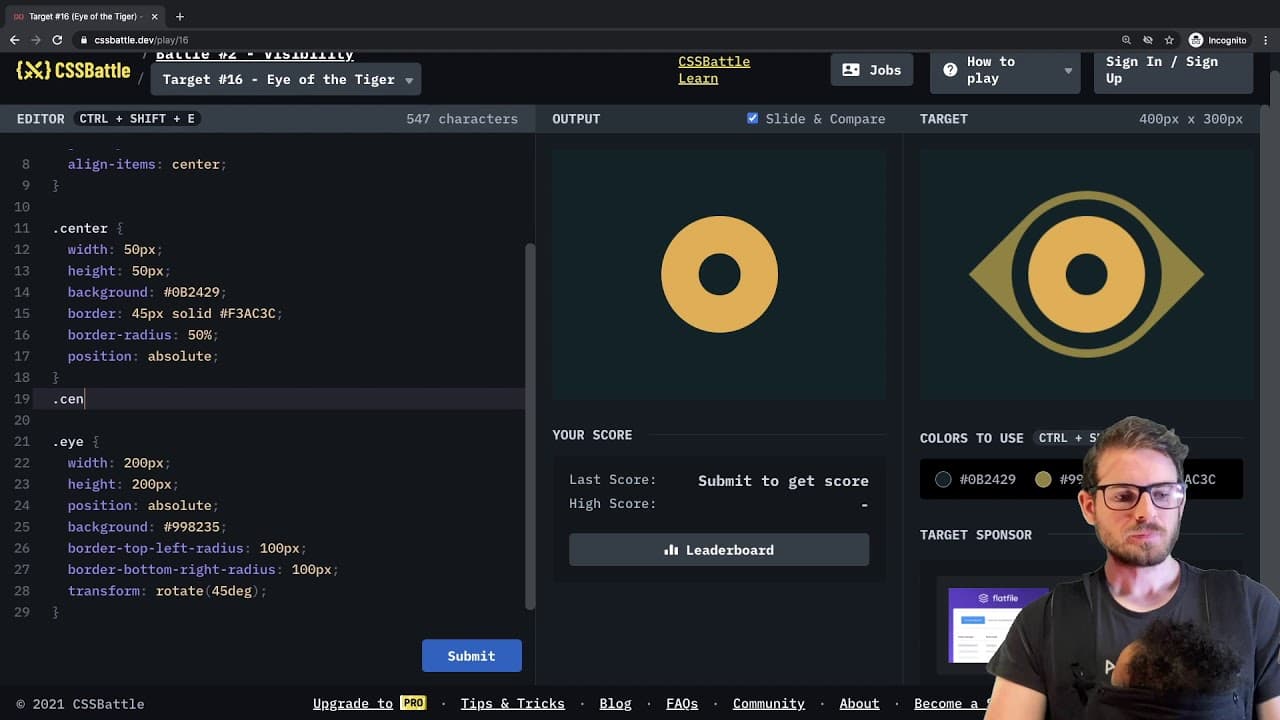
To create the Eye of the Tiger design in CSS, use flexbox for centering, apply border-radius for curves, and utilize transformations for precise positioning. Experiment with properties like width, height, and z-index to achieve a perfect match, as demonstrated in the video, resulting in a 100% score.
Transcript
how's it going everyone welcome back to another web dev junkie video i'm going to be doing yet another css battle in this video and more specifically i'm going to be working on number 16 because one of my subscribers asked if i could do this and um just having some troubles trying to get it 100 match so let's see if we can get this working so let's... Read More
Key Insights
- 🕸️ The video illustrates the iterative process of web development, emphasizing the importance of experimentation and adjustment in CSS coding.
- 🫵 Engaging with viewers through challenges fosters community interaction and keeps content dynamic and relevant.
- 👻 Flexbox is a powerful tool for responsive design, allowing for effective positioning of elements on the page.
- 💨 CSS transformations, such as rotate and scale, offer developers creative ways to manipulate shapes and achieve unique designs.
- 🎨 The practical application of border radius showcases how subtle adjustments can significantly impact the overall design aesthetics.
- ❓ The developer's process highlights common troubleshooting strategies, including pixel adjustments and using visual previews.
- 👨💻 Utilizing pseudo-selectors can streamline CSS code but may not always be the most straightforward solution, as demonstrated in the video.
Install to Summarize YouTube Videos and Get Transcripts
Explore YouTube Video Summarizer or Get YouTube Transcript Extractor
Questions & Answers
Q: What prompted the developer to take on this specific CSS battle?
The developer was motivated to tackle this CSS battle due to a request from a subscriber. Engaging with audience requests enhances community interaction and ensures content is relevant and interesting. The developer values subscriber feedback, aiming to deliver content that resonates with their viewers.
Q: What CSS techniques did the developer use to create the circle shape?
To create the circle shape, the developer utilized properties such as border radius and background color. The initial approach involved setting a border and adjusting the radius to create a seamless circle. Flexbox was employed for centering the div on the page, ensuring proper alignment.
Q: How did the developer achieve the eye shape effect?
The eye shape was achieved by creating a square div, then applying the CSS transform property to rotate it 45 degrees. By adjusting the border's radius on specific corners, the developer was able to give the div a more organic shape, resembling an eye.
Q: What challenges did the developer face during the battle?
The developer encountered challenges with centering elements correctly and ensuring that borders appeared as intended. Fine-tuning pixel values and selecting the right positioning methods were crucial to overcoming these issues, highlighting the trial-and-error process common in CSS development.
Q: How did the developer ensure the design was visually appealing?
The developer prioritized visual appeal by carefully adjusting colors, sizes, and positions within the CSS code. Continuous previewing of the design allowed for real-time adjustments, ensuring that the final result was not only functional but also aesthetically pleasing.
Q: What is the significance of the 100 match score achieved?
Achieving a 100 match score signifies that the developer successfully replicated the requested design to the exact specifications. This metric serves as a measure of accuracy in the challenge and reflects a high level of skill and attention to detail in CSS coding.
Summary & Key Takeaways
-
The video showcases a web developer engaging in a CSS coding challenge, specifically working on a design requested by a subscriber.
-
The developer experiments with various CSS properties, including border radius, flexbox positioning, and transformations to achieve the desired visual effect.
-
After adjusting properties and testing, the developer successfully matches the design criteria, achieving a perfect score of 100.
Read in Other Languages (beta)
Share This Summary 📚
Summarize YouTube Videos and Get Video Transcripts with 1-Click
Try YouTube Summary with ChatGPT & Claude or YouTube Transcript Generator
Explore More Summaries from Web Dev Cody 📚





Summarize YouTube Videos and Get Video Transcripts with 1-Click
Try YouTube Summary with ChatGPT & Claude or YouTube Transcript Generator