Creating RAW data figures from LabChart for Mac
TL;DR
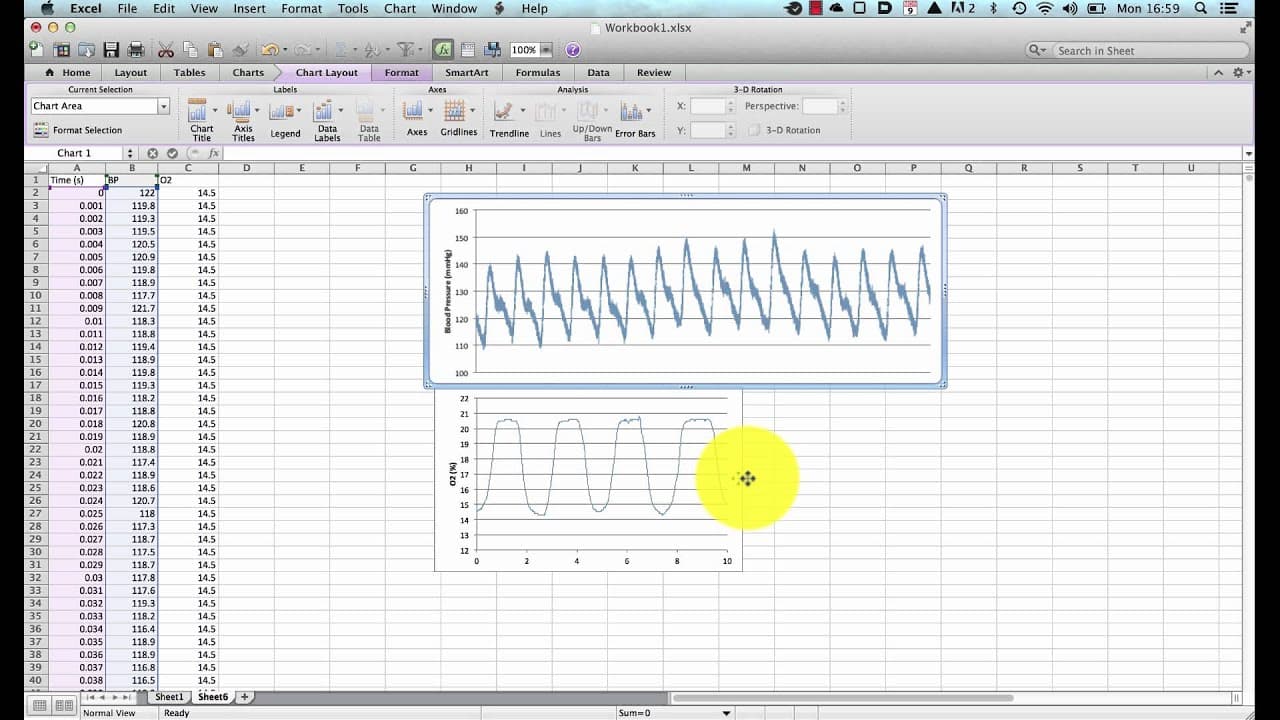
This tutorial demonstrates how to export and import raw data from Lab Chart to create a figure for a paper or lab report.
Transcript
hello this is a tutorial looking at the creation of a figure for a paper or for a lab report using the raw data from lab chart for mac of course this will also work in lab chart for pc but since lab chart for pc users can copy the image from the zoom window and then annotate and edit elsewhere whereas those who use the mac can't i thought i'd just ... Read More
Key Insights
- 👻 Exporting selected data from Lab Chart as text files allows for further analysis and visualization in Excel.
- ❓ Importing the exported data into Excel using the Text Import Wizard ensures proper formatting and organization of the data.
- 🏷️ Customizing the graph appearance, adding axes and labels, and adjusting the scale make the figure more presentable.
Install to Summarize YouTube Videos and Get Transcripts
Explore YouTube Video Summarizer or Get YouTube Transcript Extractor
Questions & Answers
Q: What is the first step in creating a figure for a paper or lab report using Lab Chart?
The first step is to export the desired data from Lab Chart as a text file by selecting the data and choosing "Save Selection" from the file menu. Ensure the desired channels and options, such as including time and selecting the time scale, are set correctly.
Q: How can the exported data from Lab Chart be imported into Excel?
In Excel, go to the file menu, choose "Import," select the text file, and click "Get Data." In the Text Import Wizard, make sure the file is delimited and choose the appropriate delimiter (e.g., tab). Click "Finish" to import the data.
Q: How can the exported data be plotted as graphs in Excel?
Select the time column and the desired data columns, go to the "Charts" menu, and choose a scatter graph type. Customize the graph by adding axes, labels, and removing the legend and title. Repeat the process for each data set that needs to be plotted.
Q: How can the graphs be copied into Word for annotation and inclusion in reports?
Copy the graph as a PDF from Excel, open a Word document, and use "Paste Special" to paste the graph as a PDF. This ensures a clearer image quality. The graph can then be annotated in Word for inclusion in reports.
Summary & Key Takeaways
-
The tutorial guides users through exporting selected data from Lab Chart as text files and importing them into Excel.
-
It shows how to plot the exported data as graphs, customize the graphs, and add labels and axes.
-
The tutorial also explains how to save the graphs as graphic objects, copy them into Word, and annotate them for inclusion in reports.
Read in Other Languages (beta)
Share This Summary 📚
Summarize YouTube Videos and Get Video Transcripts with 1-Click
Try YouTube Summary with ChatGPT & Claude or YouTube Transcript Generator
Explore More Summaries from Dory Video 📚






Summarize YouTube Videos and Get Video Transcripts with 1-Click
Try YouTube Summary with ChatGPT & Claude or YouTube Transcript Generator