How to Book Calls Inside Meta Ads Lead Forms
TL;DR
Meta instant forms can now send leads directly into an embedded calendar-booking flow while preserving their submitted contact information. The feature combines the lower friction of staying on Facebook or Instagram with the stronger intent associated with scheduling a call, although advertisers should monitor lead quality, appointment attendance, calendar availability, and account access during the rollout.
Transcript
Meta have just added a new feature that I absolutely love. It's one that I've wanted for years. It is absolutely going to change the way that I run meta ads for my own business. I think it's going to change the way that you run meta ads for your business in many cases as well. And they are introducing embedded calendar bookings into instant forms. ... Read More
Key Insights
- Embedded calendar booking is now available within newly created Meta instant forms for some ad accounts, allowing prospects to submit their information and proceed to appointment scheduling while remaining in the Facebook or Instagram lead-generation experience.
- Calendar bookings generally indicate more intent than contact-form submissions because prospects actively select a time. According to the presenter, booked leads are more likely to answer, attend, and ultimately convert than people whom a sales team must contact after a basic form submission.
- The new workflow preserves a prospect’s initial contact information even when that person does not complete the calendar-booking step. This gives the advertiser another opportunity to contact and convert the lead instead of losing everyone who abandons before choosing an appointment.
- Contact details entered into the instant form are automatically passed into the connected scheduling process. Prospects therefore do not need to enter the same information again, reducing friction that could otherwise decrease lead volume or increase the cost per lead.
- The initial scheduling integrations are Calendarly and High Level, which the presenter says cover many advertisers using appointment-based lead funnels. HubSpot support was expected in early August, while broader global availability of the feature was expected in October.
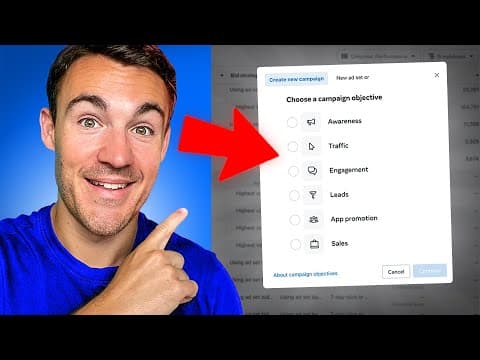
- Setup requires creating a lead campaign, selecting instant forms at the ad-set level, and building a new form at the ad level. Under the ending options, advertisers select the additional action called book time, enter a scheduling link, and choose an appropriate call to action.
- A low-friction launch can help Meta collect more conversions and optimize the campaign, particularly when a business generates fewer than the 50-plus weekly leads described as ideal. Qualification requirements should be added later if poor-fit bookings or missed appointments become consistent problems.
- Reliable appointment handling requires an accurate calendar, a clear booking call to action, and effective follow-up. SMS reminders or attendance confirmations can identify uncommitted prospects, allowing the business to cancel unverified appointments and release those time slots to other potential customers.
- More videos from this channel:
- More from this channel: Ben Heath
Install to Summarize YouTube Videos and Get Transcripts
Explore YouTube Video Summarizer or Get YouTube Transcript Extractor
Questions & Answers
Q: How do calendar bookings work inside Meta instant forms?
A prospect clicks a Facebook or Instagram lead advertisement and completes the instant form with contact information. At the form’s ending, the prospect can select a booking action and continue into the connected scheduling experience. The submitted name and email information are automatically carried forward, so the person can choose an available appointment without entering those details again.
Q: Why can embedded booking improve Meta lead quality?
Selecting an appointment time requires more commitment than merely submitting contact information, so booked prospects generally demonstrate stronger intent. The presenter says these leads are more likely to show up, make contact with the business, and convert. The advertiser still benefits from Meta’s on-platform instant-form experience, which is expected to generate more leads at a lower cost than a website flow.
Q: What happens if a lead does not complete the booking step?
The advertiser still receives the contact information submitted through the instant form, even if the prospect does not proceed to select an appointment. A sales representative can therefore follow up and attempt to convert that prospect. This differs from a website process where someone might enter details but abandon the scheduling flow before the business captures a usable lead.
Q: How do you set up booking in a Meta instant form?
Create a lead campaign and select instant forms at the ad-set level. At the ad level, create a new instant form and complete its normal fields. In the ending section, open the additional-action options, select book time, enter the appropriate scheduling link, and choose a booking-focused call to action, such as book now, schedule a demo, or book a consultation.
Q: Which calendar platforms support Meta instant-form bookings?
The initial calendar-booking options identified in the announcement are Calendarly and High Level. The presenter says HubSpot support was expected in early August and that Meta would add other partners later. Availability also depends on the advertising account because Meta was testing the feature with selected accounts before its expected broader global rollout in October.
Q: How can advertisers check whether calendar booking is available?
Advertisers need to create a new instant form and inspect the additional-action options in its ending section. If the account has access, book time will appear as an available action. The feature is not added retrospectively to existing forms, so checking an older form may not reveal access even when the advertising account is included in the rollout.
Q: When should qualification questions be added to a booking funnel?
The presenter recommends starting without extra friction so the campaign can generate more conversion volume and give Meta more data for learning and optimization. Qualification should be introduced when results consistently show low-quality appointments, poor attendance, or prospects who do not meet required criteria. For example, an agency may prevent people without the necessary budget from booking its team’s time.
Q: How can businesses reduce missed or unsuitable appointments?
Businesses should keep their calendars current and ensure every displayed time is genuinely available for the appropriate team member. They should use a clear call to action that accurately describes the next step, then apply reminders and follow-up messages. An SMS confirmation process can require prospects to verify attendance, with unconfirmed appointments canceled so the slot becomes available again.
Summary & Key Takeaways
-
Meta is adding calendar booking to instant forms, allowing prospects to submit their contact details and then schedule a call without first visiting the advertiser’s website. The initial scheduling options are Calendarly and High Level, with HubSpot expected later, giving service businesses a more direct on-platform path from advertisement to appointment.
-
The feature addresses a common trade-off in lead generation. Website booking flows can produce higher-intent prospects but fewer, more expensive leads, while ordinary instant forms can generate cheaper leads with weaker quality. The new process aims to preserve instant-form conversion volume while adding the stronger commitment represented by selecting an appointment time.
-
Advertisers should begin with a low-friction form so Meta receives enough conversion volume to learn and optimize. If booked prospects prove unsuitable or fail to attend, businesses can introduce qualification criteria, confirmations, reminders, and cancellation rules. They should also keep calendars accurate and use a clear, service-specific booking call to action.
Read in Other Languages (beta)
Share This Summary 📚
Summarize YouTube Videos and Get Video Transcripts with 1-Click
Try YouTube Summary with ChatGPT & Claude or YouTube Transcript Generator
Explore More Summaries from Ben Heath 📚
Summarize YouTube Videos and Get Video Transcripts with 1-Click
Try YouTube Summary with ChatGPT & Claude or YouTube Transcript Generator