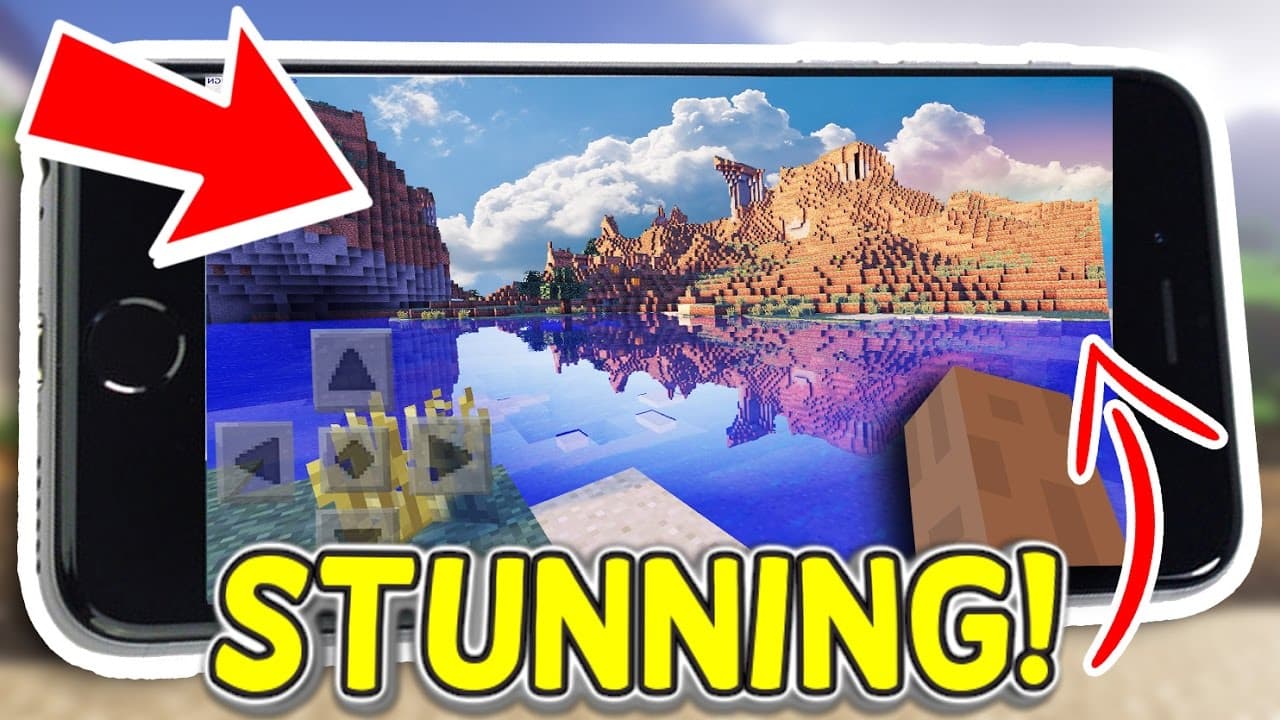
How to Make Minecraft Pocket Edition Look Stunning
TL;DR
To make Minecraft Pocket Edition visually appealing, adjust the video settings by lowering brightness, enabling fancy graphics, and tweaking the render distance. Install texture packs for enhanced details, use anti-aliasing for smoother edges, and add shader packs for realistic lighting and effects. These changes will significantly improve your gaming experience.
Transcript
hello youtube i am at view productions and welcome to the top 5 ways you can make minecraft pocket edition look better basically in this top five i'm gonna be showing you five different ways you can make minecraft pop more get more view distance get different qualities tons of really cool things some of the stuff you might know but some of the stuf... Read More
Key Insights
- 🫵 Adjusting the video settings, such as brightness and view distance, can significantly improve the graphics in Minecraft Pocket Edition.
- 👾 Texture packs are a great way to change the appearance of the game and make it more visually appealing.
- 👀 Utilizing anti-aliasing settings can help smooth out the edges of objects, creating a more polished look.
- 👾 Changing the render distance can provide a more expansive view of the game world, enhancing the overall visual experience.
Install to Summarize YouTube Videos and Get Transcripts
Explore YouTube Video Summarizer or Get YouTube Transcript Extractor
Questions & Answers
Q: How can adjusting the video settings improve the graphics in Minecraft Pocket Edition?
By reducing the brightness, enabling fancy graphics, and lowering the view distance, you can achieve a more realistic and visually appealing appearance. Caves become more immersive, tree shadows appear more natural, and the game overall looks better.
Q: How do texture packs enhance the visual experience in Minecraft Pocket Edition?
Texture packs can completely change the appearance of blocks, plants, and other elements in the game, adding more detail and making the game more visually interesting. You can either purchase texture packs from Mojang or download them for free from websites like MCPEDL.
Q: What does anti-aliasing do in Minecraft Pocket Edition?
Anti-aliasing smooths out the edges of objects in the game, making them look less pixelated and more polished. This effect is particularly noticeable when looking into the distance and can greatly improve the overall visual quality.
Q: Why is adjusting the render distance important for graphical improvements?
By increasing the render distance, you can see more of the game world, including distant mountains, bodies of water, and other terrain features. This creates a more immersive and visually stunning experience. However, higher render distances may cause performance issues on slower devices.
Summary & Key Takeaways
-
Adjust the video settings in Minecraft Pocket Edition, including turning down the brightness, enabling fancy graphics, and reducing view distance, to create a more realistic and visually appealing experience.
-
Install texture packs from Mojang or third-party sources, such as MCPEDL, to change the appearance of blocks, plants, and other elements in the game and add more detail and immersion.
-
Utilize anti-aliasing settings (if available) to smooth out the edges of objects, making them appear more polished and refined.
-
Adjust the render distance to increase the amount of terrain and objects visible in the game, improving the overall visual experience.
-
Enhance the graphics further by adding shader packs, such as the Energy Shaders, which can create realistic lighting, water reflections, and atmospheric effects.
Read in Other Languages (beta)
Share This Summary 📚
Summarize YouTube Videos and Get Video Transcripts with 1-Click
Try YouTube Summary with ChatGPT & Claude or YouTube Transcript Generator
Explore More Summaries from MattVidPro AI 📚

Summarize YouTube Videos and Get Video Transcripts with 1-Click
Try YouTube Summary with ChatGPT & Claude or YouTube Transcript Generator