How Do You Use Model Context Protocol (MCP) with Docker Containers?
TL;DR
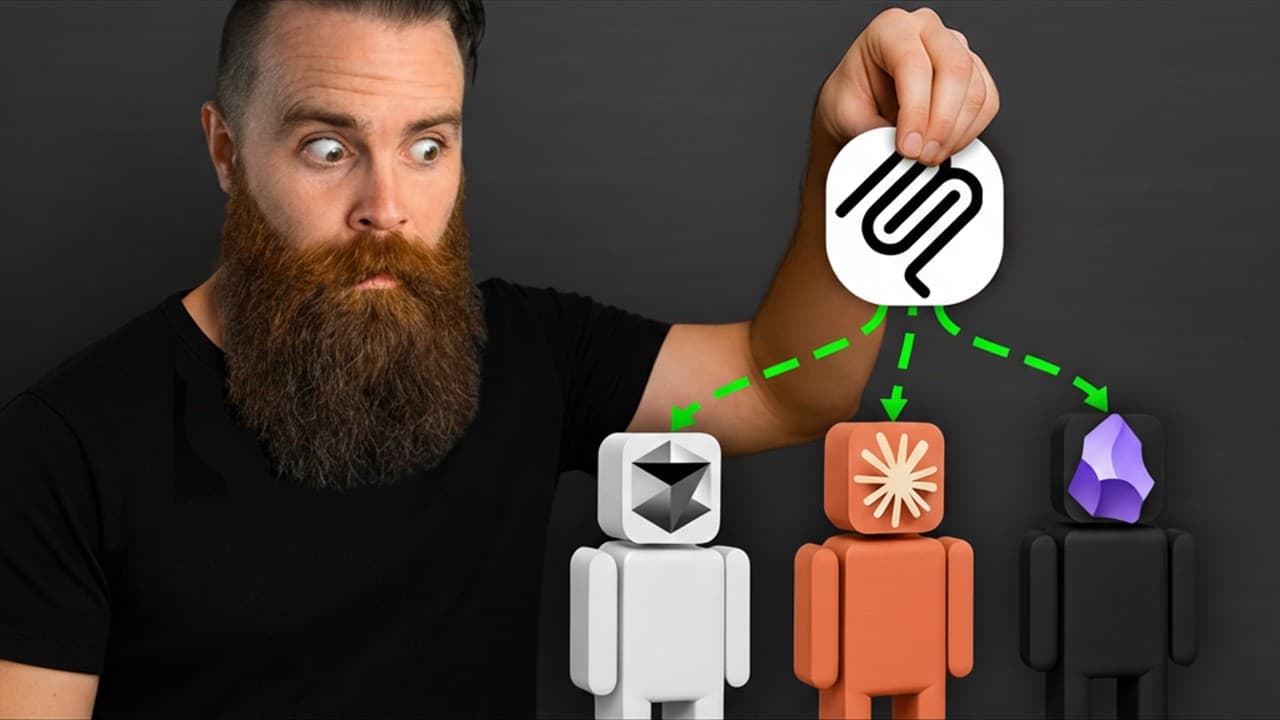
You can use Model Context Protocol (MCP) with Docker containers by running MCP servers locally through Docker Desktop and connecting them to an LLM app that supports MCP. The walkthrough covers Claude Desktop, LM Studio, and Cursor, then demonstrates integrations with tools such as Obsidian and Kali Linux and explains how to build a custom server. Read on to understand the setup, communication methods, and role of the Docker MCP Gateway.
Transcript
You need to learn MCP right now. MCP makes AI do things overpowered things. Like when I connected Claude to my Obsidian vault. What? Or Brave or Kali Linux? My jaw dropped. I mean, look at this. Claude is hacking with Kali Linux right now. So, in this video, I'm going to show you the magic of the model context protocol. I'll break down what it is, ... Read More
Key Insights
- MCP is a standardized protocol that allows AI models to interact with tools via APIs.
- Docker MCP servers abstract API complexities, making it easier for AI models to use tools.
- MCP servers can be run locally using Docker, providing flexibility and power to AI models.
- The Docker MCP Gateway orchestrates multiple MCP servers, simplifying AI tool integration.
- Local MCP servers communicate using standard input/output, minimizing latency.
- Remote MCP servers use HTTP and SSE for communication, requiring more setup.
- Custom MCP servers can be built to connect AI models to any application.
- MCP is becoming the industry standard for AI tool integration, similar to USBC for cables.
Install to Summarize YouTube Videos and Get Transcripts
Explore YouTube Video Summarizer or Get YouTube Transcript Extractor
Questions & Answers
Q: How do you use Model Context Protocol (MCP) with Docker containers?
Run an MCP server locally with Docker, then connect it to an LLM application that supports MCP servers. The demonstrated options are Claude Desktop, LM Studio for local models such as Llama, and Cursor; Docker Desktop is required.
Q: What is MCP, and how does it help LLMs use tools?
MCP, or Model Context Protocol, is a standardized way to give tools to LLMs. An MCP server handles the code for API interactions and exposes tools that the LLM can request without knowing the API endpoints, authentication, or underlying code.
Q: What is required to run an MCP server locally?
You need Docker Desktop and an LLM app that can use MCP servers. The setup can run on Mac, Linux, or Windows, and the walkthrough demonstrates the Docker Desktop installation on an Apple Silicon Mac.
Q: Which LLM applications are demonstrated with Docker MCP servers?
The walkthrough demonstrates three options: Claude Desktop, LM Studio, and Cursor. Claude Desktop uses Claude models, while LM Studio is presented as an option for local models such as Llama.
Q: What is the Docker MCP Gateway?
The Docker MCP Gateway orchestrates multiple MCP servers through a single connection. This simplifies management because the LLM can reach multiple servers without requiring a separate connection to each one.
Q: How do local and remote MCP servers communicate?
Local MCP servers use standard input and output for communication, which minimizes latency. Remote servers communicate through HTTP and Server-Sent Events, or SSE, and require additional setup.
Q: Can you build a custom MCP server for a specific application?
Yes, a custom MCP server can connect an LLM to a specific application's tools or API interactions. The walkthrough's goal is to create a Kali Linux MCP server, and it also shows MCP connections involving Obsidian and Brave.
Q: Why use an MCP server instead of giving an LLM direct API access?
Direct API access can require the LLM to run code, understand extensive documentation, and handle each application's endpoints and authentication. An MCP server contains that interaction code and exposes simple tools, such as creating or retrieving a task, for the LLM to request.
Summary & Key Takeaways
-
MCP, or Model Context Protocol, simplifies AI model interactions with tools by using APIs instead of GUIs. Docker MCP servers abstract the complexities of APIs, allowing seamless tool integration for AI models. This video demonstrates setting up MCP servers using Docker, enabling powerful integrations with applications like Obsidian and Kali Linux.
-
The Docker MCP Gateway facilitates the orchestration of multiple MCP servers, making it easier to manage AI tool integrations. Local MCP servers use standard input/output for communication, minimizing latency, while remote servers use HTTP and SSE, requiring more setup. MCP is becoming the industry standard for AI tool integration.
-
Custom MCP servers can be built to connect AI models to any application, offering flexibility and power. By abstracting API complexities, MCP allows AI models to interact with tools programmatically, making it an essential protocol for developers and AI enthusiasts looking to enhance their AI workflows.
Read in Other Languages (beta)
Share This Summary 📚
Summarize YouTube Videos and Get Video Transcripts with 1-Click
Try YouTube Summary with ChatGPT & Claude or YouTube Transcript Generator
Explore More Summaries from NetworkChuck 📚


Summarize YouTube Videos and Get Video Transcripts with 1-Click
Try YouTube Summary with ChatGPT & Claude or YouTube Transcript Generator