How to Get Started with Chakra UI in React
TL;DR
To start using Chakra UI in React, install the necessary dependencies like Motion and Chakra itself, then set up the Chakra provider in your main application file. Explore its styling approach by customizing components and layouts using grid and flex utilities, while relying on documentation to guide your learning process.
Transcript
all right how's it going everyone so i'm gonna actually spin this video just playing around with chakra ui i hear a lot of people talk about this ui um i think it's just like a component library that you can build applications with right i know nothing about this i'll be honest with you all so if you're looking for like a real overview and don't wa... Read More
Key Insights
- 😑 Chakra UI streamlines the React development process by offering a comprehensive set of pre-built components for user interface design.
- ⚾ The library emphasizes a component-based approach where each UI element can be styled through props, aiming for rapid customization.
- 👶 The speaker's learning journey highlights the importance of practical experimentation over solely relying on documentation for understanding new technologies.
- 👶 Initial confusion regarding Chakra UI's styling methods showcases the learning curve associated with transitioning to new UI frameworks.
- 📚 Documentation quality significantly impacts a developer's ability to effectively learn and utilize a library's features.
- 👻 Chakra UI supports responsive design natively, allowing developers to adjust styles easily for different screen sizes using props.
- 👶 The speaker's perspective reflects that gaining proficiency with a new library often requires time, patience, and consistent practice.
Install to Summarize YouTube Videos and Get Transcripts
Explore YouTube Video Summarizer or Get YouTube Transcript Extractor
Questions & Answers
Q: What is Chakra UI, and what purpose does it serve?
Chakra UI is a component library specifically designed for building user interfaces with React. It provides developers with pre-designed, customizable components that speed up the development process. This allows for rapid prototyping and development of visually appealing apps without having to create components from scratch.
Q: How does the speaker approach learning Chakra UI in the video?
The speaker adopts a hands-on approach to learning Chakra UI by reading through the documentation and experimenting with code simultaneously. They emphasize understanding each component’s functionality and how to use it in practice rather than just theoretical knowledge from the docs.
Q: What challenges does the speaker encounter while using Chakra UI?
The speaker faces several challenges, including understanding the styling system and how to effectively use components such as the Box and Container. They express frustration over certain aspects, like the necessity of passing various props for customization, which initially feels less intuitive compared to traditional CSS methods.
Q: How does the speaker perceive the documentation provided by Chakra UI?
While the speaker finds some elements of the documentation helpful, they also express dissatisfaction with certain aspects being unclear or harder to navigate. They emphasize the need for clearer explanations regarding component properties and potential use cases to enhance the learning experience.
Q: What is the speaker's opinion about the utility of Chakra UI for building applications?
The speaker acknowledges the utility of Chakra UI, particularly its rich set of pre-built components that can accelerate the design process. They recognize that despite initial challenges, the library offers valuable resources for developers looking to quickly build applications without extensive custom design work.
Q: Does the speaker have a clear understanding of all Chakra UI components immediately?
No, the speaker admits to not having an immediate or complete understanding of all the components and their functionalities as they experiment. They realize that familiarizing themselves with the library and documentation takes time and practice.
Q: What aspects of Chakra UI does the speaker find beneficial?
The speaker appreciates Chakra UI's provision of built-in components and its ability to create responsive designs. The structure of its utility classes, which allows for easy modification and commenting, is also noted as a positive feature compared to more complex CSS frameworks.
Q: In what way does the speaker suggest viewers can engage with them or provide feedback?
The speaker invites viewers to leave comments about their experiences with Chakra UI or suggestions for improvement. They also promote their Discord channel for direct interaction and encourage viewers to subscribe to their channel for further related content.
Summary & Key Takeaways
-
The speaker attempts to learn Chakra UI, a component library for React, by experimenting with its documentation and features.
-
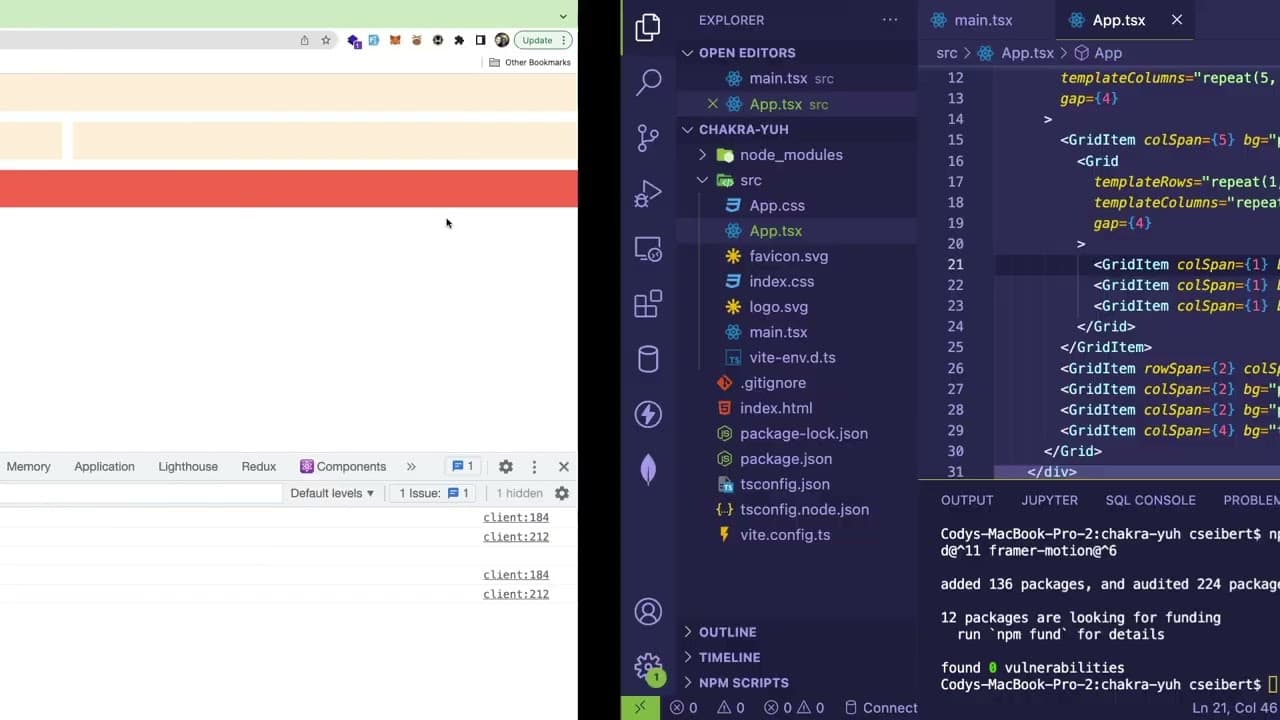
They install necessary dependencies and explore how to set up components, customize themes, and create layouts using Chakra's grid and flex utilities.
-
Throughout the video, the speaker expresses both confusion and discovery regarding Chakra UI's styling approach and available components, highlighting the learning process.
Read in Other Languages (beta)
Share This Summary 📚
Summarize YouTube Videos and Get Video Transcripts with 1-Click
Try YouTube Summary with ChatGPT & Claude or YouTube Transcript Generator
Explore More Summaries from Web Dev Cody 📚





Summarize YouTube Videos and Get Video Transcripts with 1-Click
Try YouTube Summary with ChatGPT & Claude or YouTube Transcript Generator