How to Test Dual-GPU Latency in Frame Generation
TL;DR
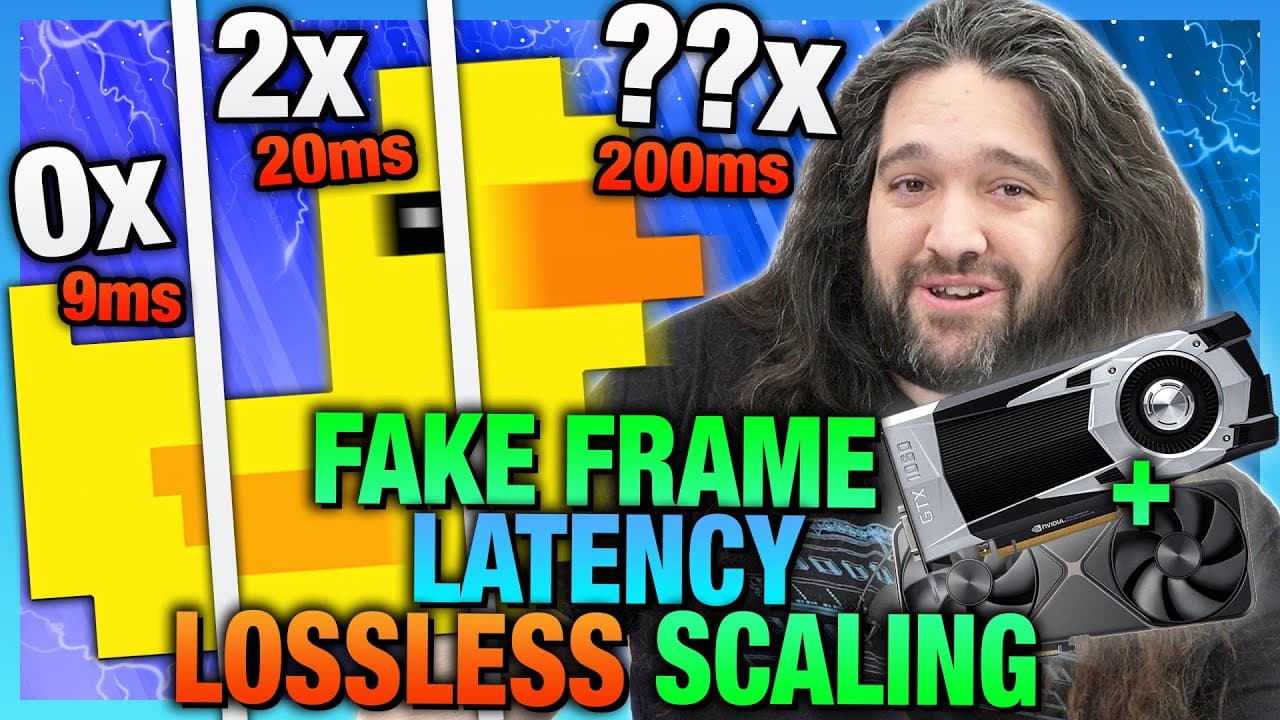
The video explores the impact of using dual-GPU configurations for frame generation on system latency, highlighting the trade-offs between visual smoothness and gameplay responsiveness. It emphasizes that while frame generation can enhance visual quality, it often increases latency, affecting the gaming experience. The testing focuses on the $7 Lossless Scaling tool and its performance across various games.
Transcript
Fake frames have long had a major downside other than potential image quality, and that is latency. In our testing today, we're revisiting lossless scaling frame generation, but for latency using this physical hardware tester this time. Last time we ran an image quality comparison for upscaling and frame generation using lossless scaling frame gene... Read More
Key Insights
- Latency is a critical factor in gaming, affecting how responsive a game feels to the player.
- Lossless Scaling Frame Generation (LSFG) can increase latency, particularly at higher multipliers.
- Dual-GPU configurations can help reduce latency by offloading workload from the primary GPU.
- Frame generation does not improve actual FPS but can enhance perceived visual smoothness.
- Using older GPUs as secondary devices can be beneficial, but their effectiveness varies by model.
- Latency impact is game-dependent and more noticeable in competitive, fast-paced games.
- Frame generation methods can delay the display of fresh frames, leading to stale frame data.
- The choice of using frame generation should balance visual quality against latency and responsiveness.
Install to Summarize YouTube Videos and Get Transcripts
Explore YouTube Video Summarizer or Get YouTube Transcript Extractor
Questions & Answers
Q: How does frame generation affect gaming latency?
Frame generation typically increases gaming latency because it involves holding back fresh frames to generate interpolated ones. This delay can affect the responsiveness of the game, making it feel slower or less responsive, especially in fast-paced or competitive scenarios.
Q: What is the benefit of using a dual-GPU setup for frame generation?
A dual-GPU setup can offload some of the frame generation tasks from the primary GPU, potentially reducing latency compared to a single-GPU configuration. This setup allows the primary GPU to focus on rendering the game, improving overall performance and responsiveness.
Q: Why is latency important in gaming?
Latency impacts how quickly a player's actions are reflected in the game, affecting the overall responsiveness and feel. Lower latency results in more immediate feedback, which is crucial for maintaining a competitive edge in fast-paced games where reaction times are critical.
Q: How does frame generation impact visual quality?
Frame generation can enhance visual quality by increasing perceived smoothness through interpolated frames. However, these frames do not represent actual game states and can introduce artifacts, making the visual experience smoother but potentially less accurate.
Q: What are the limitations of using older GPUs in dual-GPU setups?
Older GPUs may struggle to handle the workload required for effective frame generation, leading to increased latency and reduced performance. Their effectiveness varies based on the specific model and the demands of the game, with some older GPUs failing to provide any benefit.
Q: How does frame generation affect competitive gaming?
In competitive gaming, where milliseconds matter, the added latency from frame generation can be detrimental. It may result in delayed reactions and slower response times, giving players with lower latency setups a potential advantage in fast-paced scenarios.
Q: What are the recommended settings for using frame generation?
To minimize latency impact, it's recommended to keep frame generation multipliers low, ideally at 2x or 3x. This helps maintain a balance between visual smoothness and gameplay responsiveness, especially in games where latency is more noticeable.
Q: Is frame generation suitable for all types of games?
Frame generation is more suitable for single-player or non-competitive games where the added latency is less noticeable. In competitive games, the trade-off between visual quality and latency can negatively impact performance, making it less ideal for such scenarios.
Summary & Key Takeaways
-
Latency is an often-underrepresented metric in gaming performance, crucial for the player's experience. The video tests Lossless Scaling Frame Generation (LSFG) using dual-GPU setups to assess their impact on latency. While LSFG can enhance visual smoothness, it often increases latency, which can be detrimental in competitive games.
-
The video explores various configurations, including using an older GPU to offload LSFG tasks, which can reduce latency compared to single-GPU setups. However, the effectiveness of this approach depends on the specific GPUs and games involved. The video provides detailed benchmarks across multiple games to illustrate these points.
-
Overall, frame generation offers a trade-off between visual quality and gameplay responsiveness. It's most suitable for single-player or non-competitive games where added latency is less noticeable. The video concludes with a caution against relying solely on frame generation to improve perceived performance.
Read in Other Languages (beta)
Share This Summary 📚
Summarize YouTube Videos and Get Video Transcripts with 1-Click
Try YouTube Summary with ChatGPT & Claude or YouTube Transcript Generator
Explore More Summaries from Gamers Nexus 📚

Summarize YouTube Videos and Get Video Transcripts with 1-Click
Try YouTube Summary with ChatGPT & Claude or YouTube Transcript Generator