What Is OpenAI Codex CLI and How Can It Help Developers?

TL;DR
OpenAI Codex CLI is a lightweight coding agent that allows developers to read, edit files, and execute commands directly from the command line. It enhances productivity by automating coding tasks, explaining codebases, and enabling the creation of applications from visual inputs. It emphasizes security and multimodal reasoning for a smooth development experience.
Transcript
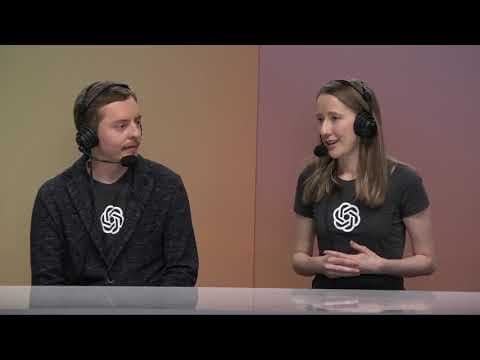
so what I'm thinking is maybe I can start introducing codecs from here fuad as always is like coding away in the background and then he can join me for the live demos what do you think that sounds great cool let's do it take one mark hey everyone I'm Roma and I work on developer experience at OpenAI what I love most is making sure developers like y... Read More
Key Insights
- 🫥 Codeex operates directly from the command line, merging coding tasks with a user-friendly interface for enhanced productivity.
- 👻 The multimodal reasoning feature allows users to provide visual context, making it easier to initiate coding projects based on designs or existing applications.
- 👤 Security is a primary focus for Codeex, ensuring that users can leverage powerful tools without compromising their system's safety.
- 👨💻 The tool supports various coding languages and paradigms by being adaptable to different programming environments.
- 💍 Developers can engage with Codeex to improve their understanding of codebases, facilitating better collaboration and project management.
- 👨💻 The integration of modern AI models like GPT 4.1 within Codeex significantly enhances its capabilities for producing more nuanced and intelligent coding solutions.
- 👨💻 The transition from conceptualization to execution in coding is made more efficient with Codeex's ability to interpret commands and execute them seamlessly.
Install to Summarize YouTube Videos and Get Transcripts
Explore YouTube Video Summarizer or Get YouTube Transcript Extractor
Questions & Answers
Q: How does Codeex enhance a developer's workflow?
Codeex streamlines coding by allowing users to interact directly through the command line, making it possible to read, edit code, and run commands efficiently. This reduces the need for switching between various software tools, enabling a more fluid coding experience. Developers can initiate projects from scratch or manipulate existing codebases effortlessly, improving productivity.
Q: What features make Codeex stand out from traditional coding tools?
Key features of Codeex include its lightweight architecture, full auto mode for automated tasks, and multimodal reasoning capabilities. Unlike traditional tools that require manual coding, Codeex can interpret instructions from screenshots or simple prompts. It maintains a secure environment and enables users to run commands safely, which fundamentally changes how developers approach coding tasks.
Q: Can Codeex handle different programming contexts?
Yes, Codeex is versatile and can handle various programming contexts. Users can input screenshots of UI elements or sketches, and Codeex can reason through how to translate those into working code. This flexibility allows developers to engage in creative processes without needing extensive coding knowledge, making it accessible for a wider audience.
Q: What security measures does Codeex implement?
Codeex prioritizes security by operating in a full auto mode that runs commands in a network-disabled environment, ensuring that user control is maintained. Additionally, it operates in a sandboxed directory, allowing users to explore features without posing risks to their systems or data integrity, fostering a safer development experience.
Q: How can developers provide feedback on Codeex?
OpenAI encourages developers to explore the Codeex repository on GitHub, where they can access the tool, provide feedback, and share their experiences. Engaging with the community through GitHub allows developers to contribute to the ongoing improvement of the tool and foster innovation.
Q: What specific use cases were demonstrated during the session?
The demonstration included the implementation of dark mode in an existing application and the creation of a new application inspired by a screenshot of the Photo Booth app. These examples illustrated Codeex's ability to make substantial edits to existing code and create new projects from visual prompts effectively and intuitively.
Q: What does the open-source nature of Codeex imply for developers?
By being fully open-source, Codeex allows developers to explore its functionalities in-depth, contribute to its evolution, and customize it to fit their specific needs. This transparency fosters a collaborative environment where developers can enhance and build upon the existing code, leading to innovations and custom solutions.
Summary & Key Takeaways
-
OpenAI's Codeex is a lightweight coding agent designed for use directly in the command line, enabling developers to read, edit files, and run commands securely.
-
The demo showcases Codeex's ability to explain codebases, automate changes in projects like implementing dark mode, and even create new applications from screenshots.
-
The tool promotes a multimodal reasoning approach, allowing seamless integration between the command line and more complex coding tasks, thus enhancing the overall developer experience.
Read in Other Languages (beta)
Share This Summary 📚
Summarize YouTube Videos and Get Video Transcripts with 1-Click
Try YouTube Summary with ChatGPT & Claude or YouTube Transcript Generator
Explore More Summaries from OpenAI 📚



Summarize YouTube Videos and Get Video Transcripts with 1-Click
Try YouTube Summary with ChatGPT & Claude or YouTube Transcript Generator