How to Set Up Google Maps in Next.js Quickly?
TL;DR
To set up Google Maps in a Next.js application, use the 'react-google-maps-api' library to easily integrate maps and markers. Allow users to input a city name to reposition the map dynamically. Ensure to secure your Google API key, possibly via a backend proxy, to protect against unauthorized usage.
Transcript
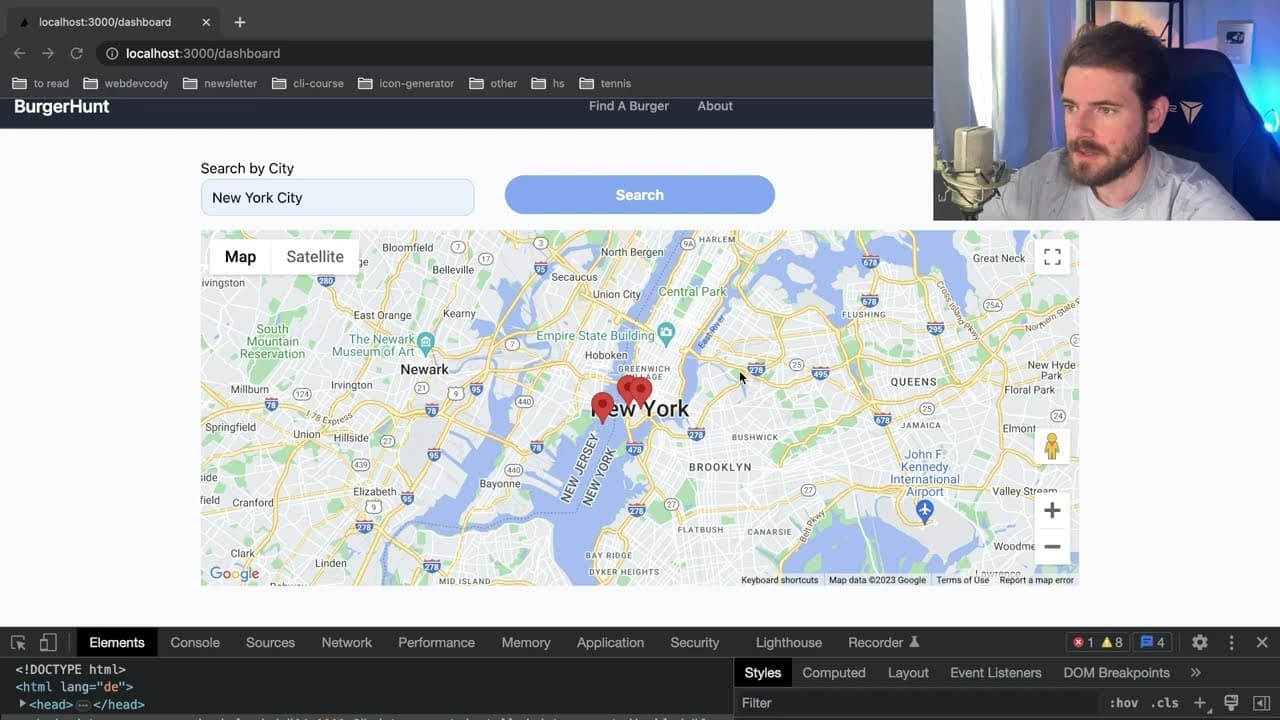
all right how's it going everyone so I wanted to walk you all through how you can set up this Google Maps on your react or next.js application it's actually really easy if you haven't done it before so stick around if you want to learn functionality that we have in this app right now is that we have three places um one of them is in the water I nee... Read More
Key Insights
- 👤 Implementing Google Maps in React or Next.js applications can enhance user experience with interactive maps.
- 👤 The use of Formik simplifies form handling for city location inputs, allowing for a smooth user experience.
- 🏙️ The Google Maps API's geocoding capabilities can transform city names into usable coordinates for mapping.
- 📚 The library 'react-google-maps-api' is utilized for a streamlined integration of Google Maps features in the application.
- 🧘 Using React's state management, the application dynamically updates the map's position based on user-selected locations.
- 😒 Marker components must be handled carefully in React 18 due to strict mode peculiarities, requiring the use of 'MarkerF.'
- 🤩 Developers should consider employing backend proxies to secure Google API keys from public exposure.
Install to Summarize YouTube Videos and Get Transcripts
Explore YouTube Video Summarizer or Get YouTube Transcript Extractor
Questions & Answers
Q: What features does the Google Maps integration offer in your application?
The integration allows users to display restaurant markers on the map, view details like name and address upon clicking a marker, and change the displayed city by typing in a new location. This enhances user interaction by providing a dynamic mapping experience.
Q: How do you handle user input for city location changes?
User input is managed through a form built with Formik that captures the city name and translates it into latitude and longitude coordinates using the Google Maps API's geocoding service. This enables seamless repositioning of the map based on user preferences.
Q: Can you explain the importance of the Google Maps API key?
The API key serves as an authentication tool that confirms the application's identity when making requests to the Google Maps API. It's essential to keep it secure and is recommended to limit its use to specific domains or IPs, ensuring unauthorized uses are restricted.
Q: What are some security measures suggested for protecting the API key?
It is advised to use a backend proxy to make requests to the Google Maps API, which decouples the client from direct API calls and protects the key. Additionally, setting restrictions on the key in the Google Maps dashboard ensures it can only be used from specified domains or IP addresses.
Summary & Key Takeaways
-
The content provides a step-by-step guide on integrating Google Maps into a React or Next.js application, highlighting essential functionalities such as displaying restaurant markers and handling user interactions.
-
Viewers can learn how to customize location features by entering city names, which adjust the map's position accordingly. The guide uses the Google Maps API for geocoding and visual representation.
-
Additional tips are given on securing the Google API key and potential methods for safeguarding against unauthorized access, as well as using a backend proxy for requests.
Read in Other Languages (beta)
Share This Summary 📚
Summarize YouTube Videos and Get Video Transcripts with 1-Click
Try YouTube Summary with ChatGPT & Claude or YouTube Transcript Generator
Explore More Summaries from Web Dev Cody 📚





Summarize YouTube Videos and Get Video Transcripts with 1-Click
Try YouTube Summary with ChatGPT & Claude or YouTube Transcript Generator