Is the DeskPi Pro Raspberry Pi Case Worth It?
TL;DR
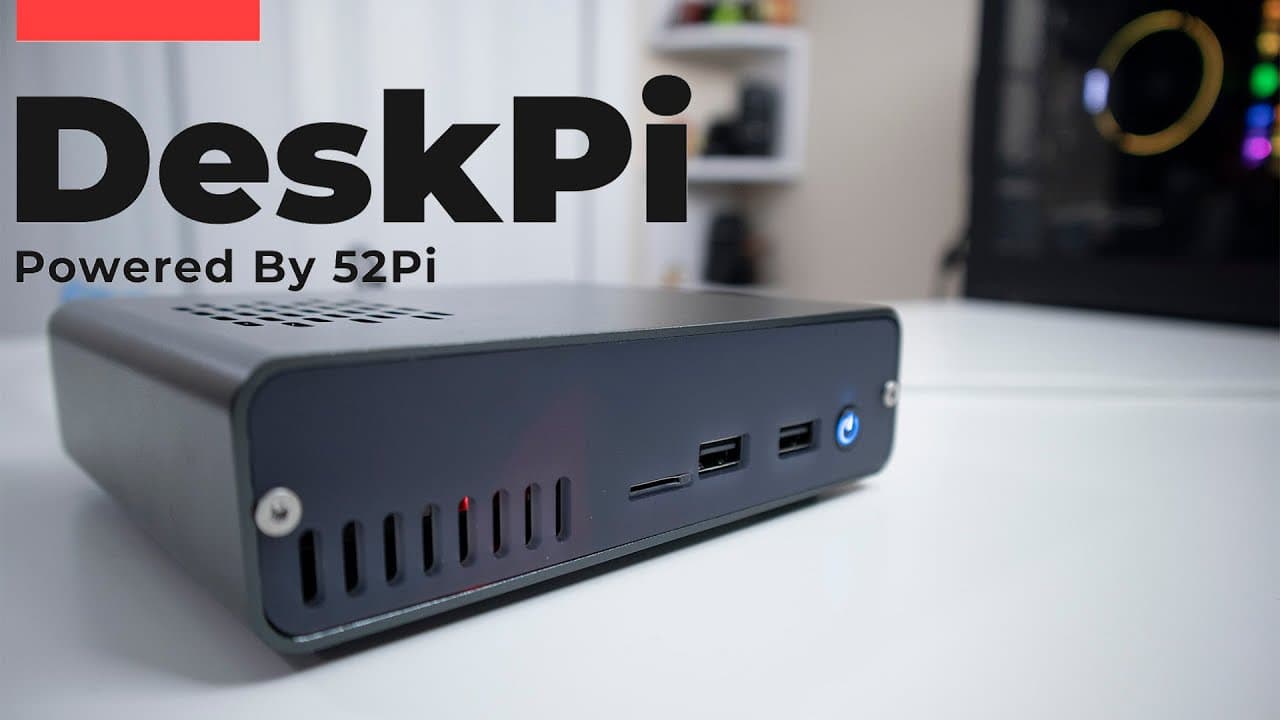
The DeskPi Pro is an impressive Raspberry Pi case that combines aesthetic appeal with practical features, making it ideal for desktop use. It includes essential ports, a robust cooling system with a quiet fan, and support for SSDs, enhancing the performance and usability of your Raspberry Pi setup.
Transcript
hey guys what's going on it's don here from nova spare tech and welcome back to the channel and today we are going to be taking a look at the desk pi pro from 52 pi so let's get started now before we begin i do want to thank 52pi for sending this over to me this is a review unit and it will be coming soon if you're looking into purchasing one and a... Read More
Key Insights
- ♓ The Desk Pi Pro enhances Raspberry Pi usability with a sleek design and essential features for desktop setups.
- 😎 Built for performance, the case includes a well-designed cooling system to maintain optimal thermal conditions during operation.
- ✊ User experience is a priority; features such as LED indicators and an easily accessible power button cater to practical needs.
- 🏋️ The case's weight gives it a sturdy feel, preventing unwanted movement and enhancing the desktop experience.
- 👻 The Desk Pi Pro case supports SSDs, allowing users to harness faster boot and load times, improving operational efficiency.
- 🥵 Ventilation designs in the case ensure sufficient airflow, contributing to effective heat dissipation during intensive tasks.
- 🎨 The design includes aesthetic appeal, making it an attractive addition to any workspace or media setup.
Install to Summarize YouTube Videos and Get Transcripts
Explore YouTube Video Summarizer or Get YouTube Transcript Extractor
Questions & Answers
Q: What features make the Desk Pi Pro case suitable for desktop use?
The Desk Pi Pro case offers an attractive design with essential ports such as USB and HDMI. It has a power button, strong cooling components, and a beefy heatsink, making it an excellent choice for those wanting to use a Raspberry Pi as a desktop for light tasks.
Q: How does the cooling system in the Desk Pi Pro function?
The case features a large heatsink, while a fan operates only when temperatures exceed a certain threshold. Users can control the fan speed through software, allowing for efficient cooling management tailored to system needs.
Q: What are the assembly requirements for the Desk Pi Pro?
Assembly is straightforward, requiring just a T8 hex and Phillips screwdriver for securing the front and back plates. With only four screws holding the front and back together, the ease of access facilitates maintenance or upgrades.
Q: How does the Desk Pi Pro indicate power and hard drive activity?
The case features a red LED light when powered off, turning blue when on. If a hard drive is connected, a blue indicator serves as an activity light, allowing users to confirm hard drive operation, ensuring everything is functioning as expected.
Summary & Key Takeaways
-
The Desk Pi Pro case from 52 Pi combines aesthetics and practicality, featuring essential ports and a sleek design, making it ideal for desktop use.
-
It integrates several cooling solutions such as a large heatsink and controlled fan operations to ensure optimal performance and temperature management for the Raspberry Pi.
-
Additionally, it highlights user-friendly features, including a power button with LED indicators, easy assembly, and compatibility with SSDs for improved functionality.
Read in Other Languages (beta)
Share This Summary 📚
Summarize YouTube Videos and Get Video Transcripts with 1-Click
Try YouTube Summary with ChatGPT & Claude or YouTube Transcript Generator
Explore More Summaries from Novaspirit Tech 📚






Summarize YouTube Videos and Get Video Transcripts with 1-Click
Try YouTube Summary with ChatGPT & Claude or YouTube Transcript Generator