Ultra Mobile Gaming PC GPD Win Review!
TL;DR
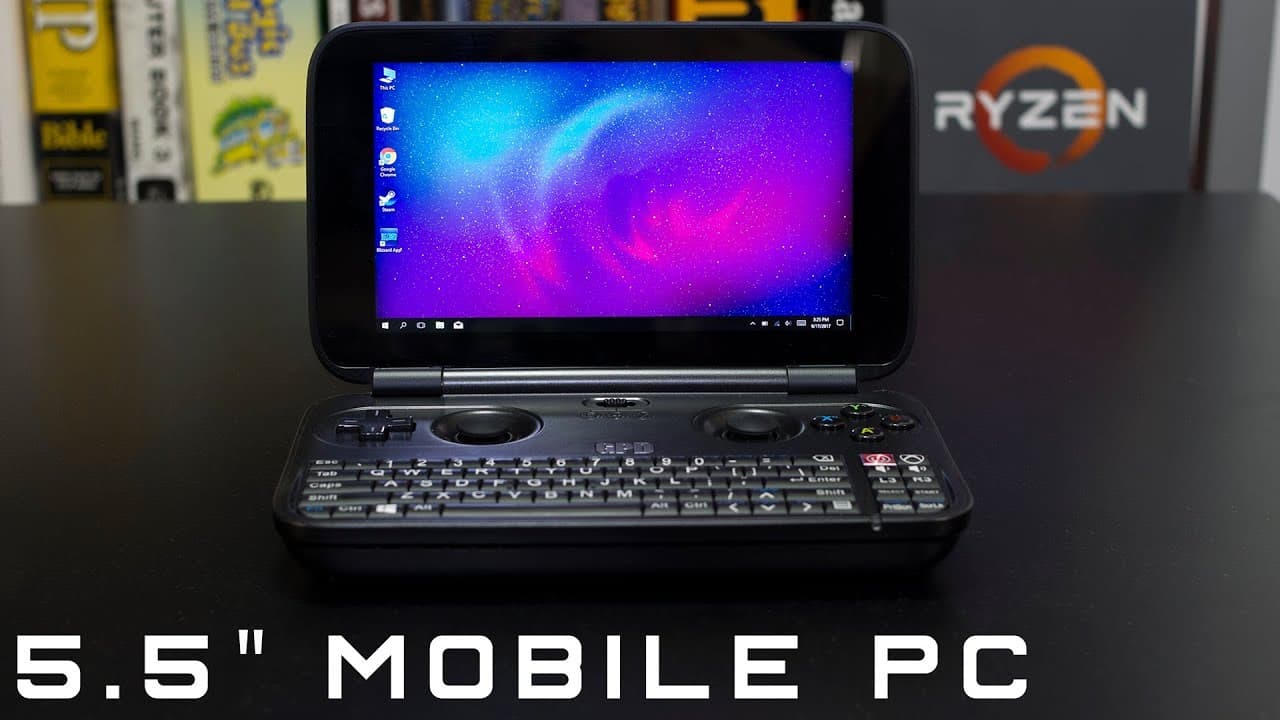
The GDP Win handheld PC is a fantastic device for retro gaming enthusiasts.
Transcript
hey guys what's going on it's down here from Nova spirit Tech and today I want to talk about the GDP wind so let's get started alright so this little guy is a five and a half inch ultra mobile PC or handheld laptop that runs Windows 10 now why am I talking about this guy this is probably one of my favorite gadgets that I've ever owned ever now this... Read More
Key Insights
- 👾 The GDP Win is an affordable and portable gaming solution for retro gaming fans.
- ❓ It offers easy modifications and solid community support to enhance performance.
- 🎮 Users can play older games smoothly, though modern titles require alternative solutions like streaming.
- 🎮 The integrated controls make it user-friendly for a variety of gaming styles.
- 👋 The screen features good resolution and an IPS panel for comfortable viewing angles.
- 🪛 Storage limitations can be effectively managed with USB drives, improving overall usability.
- 💦 The device serves dual functions for lightweight work tasks alongside gaming.
Install to Summarize YouTube Videos and Get Transcripts
Explore YouTube Video Summarizer or Get YouTube Transcript Extractor
Questions & Answers
Q: What is the primary purpose of the GDP Win handheld PC?
The GDP Win is primarily aimed at gamers who want the ability to play older titles conveniently. It’s structured to handle games from 2015 and earlier effectively, making it an ideal choice for those with a backlog of retro games. The compact design offers significant portability, allowing gamers to enjoy their favorite titles anywhere.
Q: How does the GDP Win perform with newer games?
The GDP Win struggles with newer games that demand higher RAM and processing power. Many current titles will barely run, with significant slowdowns or unplayability. However, users can stream newer games from their PCs using apps like Steam, which allows for smoother gameplay without needing direct installation on the device.
Q: What are the storage limitations of the GDP Win, and how can users overcome them?
The GDP Win only has 64GB of internal storage, which can be limiting for game installations. Users can remedy this by utilizing external USB 3.0 drives, which provide faster read and write speeds compared to microSD cards, allowing users to store more games and data effectively.
Q: What unique features does the GDP Win offer for gaming controls?
The GDP Win includes a versatile controller board that supports multiple modes including D-Pad, Mouse Mode, and Xbox Mode for controls. This adaptability allows it to cater to different gaming styles and preferences, improving the gaming experience while using the handheld device.
Q: Is the screen quality of the GDP Win sufficient for gaming?
Yes, the GDP Win features an IPS touch panel, providing excellent viewing angles and overall screen quality. The display maintains clarity, allowing users to view the screen comfortably from various positions, which is beneficial for portable gaming.
Q: What modifications can enhance the GDP Win's performance?
Users have identified several mods to improve the GDP Win's functionality, including a heatsink hack to reduce thermal throttling and a BIOS hack to unlock better memory performance. These modifications can significantly enhance the device's capability to run games more smoothly and efficiently.
Q: How does the battery life of the GDP Win hold up during gaming?
The battery life of the GDP Win is suitable for portable gaming, but it can vary based on usage intensity. Engaging in heavy gaming will likely drain the battery faster, whereas lighter tasks may allow for longer usage before needing a recharge. Users should be prepared for this when planning extended gaming sessions.
Q: Is the GDP Win worth the investment for non-gamers?
While the GDP Win excels at gaming, it may not be the best device for users who do not plan to play games. The features and performance are tailored towards gaming, so if you're looking for a general-purpose handheld computer, other options might be more suitable.
Summary & Key Takeaways
-
The GDP Win is a 5.5-inch ultra mobile PC designed primarily for gaming, running Windows 10 on an Intel Atom processor.
-
It plays older games well, particularly those released in 2015 or before, utilizing integrated graphics and a compact design ideal for portability.
-
Although limited in storage, expandable options like USB drives enhance its usability, making it suitable for retro gaming and light tasks.
Read in Other Languages (beta)
Share This Summary 📚
Summarize YouTube Videos and Get Video Transcripts with 1-Click
Try YouTube Summary with ChatGPT & Claude or YouTube Transcript Generator
Explore More Summaries from Novaspirit Tech 📚






Summarize YouTube Videos and Get Video Transcripts with 1-Click
Try YouTube Summary with ChatGPT & Claude or YouTube Transcript Generator