How to Use Contentful as a Headless CMS for Your Website
TL;DR
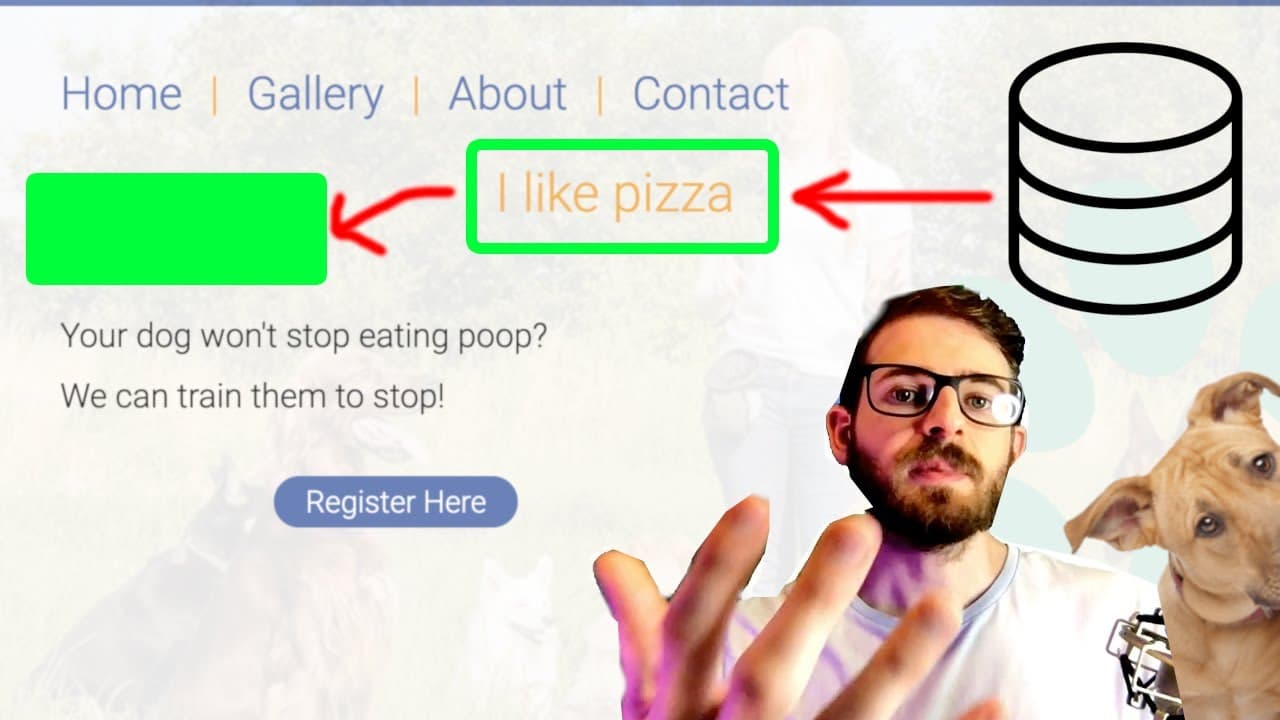
To use Contentful as a headless CMS, create a space, define a data model for your content, and connect it to your static HTML site for dynamic content updates. This allows non-technical users to manage text easily, but be mindful of the high costs associated with the platform as usage increases.
Transcript
hey everyone i hope you're having a great day welcome back to another web dev junkie video in this video i'm just going to give you a really informal overview of using contentful with a static html site um so what i'm going to pretty much explain is how you can set up something really simple in fact i'm going to walk you through how to set up stuff... Read More
Key Insights
- 👻 Contentful is a powerful headless CMS allowing dynamic content management, tailored especially for static sites.
- 👤 A flexible user interface caters to non-technical users, empowering them to make direct updates without coding knowledge.
- ❓ Understanding data modeling within Contentful is essential for efficient content organization and management on websites.
- 👨💼 Pricing and potential escalation in costs with increased usage pose significant considerations for developers and businesses.
- 🕸️ Headless CMS systems, like Contentful, facilitate seamless content delivery to various platforms, adapting to modern web development trends.
- 🏛️ Developers should focus on building a clean architecture to easily transition between different CMS solutions if needed.
- 👻 Utilizing webhooks and automated deployments enhances workflow efficiency, allowing for immediate content updates on published sites.
Install to Summarize YouTube Videos and Get Transcripts
Explore YouTube Video Summarizer or Get YouTube Transcript Extractor
Questions & Answers
Q: What is Contentful and why is it useful for static websites?
Contentful is a headless content management system (CMS) that enables developers to separate content management from the presentation layer of their websites. Its usefulness lies in its ability to allow non-technical users, like business owners, to manage content easily via a user-friendly interface without requiring code changes. This flexibility is especially beneficial for static websites requiring frequent content updates.
Q: How can a user create a new space in Contentful?
To create a new space in Contentful, log into your account and navigate to the dashboard. Click on the “Create Space” option, where you can name your space. Although free accounts may be limited to one space, this feature allows you to organize content related to specific projects efficiently. Users can explore their defined spaces anytime for their CMS work.
Q: What steps are involved in defining a data model in Contentful?
After creating a space in Contentful, users should navigate to the 'Content Model' tab to define their data model. This involves creating a model (like 'static text') and defining the specific fields, such as text type. Once defined, users can add entries that will populate the static text on their website, providing a structured way to manage content dynamically.
Q: What are some challenges when learning to use Contentful?
Some challenges include navigating the user interface and understanding how to set up data models effectively. Since the platform has various features and API integrations, users may find it initially overwhelming. However, familiarization through practice and exploring Contentful's documentation can make the process easier and more intuitive over time.
Q: Why is pricing a concern with Contentful?
Contentful's pricing can be a concern due to its high cost for premium plans, starting at around $489 per month. This poses a challenge for developers and businesses with budget constraints, especially when their projects grow and require more extensive use of the service. It’s advised to thoroughly review pricing tiers and consider potential costs before committing to the platform.
Q: How does using a headless CMS like Contentful benefit site owners?
A headless CMS allows site owners to manage content directly through a user-friendly interface without needing to reach out to developers for every update. This autarky empowers users to keep their websites up-to-date quickly and efficiently, leading to improved workflow and faster content deployment. This can be a strong selling point for web developers looking to provide value to their clients.
Q: What precautions should developers take when using Contentful?
Developers should always read the fine print regarding pricing and functionality limitations in Contentful. It’s crucial to implement clean coding practices, such as creating abstractions around CMS usage. This way, if costs or service limitations become prohibitive, transitioning to a different CMS can be easier, maintaining project sustainability in the long run.
Summary & Key Takeaways
-
This video presents an informal introduction to using Contentful with static HTML sites, focusing on dynamic content management. The creator emphasizes the simplicity and effectiveness of setting up Contentful for non-programmers, allowing easy management of website text.
-
The tutorial details how to create a space within Contentful, define a data model for storing static text, and demonstrate how changes in Contentful reflect on a connected website. The creator discusses initial challenges with learning the platform and navigating its interface.
-
It also highlights the advantages of headless CMS systems, including flexibility for clients to update content without developer assistance, and potential pricing concerns associated with Contentful's plans. The creator encourages viewers to consider other headless CMS options due to Contentful's high costs.
Read in Other Languages (beta)
Share This Summary 📚
Summarize YouTube Videos and Get Video Transcripts with 1-Click
Try YouTube Summary with ChatGPT & Claude or YouTube Transcript Generator
Explore More Summaries from Web Dev Cody 📚





Summarize YouTube Videos and Get Video Transcripts with 1-Click
Try YouTube Summary with ChatGPT & Claude or YouTube Transcript Generator