How to Build a Video Calling App with React and Agora
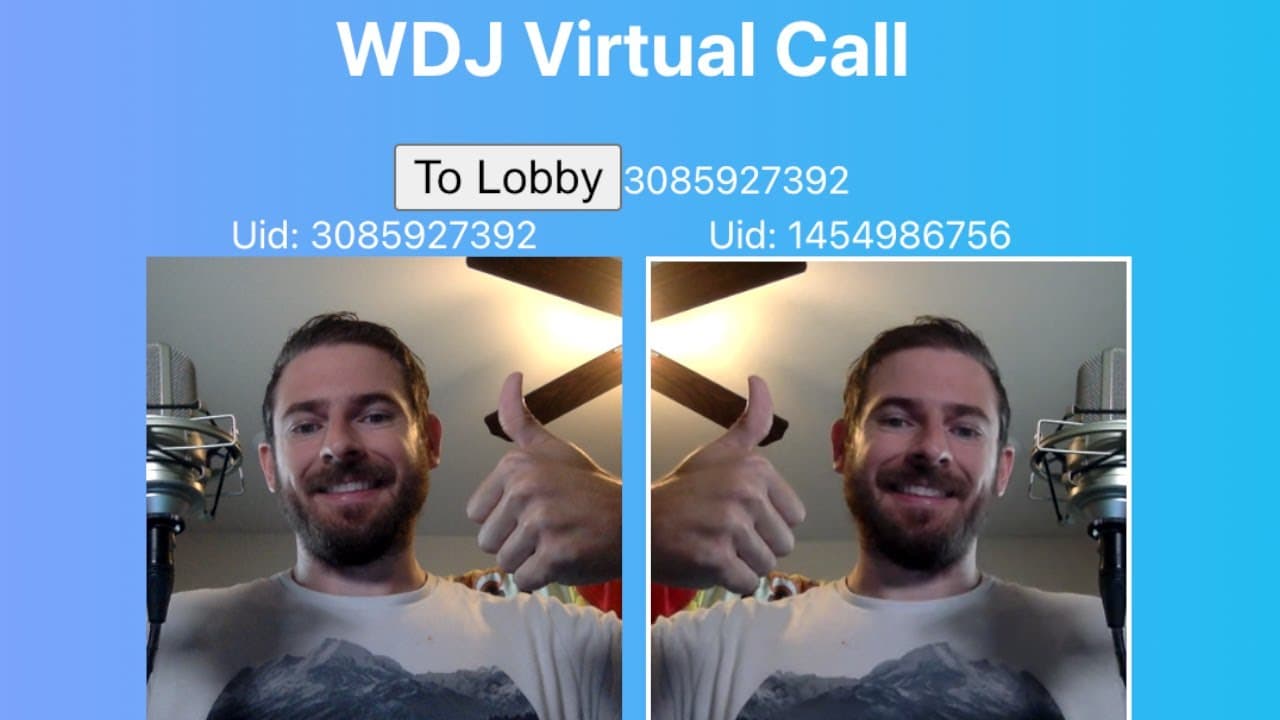
TL;DR
To build a video calling app using React and the Agora SDK, start by setting up a basic React project and install the Agora RTC SDK. Implement features like user authentication, joining and leaving rooms, and managing audio/video tracks. Ensure to clean up event listeners and resource use to optimize performance.
Transcript
how's it going everyone so i've been looking into using this library called agora to try to figure out how i can build something kind of like zoom you know how like in zoom you can do uh voice calls and audio calls and video calls i want to try to figure out like what would be the easiest way to build something using some type of video call library... Read More
Key Insights
- ⌛ Agora provides a comprehensive library for real-time video applications, facilitating quick and efficient development for developers.
- 👤 React's state management is pivotal in updating UI components dynamically based on user interactions in a virtual call environment.
- 👣 Properly managing audio and video tracks is essential for resource optimization and preventing memory leaks within a web application.
- 👤 User authentication via token generation is critical for maintaining security and ensuring that only authorized participants can access virtual meetings.
- 🤗 The tutorial highlights the importance of clean-up functions in React, ensuring that component unmounting does not leave lingering event listeners or open connections.
- 👨💻 Debugging practices are essential during development, as they help identify and resolve common issues encountered in JavaScript and React coding.
- 👤 Future enhancements could expand functionality and improve the overall user experience in video call applications, potentially making them more versatile and user-friendly.
Install to Summarize YouTube Videos and Get Transcripts
Explore YouTube Video Summarizer or Get YouTube Transcript Extractor
Questions & Answers
Q: What is the primary library used in this tutorial, and why was it chosen?
The primary library used is Agora, which is specifically designed for real-time voice and video applications. It was chosen for its robust features that simplify the development of video calling functionality, akin to familiar platforms like Zoom. Agora's ease of integration with React enhances the learning experience by facilitating quick setup and user engagement within a simple web app.
Q: How does the application manage user connections when someone joins or leaves the call?
The application uses event listeners provided by the Agora SDK to manage user connections. When a new user joins, the app subscribes to their media streams (video/audio), adding them to the state, which triggers a UI update. Similarly, when a user leaves, the app filters them out of the user list, ensuring the UI accurately reflects active participants, enhancing the user experience by maintaining real-time updates.
Q: What are some important considerations for managing local tracks during the call?
It is crucial to manage local tracks (audio and video) effectively to prevent resource leaks. The tutorial emphasizes the need to store local tracks in state and to stop and close these tracks when the component unmounts or the user leaves the call. This ensures that the application releases resources tied to the user's webcam and microphone, optimizing performance, especially when multiple users are involved.
Q: Can you explain how user authentication works in this tutorial?
User authentication in this tutorial is handled by generating a token from the Agora project setup. This token is used to authenticate users when they attempt to join a video call room. The tutorial outlines creating a channel in the Agora console and generating a token for that particular channel, which is necessary for maintaining secure connections and ensuring that only authorized users can participate in the video call.
Q: What debugging considerations are mentioned during the coding process?
The tutorial emphasizes keeping the developer tools opened for debugging throughout the coding process. Common issues such as undefined variables or incorrect imports are addressed as the user builds the app, highlighting the importance of troubleshooting and fixing errors as they arise. This practice encourages a more thorough understanding of React and Agora's functionalities, ensuring the app can run smoothly.
Q: What features can be added to improve the user experience in the application?
Several features could enhance user experience, such as integrating chat functionality, adding screen sharing capabilities, or implementing user controls for muting audio/video. Additionally, improving the UI with better styling, animations, or establishing user roles (like host or participant) could create a more engaging environment for users during video calls.
Summary & Key Takeaways
-
The content details a tutorial on building a video call application using the Agora video call library integrated with React, demonstrating the creation of a basic app interface.
-
It explains the setup process, including installing necessary libraries and configuring components to handle user interactions like joining or leaving the virtual call.
-
The tutorial addresses clean-up processes needed for event listeners and device resource management to ensure efficient app operation.
Read in Other Languages (beta)
Share This Summary 📚
Summarize YouTube Videos and Get Video Transcripts with 1-Click
Try YouTube Summary with ChatGPT & Claude or YouTube Transcript Generator
Explore More Summaries from Web Dev Cody 📚





Summarize YouTube Videos and Get Video Transcripts with 1-Click
Try YouTube Summary with ChatGPT & Claude or YouTube Transcript Generator