How to Use a Gimbal for Stunning Filmmaking Shots
TL;DR
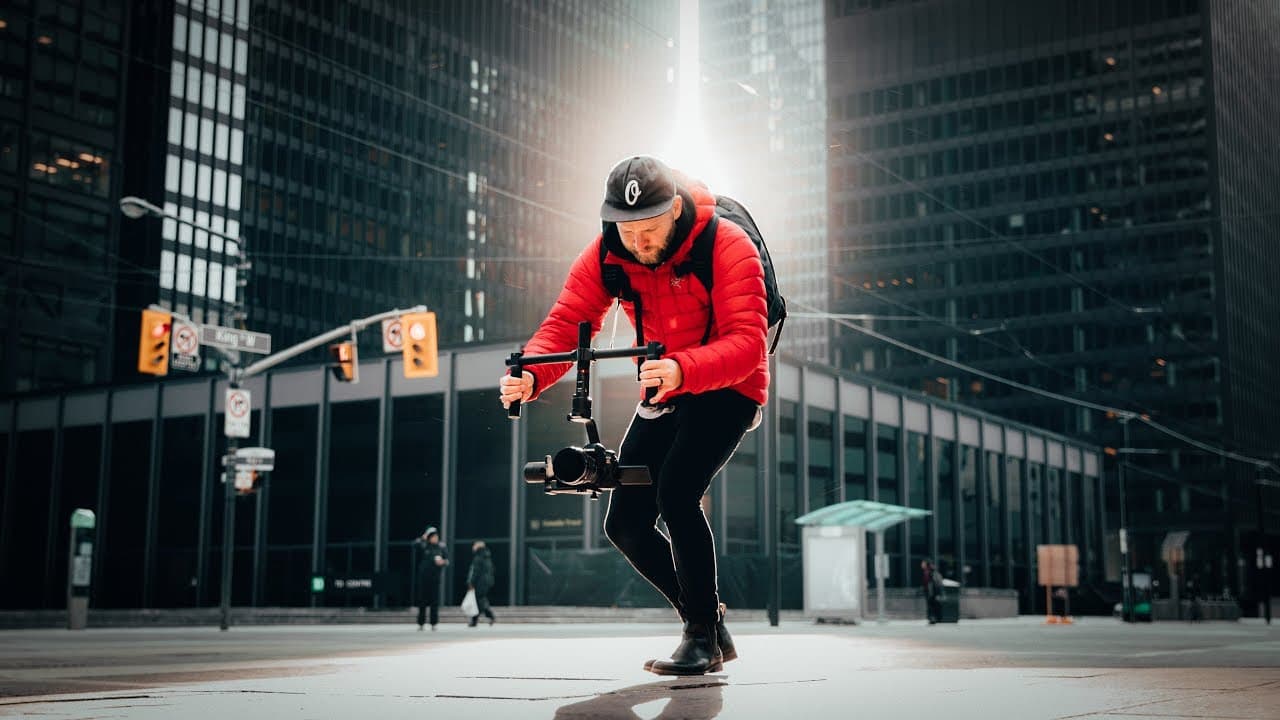
To use a gimbal effectively, start by properly balancing it for stable shots. Incorporate movement, use foreground elements for depth, and get close to your subjects for dramatic effects. Planning your shots, especially one-take sequences, can elevate your filming and impress your audience.
Transcript
- Hey guys. My name is Matti. Welcome to another quick little pro tip video. And we've talked a lot about gimbals, but let's talk about how to properly use them. (bright music) So the other day we were hanging out downtown Toronto with my friend Alen Palander, and Peter McKinnon was there, too, but he was just kind of doing his own thing. And I was... Read More
Key Insights
- ⚖️ Properly balancing your gimbal is crucial for stable and smooth shots.
- ❓ Utilize the movement capabilities of your gimbal to enhance your footage and make it more visually interesting.
- 👀 Incorporating something in the foreground adds depth and makes your shots look more dynamic.
- 😚 Getting close to your subjects or objects can create unique and dramatic shots that are difficult to achieve with other stabilization tools.
- 🌱 Planning your shots and incorporating oners can take your videos to the next level and leave a lasting impression on your audience.
- 🤗 A gimbal is a powerful tool that opens up new possibilities for one-person filmmakers.
- 👯 Many people do not utilize their gimbals to their full potential and miss out on the unique shots they can capture.
Install to Summarize YouTube Videos and Get Transcripts
Explore YouTube Video Summarizer or Get YouTube Transcript Extractor
Questions & Answers
Q: How should I balance my gimbal properly?
To ensure your gimbal is well balanced, take your time to adjust the settings and make sure it's stable. This will prevent any unnecessary shakes or vibrations in your footage.
Q: Why is it important to add movement when using a gimbal?
While a gimbal can provide stable shots, incorporating movement can enhance your footage. Try slow orbiting, dolly shots, or other subtle movements to make your shots more interesting and dynamic.
Q: What difference does having something in the foreground make?
Having an object or person in the foreground adds depth and creates a sense of movement, even if you're not physically moving much. It makes your footage more engaging and visually appealing.
Q: Why should I get close to my subjects or objects when using a gimbal?
By getting close to your subjects or objects, you can capture dramatic movement and create visually stunning shots. This is especially effective when shooting from low angles or following someone's feet.
Summary & Key Takeaways
-
Balancing your gimbal properly is crucial for getting smooth shots, so take your time to ensure it is well balanced before shooting.
-
Use the gimbal to its full potential by adding movement to your shots, whether it's a slow orbit or a dolly in or out.
-
Having something in the foreground adds depth and interest to your footage, making it look more dynamic even if you're not moving much.
-
Get close to your subjects or objects to capture dramatic movement and unique shots that are difficult to achieve with other stabilization tools.
-
Planning your shots and incorporating oners, or one-take shots, can elevate your videos and impress your audience.
Read in Other Languages (beta)
Share This Summary 📚
Summarize YouTube Videos and Get Video Transcripts with 1-Click
Try YouTube Summary with ChatGPT & Claude or YouTube Transcript Generator
Explore More Summaries from Matti Haapoja 📚

Summarize YouTube Videos and Get Video Transcripts with 1-Click
Try YouTube Summary with ChatGPT & Claude or YouTube Transcript Generator