How to Start Using AI Without Technical Experience
TL;DR
Start by learning basic computer concepts, then use AI as a working partner for small, personal tasks. A short Python course can build comfort with files, folders, downloads, and the terminal, while project-based AI tools can organize documents, analyze information, create summaries, and support workflows. Confidence creates momentum, which then encourages curiosity and more ambitious uses.
Transcript
All right. Um, I'm back from New York and uh I'm back with a different kind of video. Um, you know, I've I've traveled the country now. I've done presentations uh to a variety of different people. Obviously, I do, you know, the weekly video on the markets. I do a weekly podcast with Anthony Pompiano. And as I've traveled, I've gone to events and I'... Read More
Key Insights
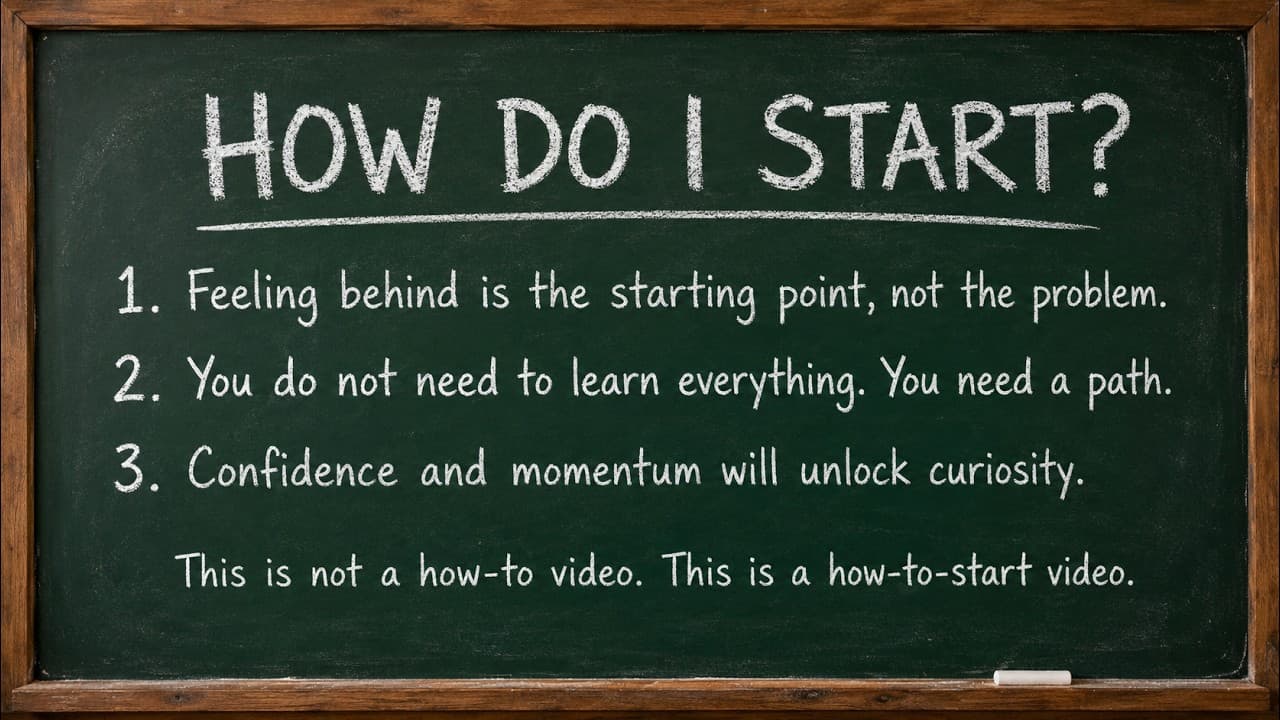
- Feeling behind is the starting point, not a disqualification. AI has advanced quickly enough that many people are uncertain where to begin, but following a defined path and continuing through early challenges can produce confidence, momentum, and curiosity.
- Basic computer literacy is more important than advanced coding ability. Understanding files, folders, downloads, the terminal, Python installation, and how to run a small program provides a practical foundation for working with modern AI tools.
- A beginner Python course is sufficient for learning essential mechanics. The cited course covered installing Python and writing a first program of roughly five lines, giving the learner familiarity with the environment without requiring a goal of becoming a programmer.
- AI copilots are designed to help perform work, not merely answer questions. Their practical uses include organizing folders, creating notes, conducting research, producing summaries, and supporting workflows using the files and project information made available to them.
- An organized folder can function like a personal database. Saving related statements, receipts, bills, photographs, sales records, and other documents together gives an AI copilot a defined collection that it can review, organize, summarize, and convert into structured outputs.
- Document analysis can reduce manual preparation work. The estate example involved placing bank statements and related records in one folder, then asking the AI to create a spreadsheet showing inflows and outflows without manually highlighting each transaction beforehand.
- Grouped files can reveal patterns that individual documents may obscure. In the portfolio example, the AI compared multiple technical sheets and identified weakening internal participation even while the overall index remained above its 20-day moving average.
- Small personal projects are a practical route to AI fluency. A planner, tracker, research tool, simple website, or workflow gives the learner a concrete objective, while later exploration of agents introduces systems that use tools, files, and workflows to take action.
Install to Summarize YouTube Videos and Get Transcripts
Explore YouTube Video Summarizer or Get YouTube Transcript Extractor
Questions & Answers
Q: How should a complete beginner start using AI?
A complete beginner should first become comfortable with basic computer concepts such as files, folders, downloads, the terminal, and installing and running Python. After that foundation, the learner should use AI as a copilot on a small, personal project. The goal is not advanced programming. It is to build confidence through practical action, which creates momentum and encourages further curiosity.
Q: Do I need to know how to code before using AI tools?
Advanced coding knowledge is not required, but basic familiarity with how a computer works is useful. A beginner course that teaches how to install Python, open the terminal, write a very short program, and run it can provide enough foundation for current AI use. The purpose is to recognize the tools and understand the process, not to train as a professional programmer.
Q: Why is a beginner Python course useful for learning AI?
A beginner Python course introduces the basic environment behind many computer tasks. The course described in the source covered installing Python and writing a first program of roughly five lines. That experience is compared to learning how to turn on an oven or use a knife before cooking. It provides practical orientation, even if the learner never intends to become a coder.
Q: How is an AI copilot different from an AI chat tool?
A chat tool primarily responds to questions, while an AI copilot can assist with work involving project files, folders, notes, research, summaries, and workflows. When given access to a selected folder, it can analyze the information stored there and create useful outputs. This shifts the experience from asking isolated questions to collaborating with a system that can act on relevant materials.
Q: How can AI organize financial or estate documents?
Related records can be downloaded or photographed and saved in one folder, including bank statements, bills, account information, house-sale documents, and asset-sale records. An AI copilot can then review that folder and create a spreadsheet of inflows and outflows. In the example provided, the documents were stored together without manually highlighting transactions before the AI was asked to organize them.
Q: How can folders improve the usefulness of an AI assistant?
A well-organized folder gives the AI a defined body of information to examine, much like a database for a specific project. The folder can contain receipts, statements, research, technical sheets, photographs, or business records. Once connected to that folder, the AI can search across the files, summarize their contents, organize details, create structured outputs, and answer questions grounded in the stored material.
Q: How can AI analyze a collection of portfolio reports?
Multiple technical sheets can be stored in one folder and analyzed together. The user can ask the AI to identify stocks showing possible trend changes, evaluate the index as a whole, and look for alarming internal signals. In the example, the percentage of names above the 20-day moving average fell from 91% to 73% to 48% while the index remained above that average.
Q: What small projects can help someone learn AI?
Useful starter projects include a planner, tracker, research tool, simple website, or small workflow. A personal project gives the learner a concrete reason to use AI and makes the results easier to evaluate. After gaining confidence, the learner can explore agentic systems, where AI moves beyond answering questions and begins using files, tools, and workflows to support actions.
Summary & Key Takeaways
-
Feeling behind is a reasonable starting point because AI has developed quickly and many people do not know where to begin. The recommended response is to follow a simple path, commit focused time to it, and build enough foundational confidence to replace intimidation with momentum, experimentation, and curiosity.
-
Basic computer literacy provides the foundation for practical AI use. A beginner Python course can introduce installing Python, opening the terminal, writing a short program, and running it. The purpose is not to become a programmer, but to understand the basic tools and processes that AI systems may use.
-
AI becomes more useful when it moves beyond conversation and works with files, folders, tools, and workflows. Connecting an AI copilot to a carefully organized project folder can support research, summaries, document organization, spreadsheet creation, financial record review, and analysis of grouped information while keeping the work grounded in relevant files.
Read in Other Languages (beta)
Share This Summary 📚
Summarize YouTube Videos and Get Video Transcripts with 1-Click
Try YouTube Summary with ChatGPT & Claude or YouTube Transcript Generator
Explore More Summaries from Jordi Visser 📚






Summarize YouTube Videos and Get Video Transcripts with 1-Click
Try YouTube Summary with ChatGPT & Claude or YouTube Transcript Generator