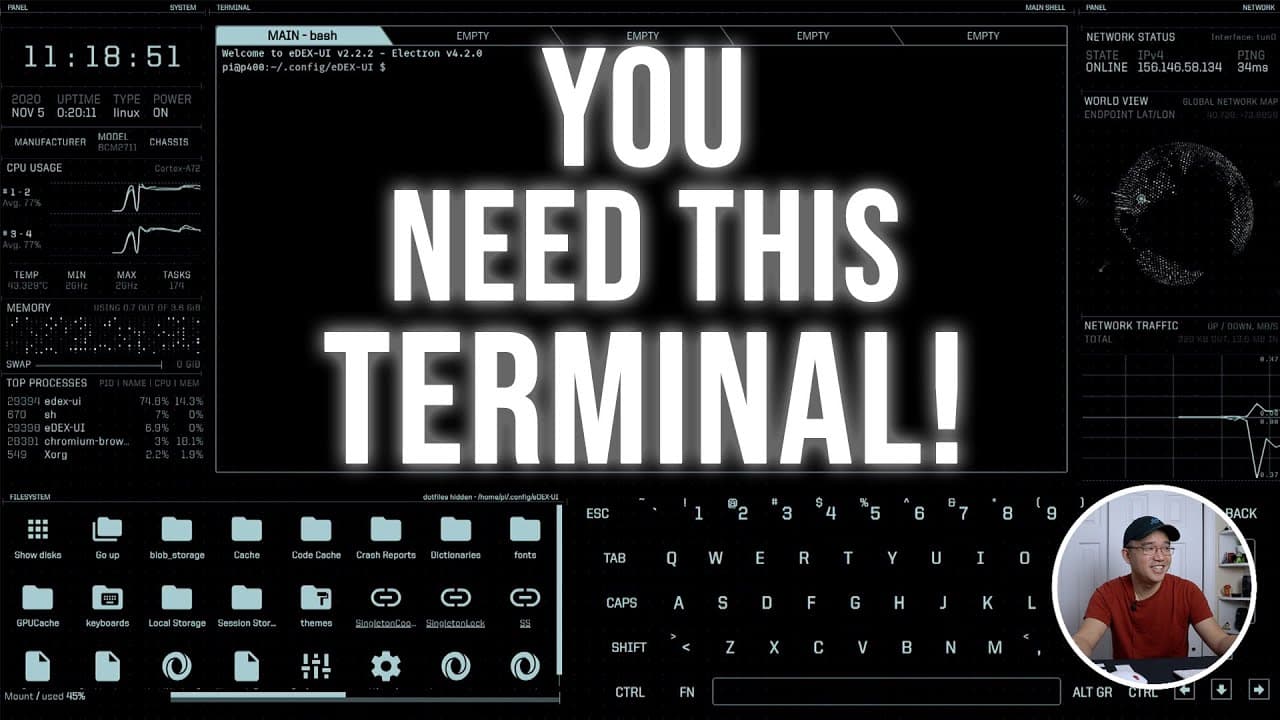
Awesome Linux Terminal eDEX-UI on the Raspberry Pi!!
TL;DR
Exploring a futuristic terminal inspired by Tron on Raspberry Pi.
Transcript
hey guys what's going on it's don here from nova spur tech and welcome back to the channel and today i'm going to be showing you guys this really really cool terminal so let's get started so recently this terminal has caught my attention now i originally watched it from this other channel called linux for everyone and i'll leave a link to their cha... Read More
Key Insights
- 🧑💻 The terminal, inspired by Tron, offers a unique visual experience, appealing to tech enthusiasts and gamers alike.
- 👤 Compiling software versions is essential for Raspberry Pi users, as certain releases may not be readily available for ARM architecture.
- 🍵 The terminal demonstrates the Raspberry Pi's ability to handle visually driven applications, although performance may vary based on hardware capabilities.
- 👤 Emphasizing cybersecurity, the video promotes Private Internet Access as a reliable VPN service, enhancing user privacy online.
- 👻 Users can customize their terminal experience through keyboard shortcuts and theme changes, allowing for personalized setups.
- 🏃 Detailed performance metrics, including frames per second, illustrate the limitations and capabilities of the Raspberry Pi's hardware when running demanding applications.
- 🫵 Encouragement for viewer engagement suggests the creator values community input and interaction, fostering a collaborative atmosphere.
Install to Summarize YouTube Videos and Get Transcripts
Explore YouTube Video Summarizer or Get YouTube Transcript Extractor
Questions & Answers
Q: What inspired the design of this terminal?
The terminal's design draws significant inspiration from the movie Tron, known for its futuristic aesthetics and digital themes. By integrating elements like clean lines, bright colors, and a sleek interface, the terminal aims to replicate the engaging visual experience found in the film, making it a fun tool for showcasing technology.
Q: What are the performance challenges when running the terminal on Raspberry Pi?
Running the terminal on Raspberry Pi can present performance challenges due to limitations in graphics processing power. Since it utilizes OpenGL, it may take a longer time to boot, potentially over a minute. Users might experience lower frame rates and slower performance compared to running the terminal on more powerful hardware like PCs.
Q: How does the author address VPN usage in the content?
The author strongly advocates for VPN usage, emphasizing its role in safeguarding online privacy from ISPs and potential data breaches, particularly in public spaces like cafes. They specifically mention using Private Internet Access due to its extensive server coverage, robust speed improvements with WireGuard, and commitment to no-log policies, as well as competitive device support.
Q: What unique features does the terminal offer for user interaction?
The terminal provides interactive features like sound effects during operations and easy keyboard navigation, which includes shortcuts for essential functions. It also supports touch screen devices, allowing users to click through directories, run commands, and utilize different themes for customization, enriching the overall user experience.
Summary & Key Takeaways
-
The video features a terminal that has a design inspired by the movie Tron, showcasing its aesthetic appeal and user interface available on Raspberry Pi.
-
The creator discusses compiling and running versions of the terminal, detailing the process for different operating systems and highlighting some performance issues on lower-end hardware like the Raspberry Pi.
-
An emphasis on using a VPN service, particularly Private Internet Access, is shared, explaining its benefits, such as enhanced privacy, speed, and support for multiple devices.
Read in Other Languages (beta)
Share This Summary 📚
Summarize YouTube Videos and Get Video Transcripts with 1-Click
Try YouTube Summary with ChatGPT & Claude or YouTube Transcript Generator
Explore More Summaries from Novaspirit Tech 📚






Summarize YouTube Videos and Get Video Transcripts with 1-Click
Try YouTube Summary with ChatGPT & Claude or YouTube Transcript Generator