How to Create Digital Marketing Images Faster with AI Image Generation
TL;DR
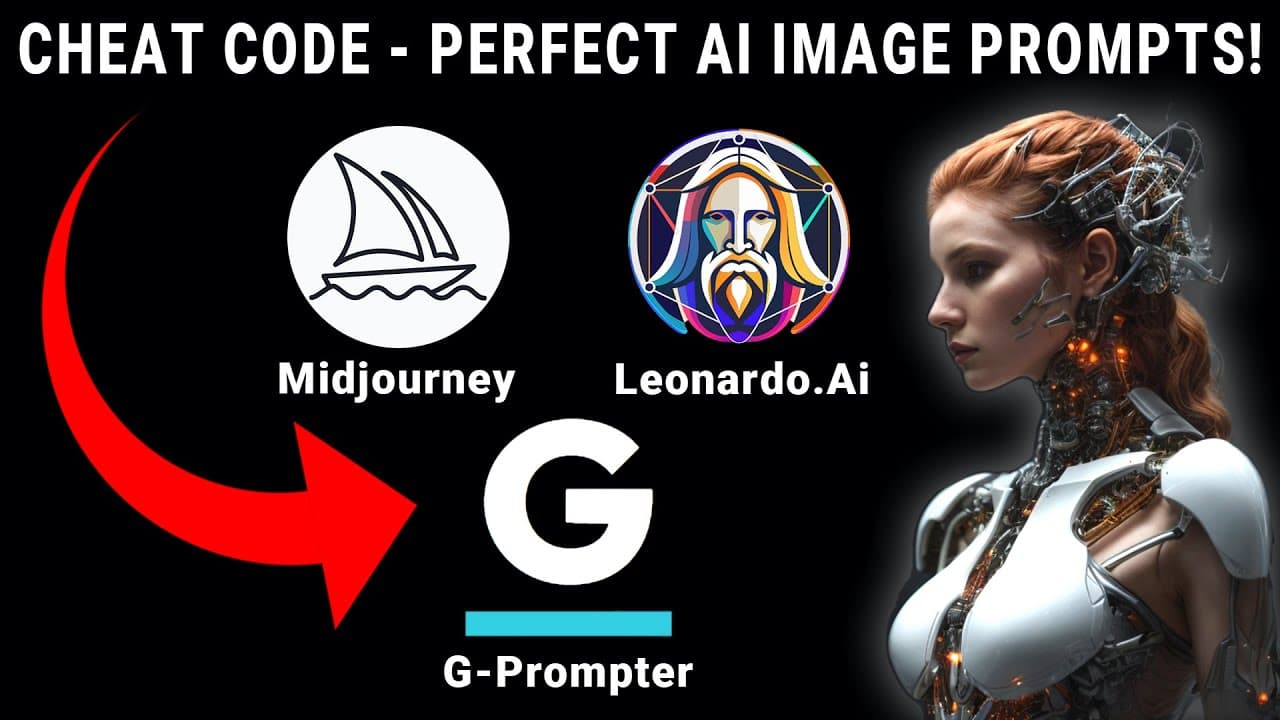
Create AI marketing images faster by training a reusable prompter on realistic image prompts, then turning a two- or three-word concept into a detailed prompt for Leonardo.ai or Midjourney. Start with a Canva template, replace its generic image, and configure photography styles such as portrait fashion, glamour fashion, and photo realism. Read on for the complete setup, recommended number of examples, and generation settings.
Transcript
How do we leverage the primary AI platforms and get a new level of result efficiency but in particular, what if there was a way to get the perfect prompt for every image without lots of training. More importantly, how can you leverage AI to create powerful images that you can use in a practical way for your marketing and advertising. But most of us... Read More
Key Insights
- Canva is an accessible starting point for marketers because its templates allow users with no design experience to replace text, fonts, and images directly. The demonstrated workflow begins with a Facebook post template, but the same image-production method can also support funnel webpages and other marketing assets.
- An attractive advertisement is not automatically an effective advertisement because visual polish alone does not determine conversion. The lesson therefore separates image manipulation from the later task of applying a response-focused advertising heuristic, keeping the immediate exercise centered on producing practical imagery quickly.
- The central image-generation problem is prompt iteration, which can require 10 or 20 rounds when marketers write prompts from scratch. A trained prompter reduces that burden by converting a short concept into a more detailed prompt based on previously selected styles and example prompts.
- A reusable prompter is created through a one-time setup process that includes naming it and selecting photography as the primary style. The demonstration further configures portrait fashion, glamour fashion, and photo realism to align the generated prompts with a specific advertising image.
- Prompt training works by collecting prompts attached to images that reflect the desired photographic style. Leonardo.ai is recommended for browsing realistic examples, copying their prompts, and accessing more output controls, while Midjourney can also supply images and prompts for the training process.
- Three to five example prompts can establish the demonstrated prompter, although at least five are recommended for future use and as many as 10 can be added. Choosing examples that match the desired realistic style gives the prompter a clearer pattern from which to construct new prompts.
- A trained prompter can turn only two or three words into a detailed image prompt. In the advertising example, the concept "inspiring presenter" is intended to produce an attention-drawing image that also signals the value proposition associated with clicking the advertisement.
- Generation settings should match the selected image platform because Midjourney-specific options include aspect ratios and version choices. The demonstrated alternative is Leonardo.ai, paired with a long prompt length and a professional photoshoot artistic style to pursue a polished photographic output.
Install to Summarize YouTube Videos and Get Transcripts
Explore YouTube Video Summarizer or Get YouTube Transcript Extractor
Questions & Answers
Q: How can marketers create AI images faster?
Start with a Canva marketing template, remove its generic image, and use a trained prompt-building tool instead of writing every prompt from scratch. After a one-time setup with suitable photography styles and example prompts, the tool can expand a short concept into a detailed prompt for Leonardo.ai or Midjourney.
Q: How do you train an AI image prompter?
Create and name a new prompter, choose photography as its primary style, and add styles suited to the intended asset. Then copy prompts from realistic images on Leonardo.ai or Midjourney and add them as training examples.
Q: How many example prompts should be used to train the prompter?
Three to five example prompts can establish the demonstrated prompter, although at least five are recommended for future use. The tool accepts as many as 10 examples, and each should represent the realistic photographic style you want to reproduce.
Q: Why does the workflow begin with Canva?
Canva provides templates whose words, fonts, sizes, and images can be changed directly, making it accessible to people without design experience. The demonstration starts with a Facebook post template, but the same imagery technique can support funnel webpages and other marketing assets.
Q: Can an attractive Canva advertisement produce conversions by itself?
No. The transcript says that creating an attractive advertisement has little to do with securing a conversion, so the lesson focuses first on manipulating its visual elements. A separate heuristic and MECLABS methodology are reserved for designing advertisements intended to produce the highest response rate.
Q: Should marketers use Leonardo.ai or Midjourney for this workflow?
Either platform can supply images and prompts for training the prompter. Leonardo.ai is recommended for browsing realistic examples, copying their prompts, and obtaining more control over outputs, while Midjourney also offers image variations, upscaling, aspect ratios, and version choices.
Q: How can two or three words become a detailed AI image prompt?
First train a reusable prompter with relevant photography styles and full prompts from images that match the desired look. You can then enter two or three descriptive words, such as “inspiring presenter,” and let the trained patterns and selected output settings expand them into a longer prompt.
Q: What settings help create photorealistic marketing images?
The demonstrated setup selects photography, portrait fashion, glamour fashion, and photo realism. For Leonardo.ai, it uses a long prompt length and a professional photoshoot artistic style; when targeting Midjourney, the settings can also include platform-specific aspect ratios and version choices.
Summary & Key Takeaways
-
The workflow begins with a practical marketing asset in Canva, such as a Facebook post or advertisement template. Canva makes its text and imagery easy to replace, even for people without design experience. However, an attractive template alone does not ensure conversion, so the lesson concentrates specifically on producing and manipulating suitable imagery.
-
A free prompt-building tool is configured for a particular visual purpose by naming a prompter and choosing photography-related styles. The demonstration selects photography, portrait fashion, glamour fashion, and photo realism. This one-time configuration creates a reusable prompter intended to generate sophisticated image prompts from very short descriptions supplied by the marketer.
-
The prompter is trained with existing prompts collected from realistic images on Leonardo.ai or Midjourney. After adding several examples, the marketer enters a brief concept such as "inspiring presenter," selects the intended image platform and output preferences, and generates a longer prompt. That prompt can produce marketing imagery for advertisements, funnels, or webpages.
Read in Other Languages (beta)
Share This Summary 📚
Summarize YouTube Videos and Get Video Transcripts with 1-Click
Try YouTube Summary with ChatGPT & Claude or YouTube Transcript Generator
Explore More Summaries from Flint McGlaughlin 📚
Summarize YouTube Videos and Get Video Transcripts with 1-Click
Try YouTube Summary with ChatGPT & Claude or YouTube Transcript Generator