Products
Features
YouTube Video Summarizer
Summarize YouTube videos
Web & PDF Highlighter
Highlight web pages & PDFs
Chat with PDF
Ask any PDF questions with AI
Ask AI Clone
Chat with your highlights & memories
Audio Transcriber
Transcribe audio files to text
Glasp Reader
Read and highlight articles
Kindle Highlight Export
Export your Kindle highlights
Idea Hatch
Hatch ideas from your highlights
Integrations
Obsidian Plugin
Notion Integration
Pocket Integration
Instapaper Integration
Medium Integration
Readwise Integration
Snipd Integration
Hypothesis Integration
Apps & Extensions
Chrome Extension
Safari Extension
Edge Add-ons
Firefox Add-ons
iOS App
Android App
Discover
Discover
Ideas
Discover new ideas and insights
Articles
Curated articles and insights
Books
Book recommendations by great minds
Posts
Essays and notes from readers
Quotes
Inspiring quotes collection
Videos
Curated videos and summaries
Explore Glasp
Glasp Newsletter
Weekly insights and updates
Glasp Talk
Interview series with great minds
Glasp Blog
Latest news and articles
Glasp Use Cases
Learn how others use Glasp
Build & Support
Glasp API
Access Glasp's API for developers
MCP Connector
Connect Glasp to Claude & ChatGPT
Community
Glasp Reddit Community
Students
Student discount and benefits
FAQs
Frequently Asked Questions
AboutPricing
DashboardLog inSign up

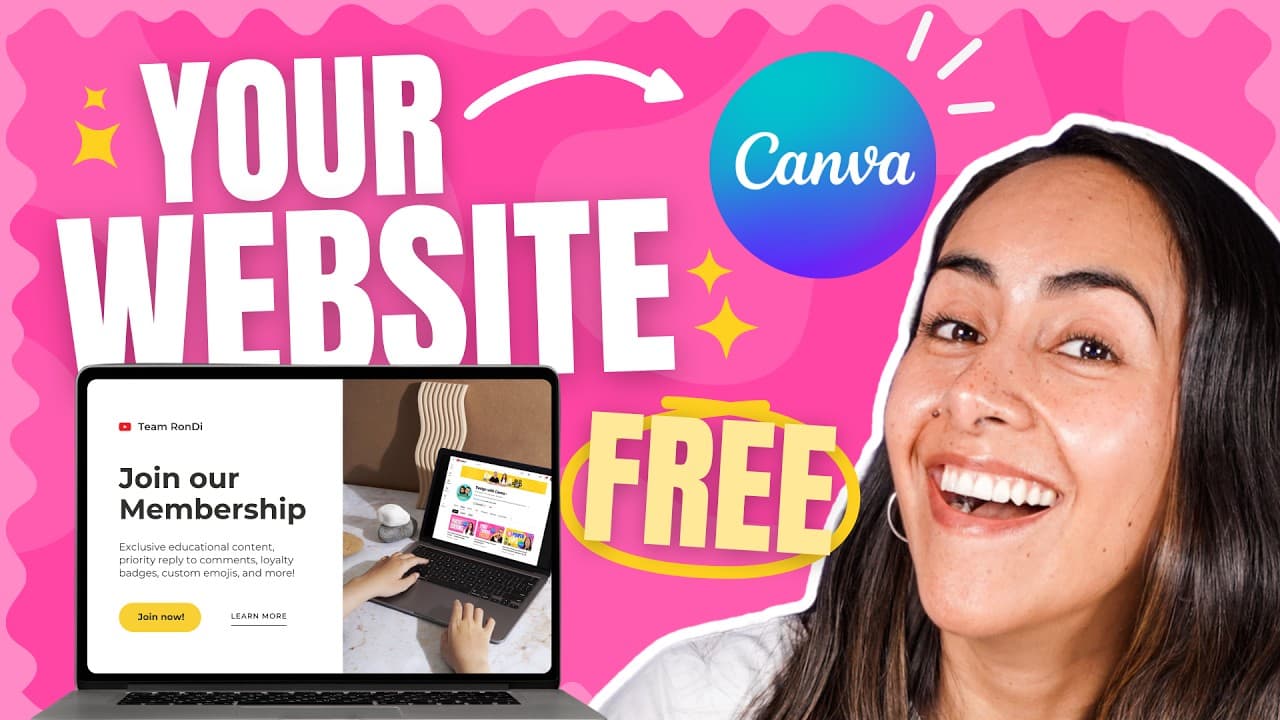
How to Build a Free Website Using Canva in 2024?
7.6K views
•
April 18, 2024
by
Design with Canva
YouTube video player
How to Build a Free Website Using Canva in 2024?

TL;DR

You can create a responsive website for free using Canva by selecting customizable templates and adding your content. Start by choosing a template, then edit text, images, and videos, and organize your pages for a cohesive design. Lastly, you can publish your site with a free domain while ensuring it works well on both desktop and mobile devices.

Transcript

this is the free website you'll be able to create after watching this tutorial all the buttons and even the embeded video work also look at this little arrow button when you click there it will take you back to the homepage you can create your website with or without a navigation bar also your website will be responsive meaning that it will look go... Read More

Key Insights

  • 👤 Canva offers a user-friendly platform for creating websites, even for those without design experience.
  • 🎨 Templates can be easily customized to fit the specific content and design needs of the website.
  • 👻 Canva allows embedding videos, adding buttons, and creating links to enhance the functionality and interactivity of the website.
  • 🚗 The option to preview the website on both desktop and mobile devices ensures a responsive design.
  • 🎨 Changes can be made to a published website by accessing the design again in Canva and republishing it.
  • 🥶 Canva's free account option provides access to essential website creation features, making it accessible to everyone.
  • ❓ The tutorial emphasizes planning and organizing content before starting the website creation process.

Install to Summarize YouTube Videos and Get Transcripts

Explore YouTube Video Summarizer or Get YouTube Transcript Extractor

Questions & Answers

Q: Can I create a website for free using Canva?

Yes, Canva offers a free account and templates to create customized websites without any cost. You can access all the features needed to design and publish your website.

Q: How can I customize the text and fonts on my website?

In Canva, you can double click on a text box to edit the text and change the font. Canva provides a range of font options to choose from, and you can also customize the font size, color, and style.

Q: Can I embed videos into my Canva website?

Yes, you can embed videos into your Canva website. Simply copy the video link from a platform like YouTube and paste it into the designated area in Canva. The embedded video will be fully functional on your website.

Q: How can I add buttons and create links within my website?

Canva allows you to create buttons and add links within your website. Simply select the button element, right-click, and choose the "Link" option. You can then paste the URL or select a page within your website to link the button.

Summary & Key Takeaways

  • This tutorial teaches how to create a website using Canva, a free design platform.

  • Canva offers various website templates and the ability to customize text, add images, videos, icons, and buttons.

  • The tutorial covers designing multiple pages, customizing fonts and colors, embedding videos, and adding navigation buttons.


Read in Other Languages (beta)

English

Share This Summary 📚

Summarize YouTube Videos and Get Video Transcripts with 1-Click

Download browser extensions on:

Try YouTube Summary with ChatGPT & Claude or YouTube Transcript Generator

Explore More Summaries from Design with Canva 📚

Collaborative video editing - How to make a group video in Canva - New feature - Canva tutorial thumbnail
Collaborative video editing - How to make a group video in Canva - New feature - Canva tutorial
Design with Canva
Let's Design it with Canva: Long Shadow Effect thumbnail
Let's Design it with Canva: Long Shadow Effect
Design with Canva
How to Create Videos with Animations and Music in Canva FOR FREE! - Updated Tutorial thumbnail
How to Create Videos with Animations and Music in Canva FOR FREE! - Updated Tutorial
Design with Canva
5 Ways to USE Canva to MAKE MONEY (Part 1) - Tips you NEED to know to be successful thumbnail
5 Ways to USE Canva to MAKE MONEY (Part 1) - Tips you NEED to know to be successful
Design with Canva
How to BLUR OUT Portions of a Video | Free in Canva thumbnail
How to BLUR OUT Portions of a Video | Free in Canva
Design with Canva
How to Make a Logo and Download it with Transparent Background | FREE Canva Tutorial for Beginners thumbnail
How to Make a Logo and Download it with Transparent Background | FREE Canva Tutorial for Beginners
Design with Canva

Summarize YouTube Videos and Get Video Transcripts with 1-Click

Download browser extensions on:

Try YouTube Summary with ChatGPT & Claude or YouTube Transcript Generator

Apps & Extensions

  • Chrome Extension
  • Safari Extension
  • Edge Add-ons
  • Firefox Add-ons
  • iOS App
  • Android App

Key Features

  • YouTube Video Summarizer
  • Web & PDF Summarizer
  • Web & PDF Highlighter
  • Chat with PDF
  • Ask AI Clone
  • Audio Transcriber
  • Glasp Reader
  • Kindle Highlight Export
  • Idea Hatch

Integrations

  • Obsidian Plugin
  • Notion Integration
  • Pocket Integration
  • Instapaper Integration
  • Medium Integration
  • Readwise Integration
  • Snipd Integration
  • Hypothesis Integration

More Features

  • APIs
  • MCP Connector
  • Blog & Post
  • Embed Links
  • Image Highlight
  • Personality Test
  • Quote Shots

Company

  • About us
  • Blog
  • Community
  • FAQs
  • Job Board
  • Newsletter
  • Pricing
Terms

•

Privacy

•

Guidelines

© 2026 Glasp Inc. All rights reserved.



