How to Build and Manage Infrastructure with Terraform
TL;DR
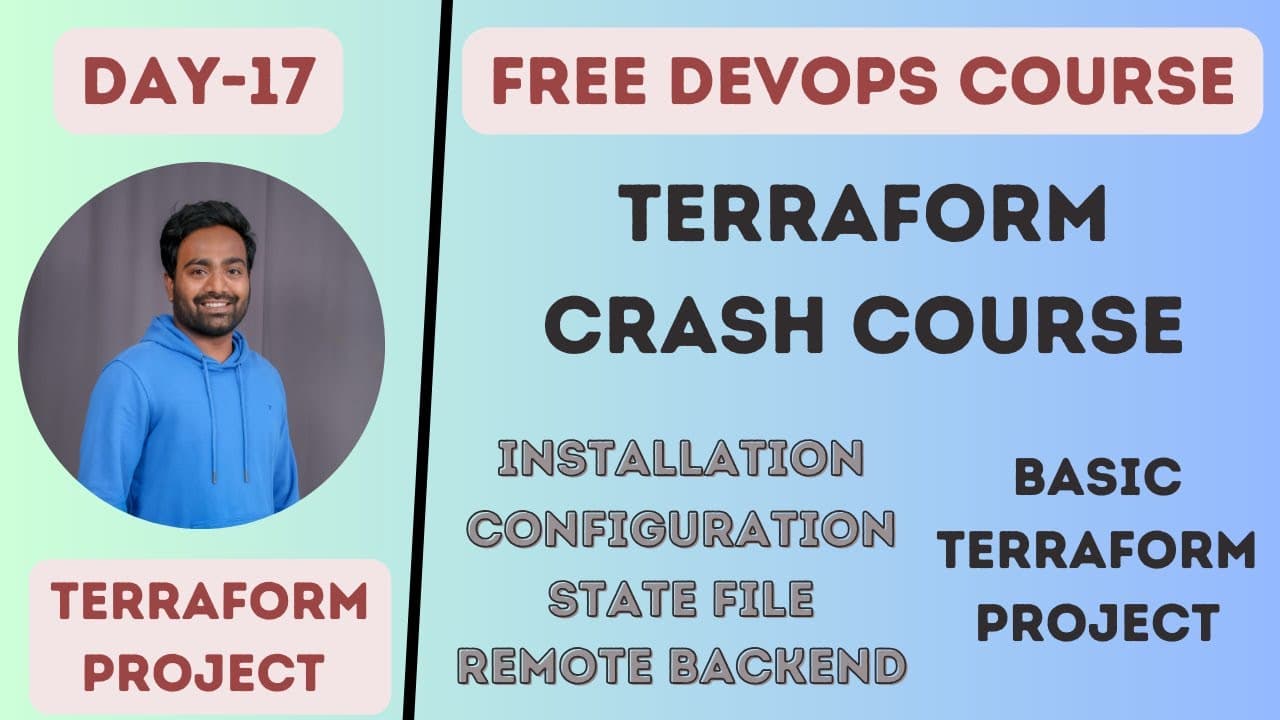
Terraform manages infrastructure by converting configuration files into API calls understood by a selected provider, such as AWS or Azure. A practical setup keeps configuration files in version control for collaboration, stores the state file in a remote backend such as an S3 bucket or Azure storage container, and uses provider documentation to create and modify resources.
Transcript
hello everyone my name is Abhishek and welcome back to my channel so today we are at day 17 and we'll be talking about a terraform like we'll understand various things about terraform how to install how to configure write your first terraform project I'll also show you how to like you know uh instead of creating your state file in local how to put ... Read More
Key Insights
- Terraform is an infrastructure automation tool that converts configuration files into API calls understood by a selected target provider. When AWS is configured as the provider, Terraform interprets the declared resources and communicates with AWS APIs to execute the requested infrastructure changes.
- A provider is the connection between Terraform configuration and the target infrastructure platform. Changing from AWS to Azure still requires provider details and platform-specific values, but the Terraform configuration approach remains consistent instead of requiring completely separate infrastructure management tools.
- Terraform supports infrastructure tracking through its state file. When an organization creates infrastructure with Terraform, the state can show which managed resources exist, allowing users to inspect the recorded environment without relying only on the cloud provider’s console.
- A remote backend is a location outside the local machine where Terraform state can be stored. The lesson uses an S3 bucket as the AWS example and identifies an Azure storage account and storage container as the comparable Azure option.
- Terraform configuration files can be placed in a Git repository or another version control system, but the state file should be excluded. Team members can propose infrastructure changes in code, request peer review, and collaborate before applying updates.
- Standardized configuration is a benefit of Terraform because infrastructure is described through consistently structured TF files. This reduces the variation that occurs when teams manually provision resources differently across cloud providers and gives changes a reviewable, repeatable form.
- The Terraform lifecycle begins with writing configuration files for the required provider and resources. Beginners can use the official HashiCorp Terraform provider documentation to find examples, understand the expected blocks, and adapt existing configurations to their own required values.
- Terraform resource examples reduce the need to memorize every syntax detail. For an AWS Lambda function, a user can locate the corresponding provider resource documentation, copy the supplied example, and modify fields such as the function name and environment variables.
Install to Summarize YouTube Videos and Get Transcripts
Explore YouTube Video Summarizer or Get YouTube Transcript Extractor
Questions & Answers
Q: How does Terraform manage infrastructure across cloud providers?
Terraform manages infrastructure by reading configuration files and converting their declarations into API calls that the selected provider understands. If AWS is selected, Terraform communicates with AWS APIs. If the target changes to Azure, users modify the provider and required values while continuing to use the Terraform configuration approach. This makes Terraform applicable to cloud-specific and hybrid infrastructure environments.
Q: Why use Terraform instead of provider-specific infrastructure tools?
Terraform offers one configuration approach for managing different infrastructure providers. Provider-specific choices such as AWS CloudFormation templates and Azure Resource Manager require knowledge of separate tools, while Terraform uses provider details to communicate with the selected target APIs. This is useful when an organization uses AWS, later adopts Azure, or operates infrastructure across both platforms.
Q: What is a Terraform provider and what does it do?
A Terraform provider identifies the target platform and enables Terraform to communicate with that platform’s APIs. The user writes configuration files and supplies the required provider information. Terraform then interprets those files for the chosen target, such as AWS. Providers therefore connect Terraform’s configuration language with the API operations needed to create or change infrastructure.
Q: What is the purpose of the Terraform state file?
The Terraform state file records the infrastructure managed through Terraform. It can be inspected to understand which resources were created for an organization and to keep track of the environment. The lesson distinguishes state from ordinary configuration files: Terraform configuration can be shared through version control, while the state file should be excluded and stored appropriately, including through a remote backend.
Q: How can Terraform state be stored in a remote backend?
Terraform state can be placed in storage outside the local machine by configuring a remote backend. The AWS example uses an S3 bucket for this purpose. For Azure, the comparable approach is to use an Azure storage account and an Azure storage container. The underlying concept remains the same even though the storage service changes with the cloud provider.
Q: How does Terraform support team collaboration and peer review?
Terraform configuration files can be stored in Git or another version control system so team members can review proposed infrastructure changes. For example, a change to the resources of an EC2 instance can be made in the Terraform file and submitted for peer review instead of being performed manually. The state file is treated separately and should not be committed with those files.
Q: How should a beginner write a first Terraform configuration?
A beginner can start with the HashiCorp Terraform documentation for the selected provider. The provider pages contain configuration instructions and examples for individual resources. Instead of memorizing syntax, the user can locate the required resource, copy the relevant example, and adjust its values. The AWS provider documentation is presented as the starting point when AWS is the target.
Q: How can HashiCorp documentation help create an AWS Lambda function?
The AWS provider documentation includes a resource example for creating an AWS Lambda function. A user can find that resource, copy its sample configuration, and modify the fields required by the project. The lesson specifically identifies the Lambda function name and environment variables as values that can be changed, showing how documentation examples can become working configuration templates.
Summary & Key Takeaways
-
Terraform provides a common configuration approach for managing infrastructure across providers. Users select a provider, write configuration files, and let Terraform translate those declarations into API calls understood by the target platform. This approach supports existing clouds, potential future providers, hybrid environments, infrastructure tracking, automated changes, collaboration, and standardized configuration practices.
-
A Terraform workflow begins with configuration files written for the chosen provider and resources. The HashiCorp Terraform documentation supplies provider-specific instructions and resource examples, including AWS Lambda configurations. Users can copy a relevant example, then modify values such as a function name or environment variables instead of memorizing every resource syntax.
-
Terraform state records the infrastructure created through the configuration and can provide a view of an organization’s managed resources. The state file should not be committed with ordinary Terraform files. A remote backend, such as an S3 bucket or an Azure storage container, supports centralized state storage while configuration files remain available for peer review.
Read in Other Languages (beta)
Share This Summary 📚
Summarize YouTube Videos and Get Video Transcripts with 1-Click
Try YouTube Summary with ChatGPT & Claude or YouTube Transcript Generator
Explore More Summaries from Abhishek.Veeramalla 📚





Summarize YouTube Videos and Get Video Transcripts with 1-Click
Try YouTube Summary with ChatGPT & Claude or YouTube Transcript Generator