How to Create Price and News Alerts on thinkorswim®
TL;DR
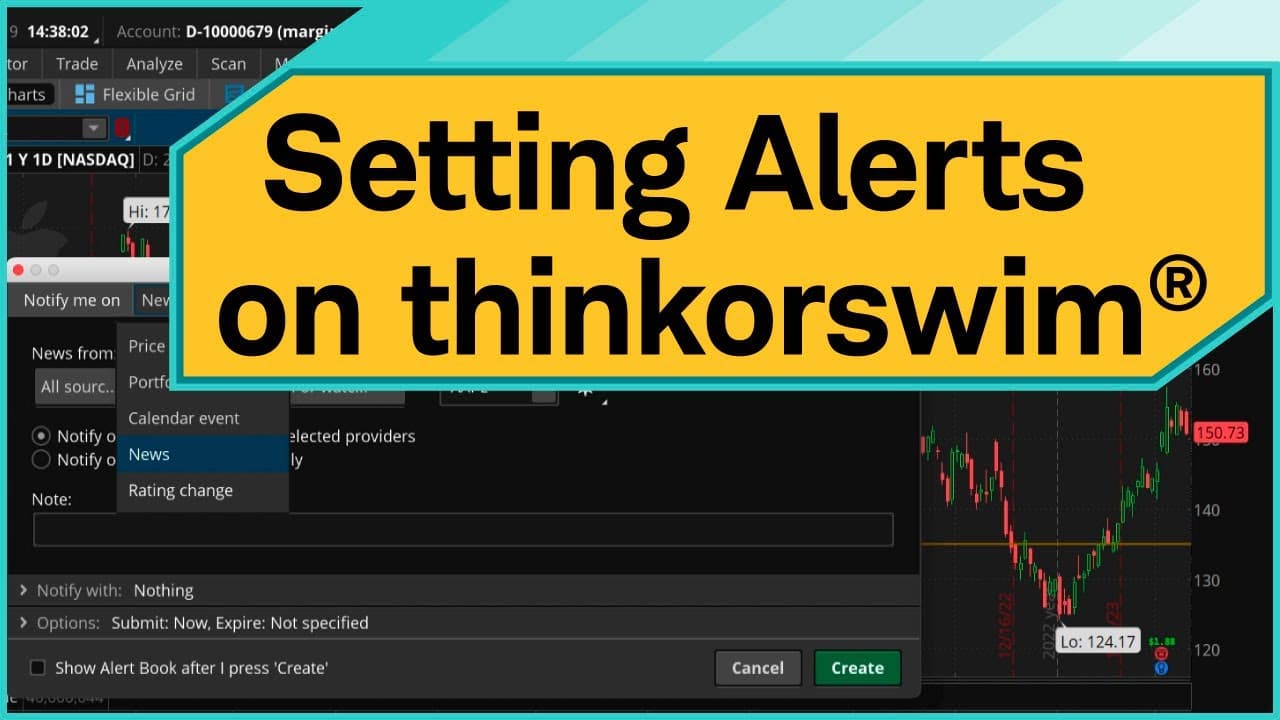
To create alerts on thinkorswim® desktop, go to the MarketWatch tab, select the Alerts subcategory, and enter your desired stock symbol. You can set price alerts by specifying conditions, and create news alerts for events like earnings. Utilize the thinkorswim mobile app to receive these alerts on the go.
Transcript
Hello, traders. I'm Sara Tyson. And today, I'm going to show you how to create alerts using thinkorswim® desktop. Keep in mind it may look different if you're on thinkorswim web or mobile. Let's jump in. So say you wanted to create a price alert on, let's say, for example, Apple. You'd start by going to the MarketWatch tab. Now, once you're here, t... Read More
Key Insights
- 💻 Creating alerts on thinkorswim® desktop helps traders stay informed about price changes and important news events.
- 😫 The MarketWatch tab and Alerts subcategory provide a user-friendly interface for setting up price alerts.
- 👻 thinkorswim® desktop allows for easy customization and tracking of alerts.
- ⚾ By utilizing news-based alerts, traders can stay updated on significant events like earnings announcements.
- 🚗 The availability of thinkorswim mobile app ensures users can receive alerts on their mobile devices.
Install to Summarize YouTube Videos and Get Transcripts
Explore YouTube Video Summarizer or Get YouTube Transcript Extractor
Questions & Answers
Q: How do you create a price alert using thinkorswim® desktop?
To create a price alert, go to the MarketWatch tab, select the Alerts subcategory, enter the stock symbol, click on the ask price, customize the alert settings by entering the desired price, and hit Create.
Q: Can you create an alert from the Trade tab or any watchlist?
Yes, you can right-click the price on the Trade tab or any watchlist and select Create alert to access the same menu and create an alert with customized settings.
Q: How can you view and modify existing alerts on thinkorswim® desktop?
To view and modify existing alerts, go to the MarketWatch tab, select Alerts again, and you'll see your alert book. From there, you can see the status, notes, and filter by working or expired alerts.
Q: Is it possible to create news-based alerts on thinkorswim® desktop?
Yes, you can create news-based alerts by using the Live News gadget in the left-hand sidebar, selecting "action," choosing the calendar event filter, typing in the stock symbol, and creating an alert for specific events like earnings.
Summary & Key Takeaways
-
The video tutorial explains how to create alerts on thinkorswim® desktop.
-
The process involves going to the MarketWatch tab, selecting the Alerts subcategory, and entering the desired stock symbol.
-
Users can create price alerts based on specific conditions or news-based alerts for calendar events like earnings.
Read in Other Languages (beta)
Share This Summary 📚
Summarize YouTube Videos and Get Video Transcripts with 1-Click
Try YouTube Summary with ChatGPT & Claude or YouTube Transcript Generator
Explore More Summaries from Charles Schwab 📚




Summarize YouTube Videos and Get Video Transcripts with 1-Click
Try YouTube Summary with ChatGPT & Claude or YouTube Transcript Generator