How to Automate Viral Shorts Creation with No-Code
TL;DR
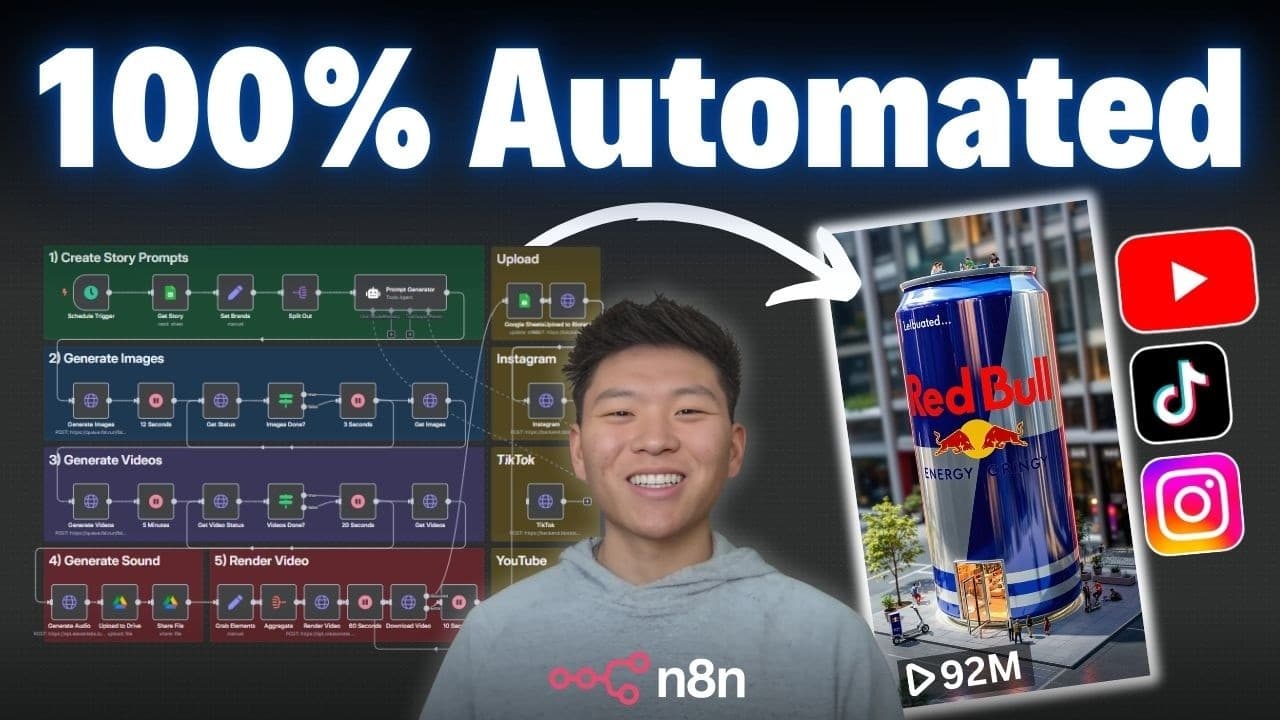
Create a fully automated viral shorts production system using n8n without coding. The process involves generating prompts, creating images and videos, adding sound, and auto-posting to social media. All resources are provided for free, enabling users to set up and run the system in under 10 minutes, making it accessible and efficient for content creators.
Transcript
I just built this AI system that 100% automates viral shorts like these while you sleep. As you can see, it's a pretty simple five-step system and we didn't have to write any code. Step one is we're grabbing the main story from our Google sheet and we're feeding it into an AI agent to create those prompts. Then step two is we're going to use Flux t... Read More
Key Insights
- The system automates viral shorts production using n8n, requiring no coding skills.
- A Google Sheet serves as the starting point for generating prompts for content creation.
- Flux is used to create high-quality images from AI-generated prompts.
- Cling transforms images into cinematic videos, maintaining high quality.
- 11 Labs generates unique sound effects for each video created.
- Creatmate combines video and audio files into a single cohesive output.
- Botato automates posting to Instagram, TikTok, and YouTube, simplifying distribution.
- The workflow can be set up in under 10 minutes with provided templates and resources.
Install to Summarize YouTube Videos and Get Transcripts
Explore YouTube Video Summarizer or Get YouTube Transcript Extractor
Questions & Answers
Q: How to automate viral shorts production without coding?
Automate viral shorts production by using n8n to integrate various tools like Flux for image creation, Cling for video generation, and 11 Labs for sound effects. The process involves generating prompts, creating media content, and auto-posting to social media. Resources and templates are provided for free, enabling a setup in under 10 minutes.
Q: What tools are used in the automated shorts creation system?
The system uses several tools: Flux for generating images, Cling for transforming images into videos, 11 Labs for creating sound effects, and Creatmate for compiling video and audio. Botato is used for auto-posting to social media platforms like Instagram, TikTok, and YouTube, all managed through n8n.
Q: How does the n8n workflow manage content creation?
The n8n workflow manages content creation by orchestrating a series of automated steps. It starts with prompt generation from a Google Sheet, creates images and videos using AI tools, adds sound effects, and compiles the final video. Finally, it auto-posts the content to social media, streamlining the entire process.
Q: What is the role of Botato in the workflow?
Botato's role in the workflow is to automate the posting of created content to social media platforms like Instagram, TikTok, and YouTube. It converts the video URL into a Botato URL for publishing, allowing seamless integration and distribution of content across multiple platforms with minimal manual intervention.
Q: How can users access the resources for setting up the system?
Users can access the resources for setting up the system by joining the creator's free community, where they can download the necessary JSON files and templates. The video provides detailed instructions and a setup guide, enabling users to configure the system quickly and efficiently without prior coding experience.
Q: What are the cost considerations for running the system?
The cost considerations include minimal fees for using OpenAI through Open Router, image and video generation costs with Flux and Cling, and monthly subscriptions for 11 Labs and Creatmate. Botato offers a 30% discount for six months, and the total cost per run is approximately $2, depending on selected services and usage.
Q: What is the importance of the Google Sheet in the workflow?
The Google Sheet is crucial as it serves as the starting point for the workflow, containing the categories and brands that trigger the entire content creation process. It helps organize and manage the input data, ensuring that the system processes the correct items and updates the status of each task efficiently.
Q: How does the system ensure high-quality content creation?
The system ensures high-quality content creation by using advanced AI tools like Flux for detailed image generation, Cling for cinematic video transformation, and 11 Labs for immersive sound effects. Each tool is carefully selected to maintain high standards of output, resulting in visually and audibly appealing viral shorts.
Summary & Key Takeaways
-
The video demonstrates creating an automated system for producing viral shorts without coding. It uses n8n to integrate tools like Flux, Cling, 11 Labs, and Creatmate to generate and compile content. The system is designed for easy setup, with all necessary resources provided for free, allowing users to automate content creation efficiently.
-
Key tools in the system include Flux for image creation, Cling for video generation, and 11 Labs for sound effects. The entire process is managed through n8n, which orchestrates the workflow from prompt generation to final video compilation and social media posting.
-
Botato is used to automate the posting of created content to social media platforms like Instagram, TikTok, and YouTube. The video provides a detailed walkthrough of setting up the system, emphasizing its accessibility and efficiency for content creators looking to automate their workflow.
Read in Other Languages (beta)
Share This Summary 📚
Summarize YouTube Videos and Get Video Transcripts with 1-Click
Try YouTube Summary with ChatGPT & Claude or YouTube Transcript Generator
Explore More Summaries from Nate Herk | AI Automation 📚






Summarize YouTube Videos and Get Video Transcripts with 1-Click
Try YouTube Summary with ChatGPT & Claude or YouTube Transcript Generator